
This guide walks you through how to remove the speed limiter on a Gotrax electric scooter using safe, tested methods. You’ll learn about firmware hacks, app tricks, and hardware tweaks—plus important safety warnings.
Key Takeaways
- Speed limiters are safety features: Gotrax scooters come with factory-set speed caps to protect riders and comply with regulations. Removing them increases risk.
- Multiple methods exist: You can remove the limiter via Bluetooth apps, firmware updates, or physical modifications—but not all are safe or reversible.
- Warranty voidance is likely: Modifying your scooter’s speed settings typically voids the manufacturer warranty. Proceed with caution.
- Battery and motor stress increase: Higher speeds drain the battery faster and put extra strain on the motor, potentially shortening its lifespan.
- Legal and safety concerns apply: In many areas, riding an uncapped e-scooter on public roads or sidewalks may be illegal. Always check local laws.
- Use protective gear: If you remove the limiter, always wear a helmet, knee pads, and reflective clothing for added safety.
- Test in a safe environment: After modification, test your scooter in a controlled, traffic-free area before regular use.
Introduction: Why Would You Want to Remove the Speed Limiter?
Gotrax electric scooters are popular for their affordability, portability, and ease of use. Whether you’re commuting to work, cruising around campus, or just enjoying a weekend ride, these scooters offer a convenient way to get around. However, one common complaint among riders is the built-in speed limiter. Most Gotrax models—like the GXL, G2, G3, and G4—are capped at around 15–18 mph (24–29 km/h), depending on the model and region.
While this limit is designed for safety and regulatory compliance, some users feel it’s too restrictive. They want more speed for longer commutes, hill climbing, or simply a more thrilling ride. That’s where removing the speed limiter comes in.
In this comprehensive guide, we’ll walk you through how to remove the speed limiter on a Gotrax electric scooter using several proven methods. We’ll cover app-based hacks, firmware tweaks, and hardware modifications—while also highlighting the risks, legal implications, and safety precautions you need to know.
By the end of this guide, you’ll have a clear understanding of your options, the steps involved, and whether removing the limiter is the right choice for you.
Understanding How Gotrax Speed Limiters Work
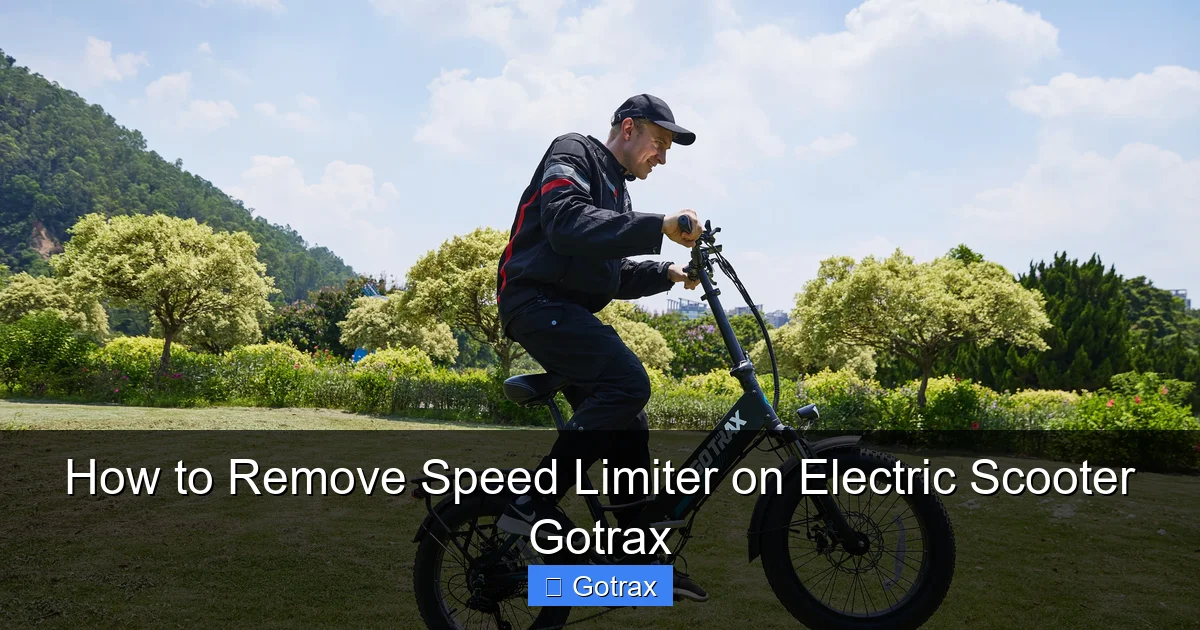
Visual guide about How to Remove Speed Limiter on Electric Scooter Gotrax
Image source: gotrax.ca
Before diving into removal techniques, it’s important to understand how Gotrax implements speed limits. Unlike cars, which use mechanical governors, electric scooters like Gotrax use electronic speed limiters controlled by the scooter’s motor controller and firmware.
The motor controller is the “brain” of the scooter. It regulates power delivery from the battery to the motor based on input from the throttle, speed sensors, and pre-programmed settings. Gotrax sets a maximum speed threshold in the firmware—usually around 15.5 mph for U.S. models—to comply with local e-scooter laws and ensure rider safety.
When you reach this speed, the controller stops sending additional power, even if you keep pressing the throttle. This is why you might feel the scooter “plateau” or stop accelerating beyond a certain point.
Some newer Gotrax models also use Bluetooth connectivity and companion apps (like the Gotrax app or third-party apps such as “E-Scooter Tuner”) to manage settings. These apps can sometimes override default limits, making it easier to tweak performance.
Method 1: Using a Bluetooth App to Remove the Speed Limiter
One of the safest and most reversible ways to remove the speed limiter is by using a Bluetooth-enabled app. This method works on Gotrax models with Bluetooth connectivity, such as the G4, G3, and some updated G2 versions.
Step 1: Check Your Scooter’s Compatibility
Not all Gotrax scooters support Bluetooth tuning. Before proceeding, confirm your model has Bluetooth functionality. Look for a Bluetooth icon on the display or check the user manual. The Gotrax G4 and G3 are the most compatible with third-party tuning apps.
Step 2: Download a Compatible App
Several apps allow you to modify e-scooter settings. The most popular and reliable options include:
– E-Scooter Tuner (available on iOS and Android)
– Gotrax Official App (limited tuning, but useful for diagnostics)
– ScooterHacking.org apps (community-developed tools)
We recommend starting with E-Scooter Tuner, as it’s user-friendly and widely tested on Gotrax models.
Step 3: Pair Your Scooter with the App
1. Turn on your Gotrax scooter.
2. Enable Bluetooth on your smartphone.
3. Open the E-Scooter Tuner app.
4. Tap “Scan for Devices” or “Connect.”
5. Select your scooter from the list (it may appear as “Gotrax G4” or similar).
6. Wait for the connection to establish. You’ll see a confirmation message once paired.
Step 4: Access Speed Settings
Once connected, navigate to the “Settings” or “Tuning” section. Look for options like:
– Max Speed
– Speed Limit
– Throttle Response
– Eco/Sport Mode
In the Max Speed field, you’ll likely see the default limit (e.g., 15.5 mph). Change this value to your desired speed—common choices are 20 mph or 25 mph. Be cautious: increasing speed too much can overheat the motor.
Step 5: Save and Test
After adjusting the settings, tap “Save” or “Apply.” The app will send the new configuration to your scooter. Restart the scooter to ensure changes take effect.
Take your scooter for a test ride in a safe, open area. Gradually increase speed to see if the limiter is removed. You should notice smoother acceleration and higher top speed.
Tips for App-Based Tuning
– Always start with small increases (e.g., +2 mph) to avoid motor strain.
– Monitor battery usage—higher speeds drain the battery faster.
– Some apps allow you to revert to factory settings if something goes wrong.
– Keep your phone nearby during the first test ride in case you need to disconnect or reset.
Method 2: Firmware Flashing (Advanced)
For users comfortable with technical modifications, firmware flashing offers more control over speed limits. This method involves uploading custom firmware to the scooter’s controller, bypassing factory restrictions.
Warning: High Risk of Damage
Firmware flashing can permanently damage your scooter if done incorrectly. It often voids the warranty and may render the scooter unusable. Only attempt this if you have experience with electronics or are following a trusted guide.
Step 1: Identify Your Controller Model
Gotrax scooters use controllers made by companies like Kelly Controls or QS Motor. You’ll need to open the scooter’s deck to locate the controller and identify its model number. Common models include:
– Kelly KBS48601
– QS V3-HB 60V
Take photos and note the part number before proceeding.
Step 2: Download Custom Firmware
Visit forums like ScooterHacking.org or Endless-Sphere.com to find custom firmware files for your controller. These communities often share modified firmware that removes speed limits and improves performance.
Look for files labeled “unlocked,” “speed hack,” or “no limiter.” Ensure the firmware matches your exact controller model.
Step 3: Use a Programming Cable
You’ll need a USB-to-TTL programming cable (around $10–$15 online) to connect your controller to a computer. Connect the cable to the controller’s programming port (usually a 4- or 5-pin connector).
Step 4: Flash the Firmware
1. Install the firmware flashing software (e.g., Kelly Programmer for Kelly controllers).
2. Open the software and load the custom firmware file.
3. Connect the programming cable to your computer.
4. Power on the scooter (some controllers require power during flashing).
5. Click “Program” or “Flash” to upload the new firmware.
The process takes a few minutes. Do not disconnect during flashing.
Step 5: Test and Monitor
After flashing, reassemble the scooter and test it carefully. Check for error codes, unusual noises, or overheating. If everything works, you should now have a higher top speed.
Important Notes
– Always back up the original firmware before flashing.
– Some firmware modifications disable safety features like overcurrent protection.
– This method is not recommended for beginners.
Method 3: Physical Modifications (Throttle and Sensor Hacks)
If you don’t have Bluetooth or don’t want to flash firmware, you can try physical modifications. These are simpler but less reliable and may not work on all models.
Option A: Throttle Signal Manipulation
The throttle sends a voltage signal to the controller. By modifying this signal, you can trick the controller into thinking you’re not at full throttle, allowing higher speeds.
How to Do It
1. Locate the throttle connector under the handlebar.
2. Use a multimeter to identify the signal wire (usually the middle wire).
3. Solder a resistor (e.g., 1kΩ) in series with the signal wire to reduce voltage drop.
4. Alternatively, use a potentiometer to manually adjust the signal.
This method is hit-or-miss and can cause erratic behavior. It’s not recommended for daily use.
Option B: Speed Sensor Bypass
Some scooters use a Hall sensor or wheel sensor to measure speed. By disabling or spoofing this sensor, you can bypass the limiter.
How to Do It
1. Find the speed sensor (usually near the rear wheel hub).
2. Disconnect the sensor wire.
3. Use a jumper wire or resistor to simulate a constant signal.
This can cause inaccurate speedometer readings and may trigger error codes. Use with caution.
Option C: Firmware Reset Button (G4 Only)
Some Gotrax G4 users report success with a “hidden” reset button. While not officially documented, some forums suggest:
1. Turn off the scooter.
2. Hold the power button and brake lever simultaneously for 10 seconds.
3. Release and turn on the scooter.
This may reset the controller to factory settings or unlock hidden modes. Results vary.
Safety and Legal Considerations
Removing the speed limiter isn’t just a technical decision—it’s a safety and legal one too.
Increased Risk of Accidents
Higher speeds mean longer stopping distances and greater impact force in a crash. Gotrax scooters aren’t designed for high-speed riding. Their brakes, tires, and frame may not handle speeds above 20 mph safely.
Battery and Motor Stress
Pushing your scooter beyond its intended limits can overheat the motor and degrade the battery. You may notice reduced range, slower charging, or even sudden power loss.
Legal Restrictions
In many U.S. states and countries, e-scooters are legally limited to 15–20 mph. Riding an uncapped scooter on public roads or sidewalks may result in fines, impoundment, or liability in accidents.
Check your local laws before modifying your scooter. Some cities require e-scooters to have working speed limiters.
Insurance and Warranty
Modifying your scooter typically voids the manufacturer warranty. If something breaks, Gotrax won’t cover repairs. Additionally, your homeowner’s or renter’s insurance may not cover accidents involving modified e-scooters.
Troubleshooting Common Issues
Even with careful modifications, problems can arise. Here’s how to handle common issues.
Scooter Won’t Connect to App
– Ensure Bluetooth is enabled and the scooter is powered on.
– Restart both the scooter and your phone.
– Reinstall the app or try a different tuning app.
– Check if the scooter’s firmware is outdated.
Speed Increase Not Working
– Confirm the app saved the settings.
– Restart the scooter after changes.
– Check if the scooter has a regional lock (some models are capped based on GPS or firmware region).
– Try a different tuning method.
Scooter Shuts Off at High Speed
This could indicate overheating or overcurrent protection. Reduce speed and let the motor cool. Check for loose connections or damaged wiring.
Battery Drains Faster
Higher speeds consume more power. Expect 20–30% less range. Consider upgrading to a higher-capacity battery if needed.
Error Codes Appear
Common codes like “E1” or “E2” may indicate sensor or motor issues. Consult the Gotrax manual or contact support. Reverting to factory settings may help.
Alternative Solutions: Upgrade Instead of Hack
If you’re unhappy with your scooter’s speed, consider upgrading to a faster model instead of modifying your current one. Gotrax offers higher-performance scooters like the Gotrax GXL V2 (up to 18 mph) or the Gotrax XR Elite (up to 20 mph). Third-party brands like Segway, Ninebot, or Apollo offer scooters with top speeds of 25–40 mph.
Upgrading is safer, warranty-friendly, and often more reliable than hacking.
Conclusion: Should You Remove the Speed Limiter?
Removing the speed limiter on your Gotrax electric scooter is possible—but it’s not without risks. While app-based tuning is the safest and most reversible method, it still increases wear and tear on your scooter and may violate local laws.
Before making any changes, ask yourself:
– Do I really need more speed, or am I just seeking a thrill?
– Am I prepared to handle higher speeds safely?
– Can I afford repairs if something breaks?
If you decide to proceed, start with the Bluetooth app method, test in a safe area, and always wear protective gear. And remember: speed isn’t everything. A smooth, safe ride is far more valuable than a few extra miles per hour.
Ultimately, the choice is yours—but make it an informed one.