
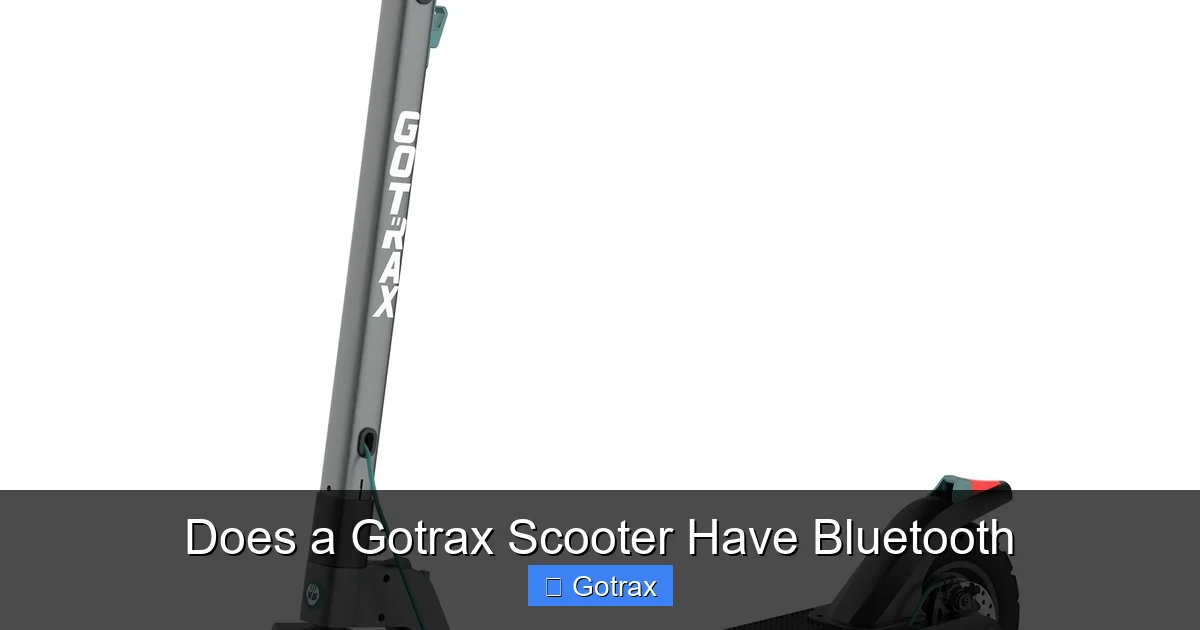
Most Gotrax scooters do not come with built-in Bluetooth connectivity, but a few newer models offer limited Bluetooth features for app integration. While basic models rely on manual controls, select Gotrax scooters sync with the Gotrax app to track speed, battery life, and ride data—making Bluetooth a useful, though not universal, feature.
Key Takeaways
- Bluetooth availability varies by model: Only certain Gotrax scooters, like the GXL V2 and XR Elite, support Bluetooth for app connectivity.
- App integration enhances functionality: Bluetooth allows riders to monitor speed, battery, distance, and lock/unlock the scooter via the Gotrax app.
- Not all Gotrax scooters have Bluetooth: Entry-level models such as the Apex and FLEX do not include Bluetooth capabilities.
- Bluetooth improves user experience: Real-time data tracking and remote control features make riding safer and more convenient.
- Firmware updates may expand features: Gotrax occasionally releases updates that improve Bluetooth performance and app compatibility.
- Third-party accessories can add Bluetooth: While not official, some riders use Bluetooth-enabled displays or controllers for added functionality.
- Check model specs before buying: Always verify Bluetooth support in the product description to avoid disappointment.
📑 Table of Contents
- Does a Gotrax Scooter Have Bluetooth? A Complete Guide
- Which Gotrax Scooters Have Bluetooth?
- How Does Bluetooth Work on Gotrax Scooters?
- Benefits of Bluetooth on Gotrax Scooters
- Limitations and Drawbacks of Bluetooth on Gotrax Scooters
- Alternatives for Non-Bluetooth Gotrax Scooters
- Final Thoughts: Is Bluetooth Worth It on a Gotrax Scooter?
Does a Gotrax Scooter Have Bluetooth? A Complete Guide
If you’re considering buying a Gotrax electric scooter, you might be wondering: Does a Gotrax scooter have Bluetooth? It’s a fair question—especially in today’s world where smart features like app connectivity, ride tracking, and remote controls are becoming standard in many personal transportation devices. Gotrax, known for offering affordable and reliable electric scooters, has gradually introduced more tech-savvy features in recent years. But when it comes to Bluetooth, the answer isn’t a simple “yes” or “no.” It really depends on the specific model you’re looking at.
Gotrax scooters are designed with a range of riders in mind—from students commuting to campus to adults navigating city streets. While many models focus on simplicity, durability, and value, a growing number now include Bluetooth connectivity to enhance the user experience. This feature allows riders to connect their scooter to the official Gotrax app, unlocking useful tools like ride statistics, battery monitoring, and even anti-theft locking. However, not every scooter in the Gotrax lineup supports this technology. Understanding which models do—and how Bluetooth actually works on these scooters—can help you make a smarter purchase decision.
In this guide, we’ll break down everything you need to know about Bluetooth on Gotrax scooters. We’ll cover which models include the feature, how the app integration works, the benefits of having Bluetooth, and what alternatives exist if your scooter doesn’t support it. Whether you’re a first-time buyer or upgrading from an older model, this article will help you understand whether Bluetooth is a must-have for your next ride.
Which Gotrax Scooters Have Bluetooth?
Visual guide about Does a Gotrax Scooter Have Bluetooth
Image source: gotrax.com
Not all Gotrax scooters come with Bluetooth, but several popular models do offer this feature. The inclusion of Bluetooth typically depends on the scooter’s target audience and price range. Higher-end or newer models are more likely to include smart features like app connectivity, while budget-friendly or entry-level scooters often skip them to keep costs down.
Gotrax GXL V2 – A Bluetooth-Enabled Favorite
One of the most well-known Gotrax scooters with Bluetooth is the GXL V2. This model is a step up from the original GXL and includes several improvements, with Bluetooth connectivity being one of the standout additions. The GXL V2 allows riders to pair their smartphone with the scooter using the Gotrax app, which is available for both iOS and Android devices.
Once connected, the app provides real-time data such as current speed, battery percentage, total distance traveled, and ride time. You can also use the app to lock and unlock the scooter remotely—a handy security feature if you’re leaving your scooter in a public area. The Bluetooth connection is generally stable within a range of about 30 feet, making it easy to monitor your scooter while it’s parked nearby.
Gotrax XR Elite – Premium Features with Smart Connectivity
The XR Elite is another Gotrax model that supports Bluetooth. Positioned as a premium commuter scooter, the XR Elite offers a longer range, stronger motor, and enhanced build quality compared to entry-level models. Like the GXL V2, it pairs with the Gotrax app to deliver detailed ride analytics and remote locking.
One advantage of the XR Elite’s Bluetooth system is its improved responsiveness. Users report faster app syncing and more consistent data updates compared to earlier models. The app also allows you to customize ride modes—such as Eco, Normal, and Sport—directly from your phone, giving you more control over performance and battery usage.
Gotrax G4 and GMAX Ultra – Advanced Options with App Support
For riders looking for even more power and features, the Gotrax G4 and GMAX Ultra are excellent choices. Both of these models include Bluetooth connectivity and full app integration. The G4, in particular, is popular among urban commuters due to its high speed (up to 20 mph) and long-range battery (up to 25 miles on a single charge).
With the Gotrax app, G4 and GMAX Ultra users can track their rides in detail, view historical data, and receive firmware update notifications. These updates can improve performance, fix bugs, or even add new features over time—something that’s only possible with a Bluetooth connection.
Models Without Bluetooth: What to Expect
On the flip side, many Gotrax scooters do not have Bluetooth. Models like the Apex, FLEX, and Elite (non-XR version) are designed for simplicity and affordability. These scooters rely on basic LCD displays to show speed and battery level, but they cannot connect to any app or smartphone.
While this might seem like a drawback, it also means these models are often more reliable and less prone to software glitches. They’re ideal for riders who prefer a “set it and forget it” approach—no apps, no updates, just hop on and go. If you don’t need advanced tracking or remote locking, a non-Bluetooth model might actually be a better fit.
How Does Bluetooth Work on Gotrax Scooters?
Visual guide about Does a Gotrax Scooter Have Bluetooth
Image source: gotrax.com
If you’re new to smart scooters, you might be curious about how Bluetooth actually functions on a Gotrax. It’s not as complex as it sounds. The process is similar to pairing a wireless headset or smartwatch with your phone—just a few taps, and you’re connected.
Pairing Your Scooter with the Gotrax App
To use Bluetooth on a compatible Gotrax scooter, you’ll first need to download the official Gotrax app from the Apple App Store or Google Play Store. Once installed, open the app and create an account if you don’t already have one. Then, turn on your scooter and make sure it’s within range of your phone (usually within 30 feet).
In the app, tap the “Connect” or “Add Scooter” button. The app will scan for nearby Gotrax devices. When your scooter appears in the list, select it to initiate pairing. You may be asked to confirm a code or press a button on the scooter’s display to complete the connection. Once paired, the app will display real-time data from your scooter.
What Can You Do with the Gotrax App?
The Gotrax app isn’t just a fancy dashboard—it offers several practical features that enhance your riding experience:
– Ride Tracking: Monitor your speed, distance, and ride duration in real time. The app logs each trip, so you can review your progress over days or weeks.
– Battery Monitoring: See exactly how much charge is left, helping you avoid getting stranded with a dead battery.
– Remote Locking: Lock your scooter remotely to prevent unauthorized use. This is especially useful in busy areas or when leaving your scooter unattended.
– Ride Mode Selection: Switch between Eco, Normal, and Sport modes directly from your phone. Eco mode conserves battery, while Sport mode maximizes speed and acceleration.
– Firmware Updates: Receive notifications when new firmware is available. These updates can improve performance, fix bugs, or add new features.
Tips for a Smooth Bluetooth Experience
To get the most out of your Bluetooth connection, keep these tips in mind:
– Keep your phone charged: The app uses Bluetooth and GPS, which can drain your battery quickly.
– Stay within range: Bluetooth has a limited range. If you walk too far from your scooter, the connection may drop.
– Update the app regularly: Gotrax frequently releases app updates to improve stability and add features.
– Restart if needed: If the app stops responding, try turning off Bluetooth on your phone, waiting 10 seconds, and turning it back on.
Benefits of Bluetooth on Gotrax Scooters
So, why does Bluetooth matter? At first glance, it might seem like a nice-to-have feature rather than a necessity. But for many riders, Bluetooth connectivity significantly improves the overall experience. Let’s explore the key benefits.
Enhanced Safety and Security
One of the biggest advantages of Bluetooth is the ability to lock your scooter remotely. If you’re stopping at a café, store, or office, you can use the app to disable the motor, making it impossible for someone else to ride away with your scooter. This anti-theft feature gives peace of mind, especially in urban environments where scooter theft is a growing concern.
Additionally, real-time speed monitoring helps you stay aware of how fast you’re going. This is particularly useful in areas with speed limits or heavy pedestrian traffic. The app can even send alerts if you exceed a certain speed, helping you ride more responsibly.
Better Ride Management
Bluetooth allows you to track your rides in detail. Whether you’re commuting daily or using your scooter for fitness, the app logs every trip, showing you how far you’ve gone, how long you rode, and how much battery you used. Over time, this data can help you optimize your routes, improve efficiency, and even set personal goals.
For example, if you notice that your battery drains faster on hilly routes, you might choose a flatter path on days when you need maximum range. Or, if you’re trying to increase your daily activity, you can set a goal to ride 5 miles each day and track your progress in the app.
Customization and Control
With Bluetooth, you’re no longer limited to the default settings on your scooter. The app lets you customize ride modes to match your needs. Want to save battery on a long commute? Switch to Eco mode. Need extra speed to beat traffic? Switch to Sport mode. These adjustments can be made instantly from your phone, without needing to fiddle with buttons on the scooter.
Some models even allow you to set a maximum speed limit—great for parents who want to restrict how fast their kids can go. This level of control makes Gotrax scooters more versatile and user-friendly.
Firmware Updates and Future-Proofing
Another often-overlooked benefit is the ability to receive firmware updates. Just like your smartphone or laptop, your scooter’s software can be improved over time. Gotrax occasionally releases updates that fix bugs, improve battery management, or add new features.
Without Bluetooth, you’d have no way to receive these updates. But with a connected scooter, the app will notify you when an update is available. Simply connect your scooter, download the update, and enjoy improved performance. This helps extend the life of your scooter and keeps it running smoothly for years.
Limitations and Drawbacks of Bluetooth on Gotrax Scooters
While Bluetooth offers many benefits, it’s not without its limitations. It’s important to have realistic expectations about what the feature can—and can’t—do.
Limited Range and Connectivity Issues
Bluetooth has a typical range of about 30 feet (10 meters). If you walk too far from your scooter, the connection may drop, and the app will stop receiving data. This can be frustrating if you’re trying to monitor your scooter from inside a building or across a parking lot.
Some users also report occasional connectivity issues, such as the app failing to pair or losing connection during a ride. These problems are usually resolved by restarting the app or re-pairing the scooter, but they can be inconvenient.
No Music or Call Integration
It’s important to clarify what Bluetooth on Gotrax scooters does not do. Unlike Bluetooth on headphones or cars, it does not support audio streaming or hands-free calling. You cannot play music from your phone through the scooter’s speakers (because most Gotrax scooters don’t have speakers), nor can you take phone calls while riding.
The Bluetooth connection is strictly for data transfer between the scooter and the app. If you want to listen to music while riding, you’ll need to use a separate Bluetooth headset or earbuds.
Battery Drain on Your Phone
Using the Gotrax app with Bluetooth enabled can drain your phone’s battery faster than usual. The app constantly communicates with the scooter, uses GPS for location tracking, and displays real-time data—all of which consume power. If you’re on a long ride, consider bringing a portable charger or using the app sparingly.
Not All Features Are Available on Every Model
Even among Bluetooth-enabled models, the app features can vary. For example, the GXL V2 supports basic tracking and locking, while the G4 and GMAX Ultra offer more advanced options like ride mode customization and firmware updates. Always check the specific features for your model before assuming everything will work.
Alternatives for Non-Bluetooth Gotrax Scooters
If you already own a Gotrax scooter without Bluetooth—or you’re considering a model that doesn’t include it—don’t worry. There are still ways to enhance your experience and add smart features.
Use a Bluetooth Speedometer or Display
One popular workaround is to install a Bluetooth-enabled speedometer or display on your scooter. These devices attach to the handlebars and sync with your phone to show speed, battery level, and distance. While they don’t integrate directly with the scooter’s motor or battery, they provide similar data to the Gotrax app.
Some riders even use fitness apps like Strava or Google Fit to track their rides manually. By starting a workout session before you ride, you can log distance, speed, and calories burned—giving you some of the same insights as a smart scooter.
Upgrade to a Bluetooth-Compatible Model
If Bluetooth is a must-have for you, consider upgrading to a model that supports it. The GXL V2, XR Elite, G4, and GMAX Ultra are all excellent choices with strong app integration. While they may cost more than basic models, the added features often justify the price for frequent riders.
Use Physical Locks for Security
Since non-Bluetooth scooters can’t be locked remotely, it’s especially important to use a physical lock. A sturdy U-lock or chain can deter thieves and keep your scooter safe when parked. Pair this with a visible deterrent like a bright lock or alarm, and you’ll significantly reduce the risk of theft.
Final Thoughts: Is Bluetooth Worth It on a Gotrax Scooter?
So, does a Gotrax scooter have Bluetooth? The answer is: some do, and some don’t. If you’re looking for a scooter with smart features, app connectivity, and remote control, models like the GXL V2, XR Elite, G4, and GMAX Ultra are great options. Bluetooth enhances safety, convenience, and ride management, making your scooter feel more like a modern tech device.
However, if you prefer simplicity, reliability, and a lower price point, a non-Bluetooth model like the Apex or FLEX might be a better fit. These scooters are built to last and perform well without the need for apps or updates.
Ultimately, the decision comes down to your personal needs and riding habits. If you value data tracking, remote locking, and customization, Bluetooth is definitely worth it. But if you just want a reliable way to get from point A to point B, you can still enjoy a great ride without it.
No matter which Gotrax scooter you choose, you’re getting a quality electric vehicle designed for everyday use. And with the right features—Bluetooth or not—you’ll be cruising in style.
Frequently Asked Questions
Do all Gotrax scooters have Bluetooth?
No, not all Gotrax scooters have Bluetooth. Only select models like the GXL V2, XR Elite, G4, and GMAX Ultra support Bluetooth connectivity. Entry-level models such as the Apex and FLEX do not include this feature.
What can I do with Bluetooth on a Gotrax scooter?
Bluetooth allows you to connect your scooter to the Gotrax app, where you can monitor speed, battery life, distance, and ride time. You can also lock and unlock the scooter remotely and switch between ride modes.
Can I play music through my Gotrax scooter using Bluetooth?
No, Bluetooth on Gotrax scooters is only for app communication and data transfer. It does not support audio streaming or hands-free calling. You’ll need separate Bluetooth headphones to listen to music.
How do I pair my Gotrax scooter with the app?
Download the Gotrax app, turn on your scooter, and open the app. Tap “Connect” or “Add Scooter,” select your device from the list, and follow the on-screen instructions to complete pairing.
What if my Gotrax scooter doesn’t have Bluetooth?
You can still track your rides using fitness apps like Strava or install a Bluetooth speedometer. For security, use a physical lock to protect your scooter when parked.
Do I need Bluetooth to update my Gotrax scooter’s firmware?
Yes, firmware updates are delivered through the Gotrax app and require a Bluetooth connection. Without Bluetooth, you won’t be able to receive these updates.