

If your Gotrax scooter isn’t working, it’s often due to battery issues, loose connections, or motor problems. Most issues can be resolved with simple troubleshooting steps like checking the power source, inspecting wiring, and resetting the system.
Key Takeaways
- Battery problems are the #1 cause: A dead, undercharged, or faulty battery is the most common reason a Gotrax scooter won’t turn on or move.
- Check the power switch and connections: Loose or corroded connectors, especially at the battery or throttle, can prevent power flow.
- Throttle and brake sensors matter: If the throttle isn’t engaging or the brake sensor is stuck, the scooter won’t accelerate for safety reasons.
- Motor and controller issues can occur: Overheating, water damage, or electrical faults in the motor or controller may stop the scooter from working.
- Firmware and app glitches happen: Some Gotrax models rely on Bluetooth or app connectivity—software bugs can cause unexpected shutdowns or unresponsiveness.
- Regular maintenance prevents failures: Keeping your scooter clean, charged, and stored properly extends its lifespan and reduces breakdowns.
- Warranty and support are available: Gotrax offers customer service and warranty coverage—don’t hesitate to reach out if DIY fixes don’t work.
📑 Table of Contents
- Why Is My Gotrax Scooter Not Working? A Complete Troubleshooting Guide
- Common Reasons Your Gotrax Scooter Isn’t Working
- Step-by-Step Troubleshooting: How to Fix a Gotrax Scooter That Won’t Work
- When to Contact Gotrax Support or Seek Professional Help
- Preventing Future Problems: Maintenance Tips for Gotrax Scooters
- Final Thoughts: Getting Your Gotrax Scooter Back on the Road
Why Is My Gotrax Scooter Not Working? A Complete Troubleshooting Guide
So, you hop on your Gotrax scooter, press the throttle, and… nothing. No lights, no hum, no movement. Your heart sinks. You’ve been relying on this little electric ride to zip around campus, commute to work, or just enjoy a breezy afternoon cruise. Now it’s sitting there, silent and unresponsive. Don’t panic—this is more common than you think.
Gotrax scooters are built to be reliable, affordable, and user-friendly. But like any electronic device, they can run into issues. The good news? Most problems that cause a Gotrax scooter not working are fixable—often without needing to call a technician or replace expensive parts. Whether your scooter won’t turn on, won’t accelerate, or shuts off unexpectedly, the root cause is usually something simple: a drained battery, a loose wire, or a stuck sensor.
In this guide, we’ll walk you through the most common reasons your Gotrax scooter might not be working, step-by-step troubleshooting methods, and practical tips to get you back on the road fast. We’ll cover everything from basic power checks to advanced diagnostics, all explained in plain English. No engineering degree required.
Common Reasons Your Gotrax Scooter Isn’t Working
Visual guide about Why Is My Gotrax Scooter Not Working
Image source: scooterinsights.com
Before diving into fixes, it helps to understand what might be going wrong. Gotrax scooters are electric, so their operation depends on a chain of components working together: battery, motor, controller, throttle, brakes, and wiring. If any link in that chain fails, the whole system can stop.
Let’s break down the top culprits behind a non-working Gotrax scooter.
Battery Issues: The #1 Suspect
The battery is the heart of your scooter. Without it, nothing else matters. If your Gotrax scooter isn’t turning on at all, the battery is the first thing to check.
A fully charged Gotrax battery should last between 10 to 20 miles, depending on the model and riding conditions. But if you haven’t charged it in a while, or if it’s been sitting in extreme temperatures, the battery may have drained completely. Even if the display shows a charge, the battery could be failing internally.
Signs of a battery problem:
– The scooter won’t turn on, even after charging.
– The display flickers or shows inconsistent battery levels.
– The scooter dies suddenly after a short ride.
– It takes unusually long to charge.
Tip: Always charge your scooter after each use. Gotrax recommends using only the original charger to avoid damaging the battery.
Power Switch and Connection Problems
Sometimes, the issue isn’t the battery itself—it’s how the power is delivered. The power switch, wiring, and connectors can become loose, corroded, or damaged over time.
Check the power button: Is it clicking properly? Does it feel stuck? If the switch is faulty, it won’t send power to the system.
Also inspect the battery connectors. Look for:
– Loose or wobbly connections
– Corrosion (white or green buildup)
– Bent or broken pins
Even a slightly loose connection can interrupt the electrical flow. Try unplugging and reseating the battery connector. If it’s corroded, gently clean it with a dry cloth or a bit of rubbing alcohol.
Throttle and Brake Sensor Malfunctions
Gotrax scooters have safety features that prevent acceleration unless certain conditions are met. For example, the scooter won’t move if it detects the brake is engaged or if the throttle isn’t responding correctly.
If your scooter turns on but won’t move when you press the throttle, the issue might be:
– A stuck brake lever (the sensor thinks you’re braking)
– A faulty throttle sensor
– A disconnected or damaged throttle wire
Try this: Sit on the scooter, squeeze the brake lever, then slowly release it while pressing the throttle. If it still doesn’t move, the brake sensor might be stuck “on.” Gently wiggle the brake lever to see if it frees up.
Also, check the throttle. Is it smooth when you twist it? Does it snap back into place? If it feels sticky or unresponsive, it may need cleaning or replacement.
Motor or Controller Failure
The motor and controller are the “brain and brawn” of your scooter. The controller manages power delivery from the battery to the motor. If either fails, your scooter won’t move—even if everything else looks fine.
Motor issues are less common but can happen due to:
– Overheating (from long rides or uphill climbs)
– Water damage (riding in rain or puddles)
– Physical impact (dropping the scooter)
Controller problems often stem from electrical surges, moisture, or manufacturing defects. If your scooter suddenly stops working after a ride, especially in wet conditions, water may have seeped into the controller housing.
Signs of motor/controller trouble:
– Scooter turns on but makes a grinding or whining noise
– It moves slowly or inconsistently
– It shuts off randomly during use
These issues are harder to diagnose at home. If you suspect a motor or controller problem, contact Gotrax support or a certified repair shop.
Firmware and App Connectivity Glitches
Some Gotrax models, like the GXL V2 or XR, come with Bluetooth connectivity and a companion app. These features allow you to track speed, battery life, and even lock your scooter remotely.
But sometimes, software bugs can cause the scooter to behave oddly. For example:
– The app says the scooter is locked, but it won’t unlock
– The display shows incorrect information
– The scooter won’t respond to throttle input
In these cases, try resetting the scooter’s system. Turn it off, wait 10 seconds, then turn it back on. If that doesn’t work, disconnect the app and reconnect it. Updating the app or firmware (if available) can also resolve glitches.
Step-by-Step Troubleshooting: How to Fix a Gotrax Scooter That Won’t Work
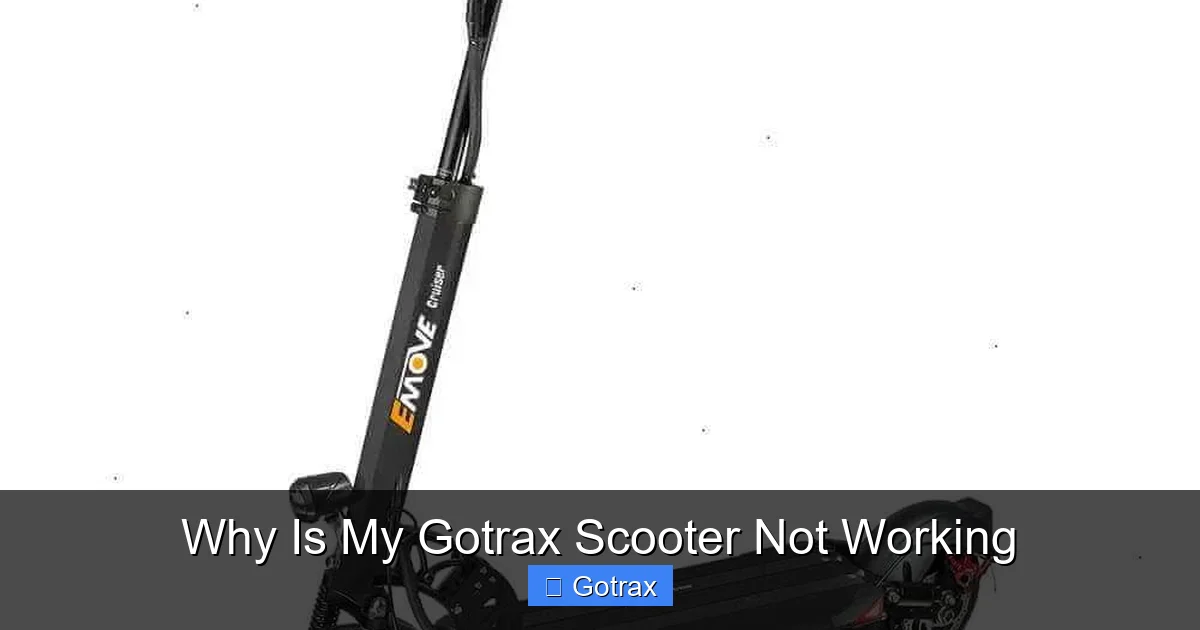
Visual guide about Why Is My Gotrax Scooter Not Working
Image source: scooterinsights.com
Now that you know the common causes, let’s walk through a practical troubleshooting process. Follow these steps in order—they’re designed to be simple, safe, and effective.
Step 1: Check the Battery and Charging
Start here. Plug in your scooter and let it charge for at least 4–6 hours. Use only the original Gotrax charger. Avoid third-party chargers—they can damage the battery or cause safety hazards.
After charging, unplug the charger and try turning on the scooter. Look at the display:
– Does it show a battery level?
– Are the lights on?
– Does the display stay on, or does it flicker?
If the display is blank or flickering, the battery may be dead or failing. Try charging it again overnight. If it still won’t hold a charge, the battery might need replacement.
Pro tip: Store your scooter in a cool, dry place. Extreme heat or cold can degrade battery performance over time.
Step 2: Inspect the Power Switch and Wiring
Turn off the scooter and locate the power switch. Press it a few times—does it click firmly? If it feels loose or unresponsive, the switch may be faulty.
Next, check the battery connector. It’s usually under the deck or near the rear wheel. Carefully unplug it and inspect both ends. Look for:
– Dirt or debris
– Corrosion (white/green powder)
– Bent or broken pins
Clean any corrosion with a dry cloth or a cotton swab dipped in rubbing alcohol. Let it dry completely before reconnecting.
Also, trace the wires from the battery to the controller and motor. Are they intact? Any cuts, frays, or exposed copper? Damaged wires can cause shorts or power loss.
Step 3: Test the Throttle and Brake Sensors
Sit on the scooter and gently squeeze the brake lever. You should hear a slight click or feel a release. Now, slowly release the brake while pressing the throttle.
If the scooter still won’t move, the brake sensor might be stuck. Try wiggling the lever or spraying a little electronic cleaner into the sensor area (avoid water).
Next, test the throttle. Twist it slowly. Does it move smoothly? Does it return to the neutral position when released? If it’s sticky, clean the throttle grip with a damp cloth. Avoid getting water inside the throttle housing.
Some Gotrax models have a “throttle test mode.” Check your user manual—this can help diagnose throttle issues.
Step 4: Listen for Unusual Noises
Turn on the scooter and listen carefully. Normal operation should be quiet—just a soft hum from the motor.
If you hear:
– Grinding or clicking: Could indicate a motor issue
– Buzzing or beeping: May signal an error code
– No sound at all: Suggests a power or controller problem
Some Gotrax scooters have diagnostic beep codes. For example, three beeps might mean a throttle error, while five beeps could indicate a motor fault. Refer to your manual for specific codes.
Step 5: Perform a System Reset
Sometimes, the scooter’s electronics just need a reboot. Here’s how to reset most Gotrax models:
1. Turn off the scooter.
2. Disconnect the battery (if possible—some models require tools).
3. Wait 10–15 seconds.
4. Reconnect the battery.
5. Turn the scooter back on.
This clears temporary glitches and resets the controller. It’s like restarting your phone when it freezes.
Step 6: Check for Water Damage
Gotrax scooters are not fully waterproof. Riding in rain or through puddles can let water seep into critical components.
Signs of water damage:
– Corrosion on connectors
– Foggy display
– Intermittent power loss
– Strange smells (like burnt electronics)
If you suspect water damage, stop using the scooter immediately. Let it dry completely for 24–48 hours in a warm, dry place. Do not charge it until it’s fully dry.
For severe water damage, contact Gotrax support. Attempting to repair it yourself could void the warranty or cause further damage.
When to Contact Gotrax Support or Seek Professional Help
Most Gotrax scooter issues can be fixed at home. But sometimes, the problem is beyond DIY repair. Here’s when to reach out for help.
The Battery Won’t Hold a Charge
If your scooter won’t turn on even after a full charge, and you’ve ruled out charger or connection issues, the battery may be dead. Gotrax batteries typically last 300–500 charge cycles. If yours is older than 1–2 years, it may be time for a replacement.
Gotrax offers replacement batteries for most models. You can order them directly from their website. Installation is usually straightforward—just swap the old battery with the new one.
Motor or Controller Failure
If your scooter makes grinding noises, overheats quickly, or shuts off during use, the motor or controller may be damaged. These components are sealed and not meant to be user-repairable.
Contact Gotrax customer support. They can diagnose the issue and offer repair or replacement options. If your scooter is under warranty (usually 90 days to 1 year), you may get a free fix or replacement.
Warranty and Repair Options
Gotrax provides a limited warranty covering defects in materials and workmanship. It does not cover damage from misuse, water exposure, or normal wear and tear.
To file a warranty claim:
1. Visit the Gotrax support page.
2. Provide your order number and photos of the issue.
3. Follow their instructions for return or repair.
Even if your warranty has expired, Gotrax may offer paid repair services or replacement parts.
Preventing Future Problems: Maintenance Tips for Gotrax Scooters
The best way to avoid a Gotrax scooter not working is to take care of it. Regular maintenance keeps your scooter running smoothly and extends its lifespan.
Charge Properly and Regularly
– Charge after every ride, even if the battery isn’t empty.
– Don’t let the battery drop to 0% regularly—this shortens its life.
– Avoid overcharging. Unplug once fully charged.
– Use only the original Gotrax charger.
Keep It Clean and Dry
– Wipe down the scooter after rides, especially if you’ve been in rain or dirt.
– Use a damp cloth for the deck and frame. Avoid spraying water directly on electronics.
– Store indoors in a dry, temperature-controlled area.
Inspect Before Every Ride
Make it a habit to do a quick check:
– Are the tires inflated?
– Are the brakes working?
– Is the throttle smooth?
– Are all lights functioning?
Catching small issues early prevents bigger problems later.
Lubricate Moving Parts
Apply a drop of bike lubricant to the brake levers, throttle, and folding mechanism every few months. This keeps them moving smoothly and prevents sticking.
Check for Firmware Updates
If your scooter has app connectivity, check for firmware updates regularly. Gotrax occasionally releases updates to improve performance and fix bugs.
Final Thoughts: Getting Your Gotrax Scooter Back on the Road
A Gotrax scooter not working can be frustrating, but it’s rarely the end of the road. Most issues are simple to fix with a little patience and the right approach. Start with the basics—check the battery, inspect connections, test the throttle and brakes. Often, a loose wire or a drained battery is all that’s standing between you and your next ride.
Remember, regular maintenance is your best defense against breakdowns. Keep your scooter charged, clean, and stored properly, and it will serve you well for years.
And if all else fails, don’t hesitate to reach out to Gotrax support. They’re there to help, and many problems are covered under warranty.
So the next time your Gotrax scooter won’t turn on, take a deep breath, follow this guide, and get back to riding with confidence.
Frequently Asked Questions
Why won’t my Gotrax scooter turn on even after charging?
This is usually a battery issue. The battery may be fully drained, damaged, or not holding a charge. Try charging it for 6+ hours with the original charger. If it still won’t turn on, the battery may need replacement.
My Gotrax scooter turns on but won’t move. What’s wrong?
The scooter may detect the brake is engaged or the throttle isn’t working. Check that the brake lever isn’t stuck and the throttle moves smoothly. Also, ensure the scooter isn’t in lock mode via the app.
Can I ride my Gotrax scooter in the rain?
Gotrax scooters are water-resistant but not waterproof. Light rain is usually fine, but avoid deep puddles or heavy downpours. Water damage can cause electrical failures and isn’t covered under warranty.
How long does a Gotrax battery last?
A Gotrax battery typically lasts 300–500 charge cycles, which is about 1–2 years with regular use. Proper charging and storage can extend its lifespan.
Is it safe to use a third-party charger?
No. Always use the original Gotrax charger. Third-party chargers can deliver incorrect voltage, overheat the battery, or cause safety hazards like fires.
How do I reset my Gotrax scooter?
Turn off the scooter, disconnect the battery for 10–15 seconds, then reconnect it and turn it back on. This resets the controller and can fix minor glitches.