
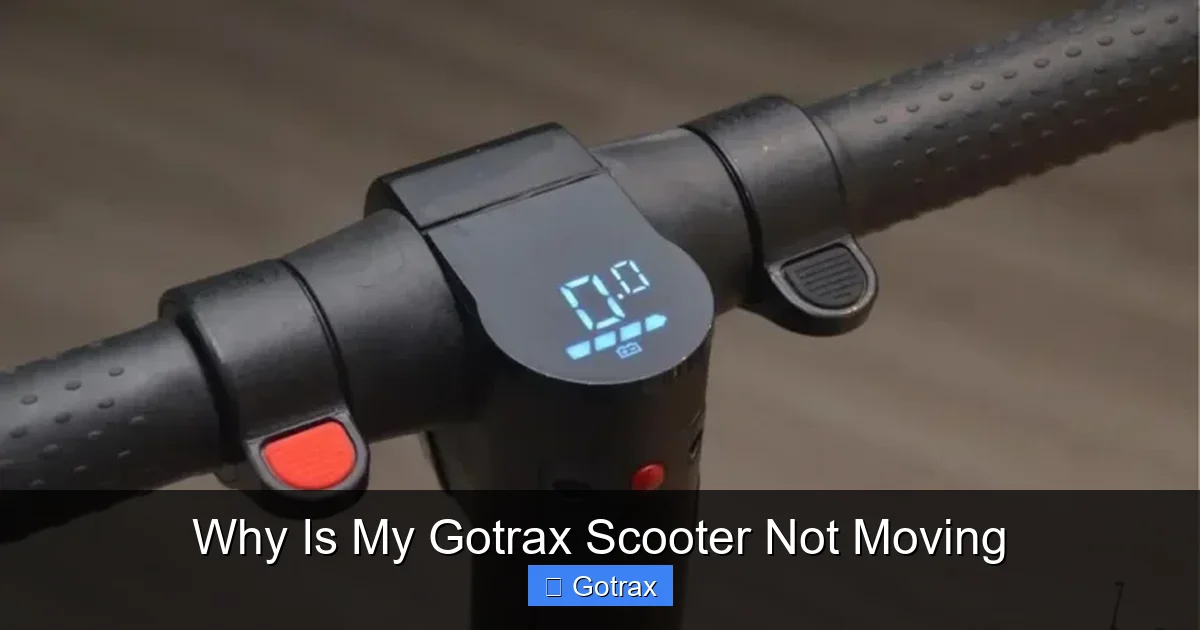
If your Gotrax scooter isn’t moving, it’s often due to a dead battery, loose connections, or a safety feature like kick-to-start mode. Most issues are fixable at home with simple troubleshooting steps.
Key Takeaways
- Check the battery charge: A low or fully drained battery is the most common reason a Gotrax scooter won’t move. Always ensure it’s fully charged before riding.
- Inspect the power switch and connections: Loose wires, a faulty power button, or poor electrical contact can prevent the motor from engaging.
- Verify kick-to-start mode is active: Gotrax scooters require a manual push (kick) to initiate motion—this is a built-in safety feature, not a malfunction.
- Examine the throttle and brake levers: Stuck or misaligned throttles or brake sensors can disable motor function as a safety precaution.
- Look for error codes on the display: Some Gotrax models show error codes that indicate specific issues like motor faults or overheating.
- Ensure the scooter isn’t in lock mode: Many Gotrax scooters have a physical or app-based lock that must be disabled before riding.
- Check tire pressure and mechanical obstructions: Flat tires or debris stuck in the wheels can prevent movement even if the motor is working.
📑 Table of Contents
- Why Is My Gotrax Scooter Not Moving? A Complete Troubleshooting Guide
- Battery Issues: The #1 Culprit Behind a Non-Moving Scooter
- Safety Features and Kick-to-Start Mode
- Throttle and Brake Lever Problems
- Electrical and Wiring Issues
- Error Codes and Display Messages
- Mechanical Obstructions and Tire Issues
- Conclusion: Getting Your Gotrax Scooter Moving Again
Why Is My Gotrax Scooter Not Moving? A Complete Troubleshooting Guide
So you’ve charged your Gotrax scooter, pressed the power button, and… nothing. No hum, no movement—just silence. Frustrating, right? You’re not alone. Thousands of Gotrax owners face this issue every year, and the good news is that in most cases, it’s not a sign of a broken scooter. Instead, it’s usually a simple fix that you can handle yourself with a little patience and the right know-how.
Gotrax scooters are known for their reliability, affordability, and sleek design. Whether you’re commuting to work, cruising around campus, or just enjoying a weekend ride, these electric scooters have become a favorite among urban riders. But like any electronic device, they can sometimes act up. When your Gotrax scooter isn’t moving, it’s easy to panic and assume the worst. But before you rush to customer service or consider a replacement, take a deep breath. Most problems stem from everyday issues—like a drained battery, a safety lock, or a simple mechanical glitch.
In this guide, we’ll walk you through the most common reasons why your Gotrax scooter might not be moving, step by step. We’ll cover everything from battery basics to throttle troubleshooting, and even how to interpret those mysterious error codes. By the end, you’ll have a clear action plan to get your scooter back on the road—safely and efficiently.
Battery Issues: The #1 Culprit Behind a Non-Moving Scooter

Visual guide about Why Is My Gotrax Scooter Not Moving
Image source: scooterinsights.com
Let’s start with the most obvious—and most common—reason your Gotrax scooter isn’t moving: the battery. If your scooter feels completely dead, won’t turn on, or powers up but doesn’t move when you throttle, the battery is the first place to look.
Is the Battery Fully Charged?
It sounds simple, but you’d be surprised how often this is the issue. Gotrax scooters rely on lithium-ion batteries, which need to be charged regularly. If you’ve been riding frequently or left your scooter unused for weeks, the battery may have drained completely. Even if the display shows a charge, it might be inaccurate—especially if the battery is old or damaged.
To check, plug your scooter into the charger and let it charge for at least 4–6 hours. Most Gotrax models take about 4–5 hours for a full charge. Look for the charging indicator light: green usually means fully charged, red or orange means still charging. If the light doesn’t turn on at all, there could be an issue with the charger, charging port, or battery itself.
Charging Port and Cable Problems
Sometimes, the issue isn’t the battery—it’s how you’re charging it. Check the charging cable for frayed wires, bent pins, or loose connections. Also, inspect the charging port on the scooter. Dirt, dust, or moisture can block the connection and prevent proper charging. Use a dry toothbrush or compressed air to gently clean the port.
Try using a different outlet or a different charger if you have one. If the scooter still won’t charge, the battery may be faulty. Gotrax batteries typically last 1–3 years with regular use. If yours is older than that, it might be time for a replacement.
Battery Age and Degradation
Lithium-ion batteries don’t last forever. Over time, they lose their ability to hold a charge. If your scooter powers on but dies quickly or won’t move even when “charged,” the battery might be degraded. Signs include:
– The scooter shuts off after a few minutes of use
– The range has dropped significantly (e.g., from 15 miles to 5)
– The battery gets unusually hot during charging
If you suspect battery degradation, contact Gotrax support. Some models allow battery replacement, though it may require professional help or a warranty claim.
Safety Features and Kick-to-Start Mode
Gotrax scooters are designed with safety in mind, and one of the most important features is the kick-to-start system. If your scooter isn’t moving, it might not be broken—it might just be following the rules.
Understanding Kick-to-Start
Unlike some electric scooters that move instantly when you twist the throttle, Gotrax models require a manual push (or “kick”) to get going. This is a built-in safety feature to prevent accidental acceleration, especially when mounting the scooter.
Here’s how it works:
1. Turn on the scooter.
2. Stand on the deck and push off with your foot (like a regular kick scooter).
3. Once you reach about 2–3 mph, twist the throttle.
4. The motor will engage and assist your motion.
If you skip the kick and just twist the throttle while stationary, the scooter won’t move. This confuses many new riders. So before assuming there’s a problem, make sure you’re using the correct startup procedure.
Is the Scooter in Lock Mode?
Another common cause of a non-moving scooter is the lock feature. Many Gotrax models come with a physical lock or a digital lock via the Gotrax app. If the scooter is locked, the motor won’t engage no matter what you do.
To check:
– Look for a physical keyhole near the stem or deck. If there’s a key inserted, remove it.
– Open the Gotrax app (if your model supports it) and check if the scooter is locked. Tap the unlock button to disable it.
Some scooters also have a “child lock” or “parking mode” that disables the motor. Refer to your user manual to see if your model has this feature and how to turn it off.
Throttle and Brake Lever Problems
If your scooter powers on and the battery is charged, but it still won’t move when you throttle, the issue might be with the throttle or brake levers. These components are critical for motor activation, and even a small malfunction can stop your ride in its tracks.
Throttle Not Responding
The throttle is the twist-grip on the right handlebar that controls speed. If it’s stuck, dirty, or disconnected, the motor won’t receive the signal to move.
Try this:
– Turn off the scooter.
– Gently twist the throttle back and forth. Does it move smoothly, or does it feel stiff or stuck?
– Check for dirt, debris, or moisture inside the throttle housing. Use a cotton swab and rubbing alcohol to clean it.
– Inspect the throttle cable. Is it loose, frayed, or disconnected? If so, it may need to be reconnected or replaced.
If the throttle feels fine but still doesn’t work, the sensor inside might be faulty. This requires disassembly and is best handled by a technician or under warranty.
Brake Lever Safety Cutoff
Gotrax scooters are equipped with a brake sensor that cuts power to the motor when the brake is applied. This is a safety feature to prevent accidental acceleration while braking.
But sometimes, the brake lever can get stuck in the “on” position—even if you’re not pressing it. This happens if:
– The lever is bent or misaligned
– The sensor is dirty or damaged
– The cable is too tight
To test:
– Squeeze the brake lever firmly a few times to see if it springs back.
– Check if the brake light stays on even when the lever is released.
– Adjust the brake cable tension if it’s too tight.
If the brake sensor is faulty, the scooter may interpret it as “braking” all the time, so the motor won’t engage. Cleaning or adjusting the lever often fixes this.
Electrical and Wiring Issues
Underneath the sleek exterior, your Gotrax scooter is powered by a network of wires, connectors, and circuit boards. If any of these components fail, the scooter won’t move—even if everything else looks fine.
Loose or Damaged Wiring
Vibrations from riding can loosen electrical connections over time. Common trouble spots include:
– The connection between the throttle and the controller
– The brake sensor wires
– The battery connector
– The motor wires
To inspect:
– Turn off the scooter and remove the deck panel (if your model allows it).
– Look for loose, frayed, or disconnected wires.
– Gently reseat any connectors that look loose.
– Use electrical tape to secure any exposed wires.
Be careful not to force anything. If you’re not comfortable opening the scooter, take it to a repair shop.
Faulty Controller or Motor
The controller is the “brain” of the scooter—it regulates power from the battery to the motor. If it fails, the scooter won’t move. Signs of a bad controller include:
– The scooter powers on but doesn’t respond to throttle
– Intermittent power loss
– Burning smell or visible damage
The motor itself can also fail, especially if it overheats or gets water damage. A faulty motor may make a grinding noise or not spin at all.
These issues are harder to diagnose and usually require professional repair or replacement. Contact Gotrax support if you suspect a controller or motor problem.
Error Codes and Display Messages
Some Gotrax models come with an LED display that shows error codes when something goes wrong. If your scooter isn’t moving and the display is flashing or showing numbers, don’t ignore it—it’s trying to tell you what’s wrong.
Common Gotrax Error Codes
Here are a few common error codes and what they mean:
– **E1**: Throttle error. The throttle isn’t responding or is stuck.
– **E2**: Brake error. The brake sensor is malfunctioning.
– **E3**: Motor error. The motor isn’t working properly.
– **E4**: Controller error. The main control board has failed.
– **E5**: Battery overvoltage or undervoltage. The battery is too high or too low.
To reset the error:
– Turn off the scooter.
– Wait 10–15 seconds.
– Turn it back on.
If the error returns, refer to your user manual or contact Gotrax support. Some errors can be fixed with a reset, while others require parts replacement.
Mechanical Obstructions and Tire Issues
Sometimes, the problem isn’t electrical—it’s mechanical. If the wheels can’t turn freely, the scooter won’t move, even if the motor is working.
Flat or Underinflated Tires
Gotrax scooters use pneumatic (air-filled) tires on most models. If a tire is flat or underinflated, it can create too much resistance for the motor to overcome.
Check tire pressure with a gauge. Most Gotrax scooters recommend 40–50 PSI. If a tire is flat, inspect it for punctures, nails, or valve leaks. Repair or replace the inner tube if needed.
Debris in the Wheels
Sticks, rocks, or string can get tangled in the wheels or around the axle, preventing rotation. Turn the scooter upside down and spin the wheels by hand. If they don’t spin freely, look for obstructions.
Also, check the fender and brake caliper. Sometimes, the brake pads can rub against the tire if misaligned, creating drag.
Worn or Damaged Wheels
Over time, wheels can wear down or become unbalanced. This can cause vibration, noise, and reduced performance. If the wheels are cracked, warped, or wobbling, they may need replacement.
Conclusion: Getting Your Gotrax Scooter Moving Again
When your Gotrax scooter isn’t moving, it’s easy to feel frustrated—but most issues are fixable with a little troubleshooting. Start with the basics: check the battery, ensure kick-to-start mode is used, and verify that safety locks are off. Then move on to inspecting the throttle, brakes, and wiring.
Remember, Gotrax scooters are built to last, but they do require regular maintenance. Keep the battery charged, clean the components, and store the scooter in a dry place. And if you’re ever unsure, don’t hesitate to reach out to Gotrax customer support—they’re known for responsive service and helpful guidance.
With the right approach, you’ll be back on the road in no time. Happy riding!
Frequently Asked Questions
Why won’t my Gotrax scooter move even though it’s fully charged?
This is often due to the kick-to-start safety feature. Gotrax scooters require a manual push to initiate motion before the throttle will work. Also, check if the scooter is in lock mode or if the brake lever is stuck.
How do I reset my Gotrax scooter if it’s not responding?
Turn off the scooter, wait 10–15 seconds, then turn it back on. If the issue persists, check for error codes on the display and consult your user manual for specific reset instructions.
Can a dead battery prevent my scooter from moving?
Yes, absolutely. Even if the display shows power, a weak or degraded battery may not deliver enough current to the motor. Always ensure a full charge before riding.
What does it mean if my Gotrax scooter shows an E1 error?
An E1 error indicates a throttle problem. The throttle may be stuck, dirty, or disconnected. Clean the throttle and check the wiring to resolve the issue.
Is it safe to open my Gotrax scooter to check the wiring?
If you’re comfortable with basic electronics and follow safety precautions, yes. Always turn off and unplug the scooter first. If unsure, take it to a professional.
How often should I charge my Gotrax scooter battery?
Charge your scooter after every ride or at least once a week if not in use. Avoid letting the battery drain completely, as this can shorten its lifespan.