

If your Gotrax hoverboard stops all of a sudden, it’s usually due to low battery, overheating, or sensor issues. This guide breaks down the most common reasons and how to fix them fast.
Key Takeaways
- Low battery power: A sudden stop often means the battery is critically low. Always check the charge level before riding.
- Overheating protection: Gotrax hoverboards shut down automatically when motors or electronics overheat. Let it cool down before resuming.
- Uneven or bumpy terrain: Riding on rough surfaces can trigger safety sensors, causing abrupt stops. Stick to smooth, flat paths.
- Calibration issues: If the hoverboard isn’t properly calibrated, it may misread your movements and stop unexpectedly.
- Loose or damaged connections: Wires inside the foot pads or battery compartment can loosen over time, leading to power loss.
- Weight limit exceeded: Exceeding the rider weight limit can strain the motors and cause sudden shutdowns.
- Firmware or software glitches: Outdated or buggy firmware may cause erratic behavior. Check for updates via the Gotrax app.
📑 Table of Contents
Why Does My Gotrax Hoverboard Stop All of a Sudden? A Complete Guide
You’re cruising down the sidewalk, feeling the breeze, and suddenly—your Gotrax hoverboard just stops. No warning, no slowdown. Just… stop. It’s frustrating, confusing, and maybe even a little scary if you’re moving fast. You’re not alone. Thousands of Gotrax hoverboard owners have experienced this exact issue, and the good news is, it’s usually fixable.
Gotrax hoverboards are known for their reliability, affordability, and smooth ride. But like any electronic device, they’re not immune to problems. Sudden stops can happen for a variety of reasons—some simple, some more technical. The key is understanding what’s going on under the hood (or under your feet, in this case). In this guide, we’ll walk you through the most common causes of sudden hoverboard stops, how to diagnose them, and what you can do to prevent them from happening again.
Whether you’re a daily commuter, a weekend rider, or just someone who loves the thrill of gliding around, this article will help you keep your Gotrax running smoothly. We’ll cover everything from battery basics to sensor troubleshooting, with practical tips and real-world examples. By the end, you’ll know exactly what to do the next time your hoverboard decides to take an unscheduled break.
Common Causes of Sudden Hoverboard Stops
When your Gotrax hoverboard stops without warning, it’s usually a safety feature kicking in—or a sign that something needs attention. Let’s break down the most common reasons this happens.

Visual guide about Why Does My Gotrax Hoverboard Stop All of a Sudden
Image source: m.media-amazon.com
Low Battery Power
The number one reason Gotrax hoverboards stop suddenly is a low battery. These devices are designed to shut down when the battery drops below a certain level to protect the cells from damage. If you’ve been riding for a while and the lights start blinking or dimming, that’s your cue.
For example, imagine you’re on a long ride to the park. You started with a full charge, but after 30 minutes of continuous use, the hoverboard slows down and then stops. That’s likely because the battery has reached its low-power threshold. Gotrax models typically have a range of 10–12 miles on a full charge, but this can vary based on terrain, rider weight, and speed.
Tip: Always check the battery indicator before riding. If it’s below 20%, plug it in. And don’t wait until it’s completely dead—charging from 0% can reduce battery lifespan over time.
Overheating Protection
Gotrax hoverboards have built-in thermal protection. If the motors or internal electronics get too hot, the system will shut down to prevent damage. This is especially common in hot weather or during long, intense rides.
Let’s say you’re riding uphill for several minutes. The motors work harder, generate more heat, and eventually trigger the overheating sensor. The hoverboard stops, and you’re left wondering why. The solution? Let it cool down for 15–30 minutes before trying again.
Pro tip: Avoid riding in direct sunlight for extended periods, and take breaks during long rides to let the system cool.
Uneven or Bumpy Terrain
Hoverboards rely on gyroscopic sensors to maintain balance. When you ride over cracks, gravel, or uneven pavement, these sensors can get confused. The board may interpret the bumps as a loss of balance and shut down as a safety measure.
For instance, if you’re riding smoothly on a sidewalk and suddenly hit a pothole, the hoverboard might jerk and stop. This isn’t a malfunction—it’s the system trying to protect you from a potential fall.
Solution: Stick to smooth, flat surfaces like paved paths, driveways, or indoor floors. Avoid grass, dirt, or rough terrain unless your model is specifically designed for it.
Calibration Issues
Hoverboards need to be properly calibrated to respond accurately to your movements. If the sensors aren’t aligned, the board might misread your weight distribution and stop unexpectedly.
Imagine you’re standing still, and the hoverboard suddenly powers off. Or worse—it starts moving on its own. That’s a sign the calibration is off. This can happen after a hard landing, a drop, or even normal wear and tear.
Fix: Recalibrate your hoverboard by turning it off, placing it on a flat surface, and holding the power button for 5–10 seconds until the lights flash. Follow the instructions in your user manual for your specific model.
Loose or Damaged Connections
Inside your hoverboard, there are wires connecting the battery, motors, and control board. Over time, vibrations from riding can loosen these connections. If a wire comes loose, the board may lose power and stop suddenly.
This is more common in older models or hoverboards that have been dropped or mishandled. You might notice intermittent power loss or flickering lights before a full stop.
What to do: If you’re comfortable opening the hoverboard (and it’s still under warranty, check first), inspect the internal connections. Look for loose wires, corrosion, or damaged insulation. If you’re not tech-savvy, take it to a professional.
Exceeding Weight Limit
Every Gotrax hoverboard has a maximum weight capacity—usually between 220 and 265 pounds, depending on the model. If you exceed this limit, the motors have to work harder, which can cause overheating, reduced performance, or sudden shutdowns.
For example, if your hoverboard is rated for 220 lbs and you weigh 240 lbs, you’re pushing it beyond its limits. The motors may overheat quickly, especially on inclines, leading to an abrupt stop.
Advice: Always check the weight limit for your specific model. If you’re close to the limit, consider upgrading to a heavier-duty hoverboard or reducing your load (like backpacks or gear).
How to Diagnose the Problem
Now that you know the common causes, how do you figure out which one is affecting your hoverboard? Diagnosis is key to fixing the issue quickly and safely.
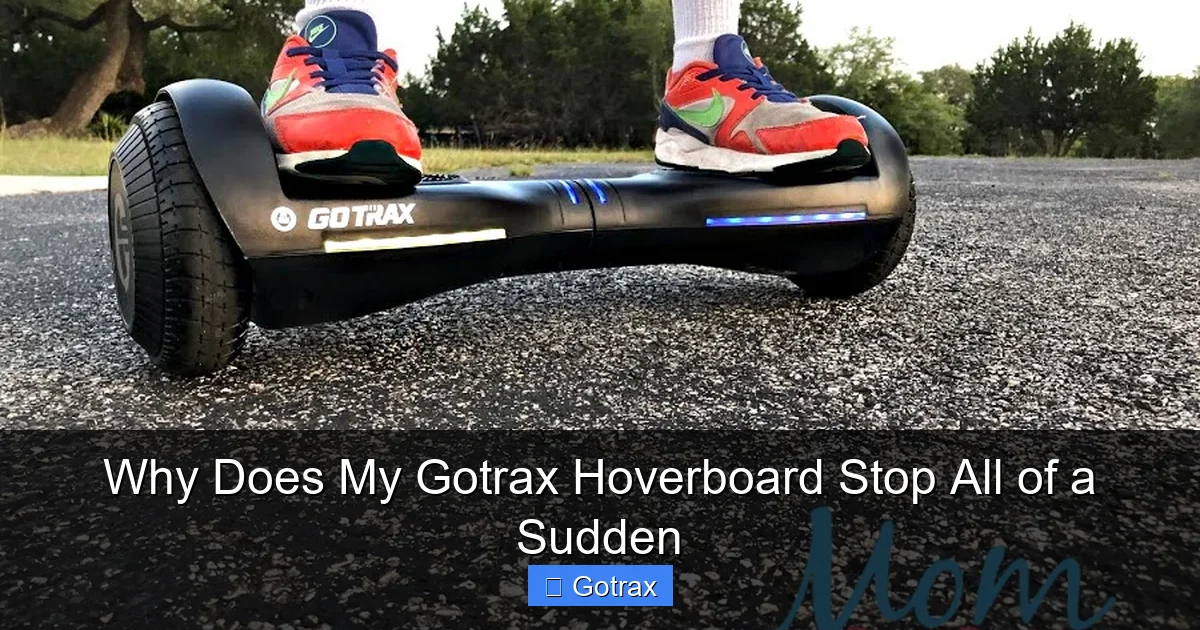
Visual guide about Why Does My Gotrax Hoverboard Stop All of a Sudden
Image source: momdoesreviews.com
Check the Battery Indicator
The first thing to do when your hoverboard stops is check the battery lights. Most Gotrax models have LED indicators on the foot pads or near the charging port. If the lights are blinking red or are completely off, it’s likely a battery issue.
For example, if you see one red light blinking, that usually means the battery is critically low. Plug it in and let it charge for at least 2–3 hours. Avoid quick charges—they can damage the battery over time.
Tip: Use the original charger that came with your hoverboard. Third-party chargers may not provide the correct voltage and can cause problems.
Feel the Motors and Battery Compartment
If the battery seems fine, check for overheating. After the hoverboard stops, carefully touch the motors (usually near the wheels) and the battery compartment. If they’re hot to the touch, overheating is the likely culprit.
Let the hoverboard sit in a cool, shaded area for 20–30 minutes. Don’t try to ride it again until it’s completely cool. Riding a hot hoverboard can damage the internal components.
Test on a Flat, Smooth Surface
To rule out terrain issues, try riding your hoverboard on a perfectly flat, smooth surface—like a garage floor or indoor tile. If it rides smoothly without stopping, the problem was likely caused by rough terrain.
If it still stops, the issue is probably internal—like calibration, connections, or firmware.
Listen for Unusual Sounds
Pay attention to any strange noises before or during the stop. Grinding, clicking, or whining sounds could indicate a mechanical problem, like a loose wheel or damaged motor.
For instance, if you hear a grinding noise when you tilt forward, it might mean the motor is struggling or a gear is misaligned. This requires professional inspection.
Check for Physical Damage
Inspect the hoverboard for cracks, dents, or loose parts. A cracked foot pad or damaged wheel can affect sensor readings and cause sudden stops.
Also, check the charging port. If it’s loose or damaged, it might not charge properly, leading to low battery issues.
How to Fix and Prevent Sudden Stops
Once you’ve diagnosed the problem, it’s time to fix it—and prevent it from happening again. Here’s how to address each common cause.
Maintain Proper Battery Health
Battery care is crucial for consistent performance. Always charge your hoverboard after use, even if it’s not fully drained. Avoid letting the battery drop to 0% regularly—this can shorten its lifespan.
Store your hoverboard in a cool, dry place. Extreme temperatures—both hot and cold—can damage the battery. For example, leaving it in a hot car in summer can cause overheating, while freezing temperatures in winter can reduce battery efficiency.
Bonus tip: Charge your hoverboard to 100% before long rides, and carry a portable charger if you plan to be out for hours.
Recalibrate Regularly
Recalibrating your hoverboard every few weeks can prevent sensor issues. It’s quick and easy:
- Turn off the hoverboard.
- Place it on a flat, level surface.
- Press and hold the power button for 5–10 seconds until the lights flash.
- Wait for the lights to stabilize, then turn it back on.
This resets the gyroscopic sensors and ensures accurate response to your movements.
Inspect and Secure Internal Connections
If you suspect loose wires, open the hoverboard (if out of warranty) and check the connections. Use a screwdriver to gently tighten any loose screws or connectors. Look for signs of wear, corrosion, or frayed wires.
If you’re not comfortable doing this, take it to a repair shop. Many local electronics stores offer hoverboard repair services.
Update Firmware via the Gotrax App
Gotrax offers a mobile app for some of its models. The app can check for firmware updates, which may fix bugs that cause sudden stops.
Download the Gotrax app, connect your hoverboard via Bluetooth, and follow the prompts to update the software. This is especially useful if your hoverboard behaves erratically or shuts down for no apparent reason.
Ride Within Safe Limits
Always ride within the recommended weight and speed limits. Avoid aggressive maneuvers like sharp turns or sudden stops, which can stress the motors and sensors.
Also, don’t ride in wet conditions unless your model is water-resistant. Water can damage internal components and cause electrical shorts.
When to Contact Gotrax Support
Sometimes, the problem is beyond DIY fixes. If your hoverboard keeps stopping despite trying the above solutions, it’s time to contact Gotrax customer support.
Signs You Need Professional Help
- The hoverboard won’t turn on at all.
- Battery won’t charge, even with a known-good charger.
- You hear burning smells or see smoke.
- The hoverboard shuts down immediately after turning on.
- Visible damage to the circuit board or motors.
Gotrax offers a limited warranty (usually 90 days to 1 year, depending on the model). If your hoverboard is still under warranty, you may be eligible for a free repair or replacement.
To contact support, visit the Gotrax website and use the live chat, email, or phone support. Have your model number and purchase receipt ready.
What to Expect
Gotrax support is generally responsive and helpful. They may ask you to perform troubleshooting steps, send photos, or ship the hoverboard for inspection. If it’s a manufacturing defect, they’ll usually cover the cost.
If your hoverboard is out of warranty, they may still offer repair services for a fee—or recommend authorized repair centers.
Tips for a Smoother, Safer Ride
Prevention is always better than repair. Here are some habits to keep your Gotrax hoverboard running smoothly for years.
Wear Protective Gear
Even if your hoverboard stops suddenly, wearing a helmet, knee pads, and elbow pads can prevent injuries. Sudden stops can throw you off balance, especially at higher speeds.
Ride in Good Weather
Avoid riding in rain, snow, or extreme heat. Wet conditions can damage electronics, while heat can cause overheating. If you must ride in the rain, make sure your model is rated for water resistance (IP54 or higher).
Store Properly
When not in use, store your hoverboard in a dry, temperature-controlled area. Don’t leave it in direct sunlight or in a hot car. Also, avoid stacking heavy items on top of it.
Clean Regularly
Dirt and debris can clog the wheels and sensors. Wipe down your hoverboard with a damp cloth after each ride. Use a soft brush to clean the wheels and foot pads.
Follow the Manual
Your user manual is your best friend. It contains model-specific instructions for charging, calibration, and maintenance. Keep it handy and refer to it often.
Conclusion
If your Gotrax hoverboard stops all of a sudden, don’t panic. In most cases, it’s a safety feature or a simple issue that can be fixed with a little troubleshooting. Low battery, overheating, terrain, calibration, and loose connections are the usual suspects. By understanding these causes and taking preventive steps, you can enjoy a safer, more reliable ride.
Remember to charge regularly, recalibrate often, and ride within safe limits. And if all else fails, Gotrax support is there to help. With proper care, your hoverboard can last for years of smooth, gliding fun.
So the next time your Gotrax decides to take a break, you’ll know exactly what to do—and how to get back on the road in no time.
Frequently Asked Questions
Why does my Gotrax hoverboard stop when I go uphill?
This is usually due to overheating or exceeding the weight limit. Uphill riding puts extra strain on the motors, which can cause them to overheat and trigger a shutdown. Let the hoverboard cool down and avoid steep inclines if you’re near the weight limit.
Can a dead battery cause sudden stops?
Yes. When the battery is critically low, the hoverboard will shut down to protect the cells. Always check the battery indicator before riding and charge it fully for long trips.
How often should I recalibrate my hoverboard?
Recalibrate every 2–4 weeks, or after a hard landing or drop. This ensures the sensors are aligned and respond accurately to your movements.
Is it safe to ride my hoverboard after it overheats?
No. Always let it cool down for at least 20–30 minutes before riding again. Riding a hot hoverboard can damage the motors and battery.
Can water damage cause sudden stops?
Yes, if water gets inside the electronics. Even small amounts can cause shorts or corrosion. Avoid riding in rain unless your model is water-resistant.
Should I use a third-party charger?
No. Always use the original Gotrax charger. Third-party chargers may not provide the correct voltage and can damage the battery or cause sudden power loss.