
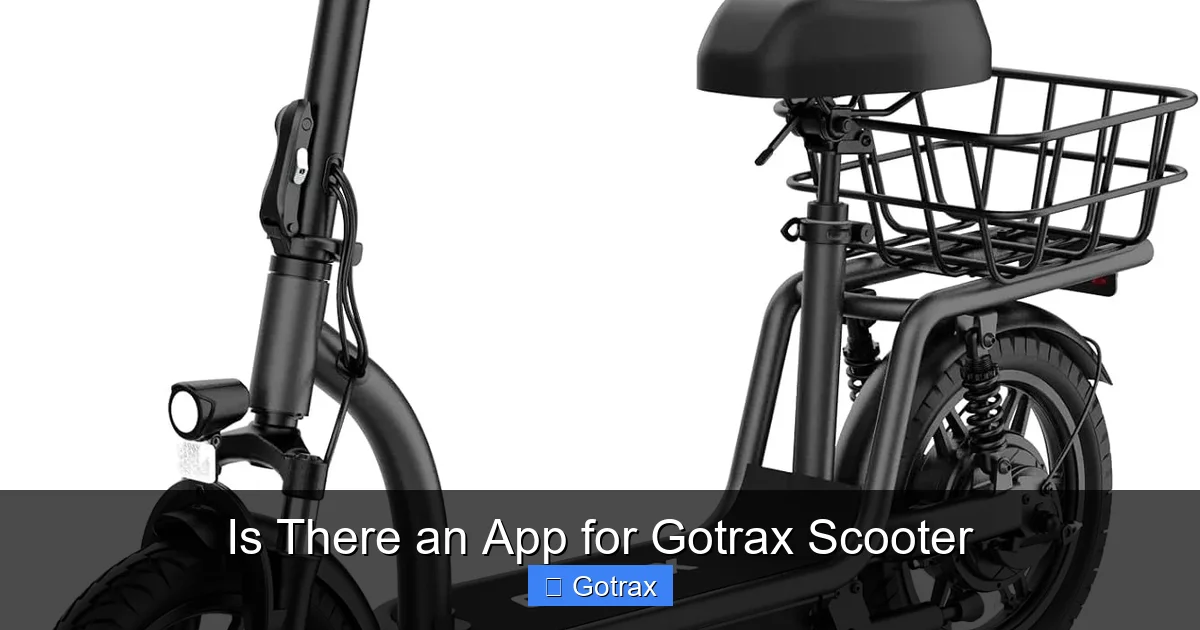
Yes, there is an app for Gotrax scooter—specifically for select Bluetooth-enabled models. The official Gotrax app, available on iOS and Android, lets you monitor speed, battery life, lock your scooter, and more. While not all Gotrax scooters support the app, newer models like the G4, G6, and XR Elite do.
Key Takeaways
- Gotrax offers a dedicated mobile app: The Gotrax app is available for download on both iOS and Android devices and works with compatible scooter models.
- Not all Gotrax scooters are app-compatible: Only newer Bluetooth-enabled models like the G4, G6, XR Elite, and FLEX support app connectivity.
- Real-time ride tracking: The app displays speed, battery level, distance traveled, and estimated range to help you manage your rides efficiently.
- Remote locking and unlocking: Use the app to lock your scooter remotely, adding an extra layer of security against theft.
- Firmware updates and diagnostics: The app can notify you of firmware updates and run basic diagnostics to keep your scooter running smoothly.
- Customizable riding modes: Adjust speed settings and riding modes directly from your phone for a personalized experience.
- Easy setup and user-friendly interface: Pairing your scooter with the app is simple, and the interface is intuitive for riders of all tech levels.
📑 Table of Contents
Is There an App for Gotrax Scooter? The Complete Guide
If you’re a proud owner of a Gotrax electric scooter—or thinking about buying one—you might be wondering: *Is there an app for Gotrax scooter?* The short answer is yes, but with some important caveats. While Gotrax doesn’t offer app support for every model in its lineup, several of its newer, more advanced scooters come equipped with Bluetooth connectivity and full integration with the official Gotrax mobile app.
This means that depending on which Gotrax scooter you have, you could be unlocking a whole new level of convenience, control, and insight into your rides. From tracking your speed in real time to remotely locking your scooter, the app adds smart features that go beyond basic riding. In this comprehensive guide, we’ll explore everything you need to know about the Gotrax app: which models are compatible, how to set it up, what features it offers, and how it can enhance your overall riding experience.
Whether you’re commuting to work, cruising around campus, or just enjoying a weekend ride, understanding the app’s capabilities can make your Gotrax scooter feel even more like a personal mobility companion. So let’s dive in and answer the question once and for all: *Is there an app for Gotrax scooter?* Spoiler alert—yes, and it’s pretty impressive.
Which Gotrax Scooters Work with the App?
Visual guide about Is There an App for Gotrax Scooter
Image source: scooterinsights.com
Not every Gotrax scooter is created equal when it comes to app connectivity. While Gotrax has built a strong reputation for affordable, reliable electric scooters, only a select group of models include the Bluetooth hardware necessary to pair with the Gotrax app. So before you download the app and expect it to work, it’s crucial to check whether your specific model is compatible.
Bluetooth-Enabled Gotrax Models
As of 2024, the following Gotrax scooters support app connectivity:
– **Gotrax G4**: One of the most popular models, the G4 features a sleek design, a 250W motor, and full app integration. It’s a favorite among urban commuters.
– **Gotrax G6**: Known for its long-range battery and sturdy build, the G6 also includes Bluetooth and app support, making it ideal for longer trips.
– **Gotrax XR Elite**: A step up from the standard XR, the XR Elite includes app connectivity, a brighter display, and improved suspension.
– **Gotrax FLEX**: This model stands out with its modular design and app features, allowing riders to customize performance and monitor usage.
– **Gotrax Apex**: Designed for teens and adults, the Apex includes app pairing for speed control and ride tracking.
These models all come with built-in Bluetooth modules that allow them to communicate with the Gotrax app on your smartphone. If your scooter isn’t on this list, chances are it doesn’t support the app—even if it’s a newer model. For example, the Gotrax GXL V2, while a solid performer, does not have Bluetooth and therefore cannot connect to the app.
How to Check Compatibility
If you’re unsure whether your Gotrax scooter supports the app, here are a few quick ways to find out:
1. **Check the product manual**: The user guide that came with your scooter will specify whether it includes Bluetooth functionality.
2. **Look for a Bluetooth symbol**: On compatible models, you’ll often see a small Bluetooth icon on the dashboard or near the power button.
3. **Visit the Gotrax website**: The official product pages for each scooter clearly state whether app connectivity is included.
4. **Contact Gotrax support**: If you’re still unsure, reach out to Gotrax customer service with your model number for confirmation.
It’s also worth noting that even if your scooter is app-compatible, you’ll need to ensure it’s running the latest firmware. Older units may require a firmware update before they can pair with the app—something we’ll cover in more detail later.
How to Download and Set Up the Gotrax App
Visual guide about Is There an App for Gotrax Scooter
Image source: scooterinsights.com
Once you’ve confirmed that your Gotrax scooter supports app connectivity, the next step is downloading and setting up the Gotrax app. The process is straightforward, but a few tips can help ensure a smooth experience.
Downloading the App
The Gotrax app is available for free on both major mobile platforms:
– **iOS**: Search for “Gotrax” in the Apple App Store. The app is compatible with iPhone 6s and later, running iOS 12.0 or higher.
– **Android**: Available on the Google Play Store for devices running Android 6.0 (Marshmallow) or later.
Make sure you download the official app—there are third-party apps with similar names that don’t work with Gotrax scooters. The official app is developed by Gotrax and has a clean, modern interface with the Gotrax logo prominently displayed.
Pairing Your Scooter with the App
After installing the app, follow these steps to connect your scooter:
1. **Turn on your scooter**: Power up your Gotrax scooter using the main button.
2. **Enable Bluetooth on your phone**: Go to your phone’s settings and make sure Bluetooth is turned on.
3. **Open the Gotrax app**: Launch the app and tap “Add Device” or “Connect Scooter.”
4. **Select your model**: The app will scan for nearby Gotrax scooters. Choose your model from the list.
5. **Confirm pairing**: You may see a prompt on your phone asking to confirm the connection. Tap “Pair” or “Connect.”
6. **Wait for confirmation**: Once connected, the app will display your scooter’s name and basic info.
The entire process usually takes less than two minutes. If the app doesn’t detect your scooter, try moving closer (within 10 feet), restarting both the scooter and your phone, or toggling Bluetooth off and on.
Troubleshooting Connection Issues
Sometimes, pairing doesn’t go as smoothly as expected. Here are some common issues and fixes:
– **Scooter not appearing in the app**: Make sure your scooter is powered on and within range. Some models require you to press the power button twice to activate Bluetooth mode.
– **App crashes or freezes**: Update the app to the latest version from the App Store or Google Play.
– **Bluetooth disconnects frequently**: This can happen if your phone’s battery saver mode is on. Disable it temporarily while using the app.
– **Firmware mismatch**: If your scooter’s firmware is outdated, the app may not recognize it. Check for updates in the app’s settings menu.
Gotrax also provides a help section within the app and on their support website with step-by-step pairing guides and video tutorials.
Key Features of the Gotrax App
Now that your scooter is connected, what can you actually do with the Gotrax app? The features are designed to enhance safety, convenience, and control, making your rides smarter and more enjoyable.
Real-Time Ride Monitoring
One of the most useful features is real-time tracking. The app displays:
– **Current speed**: See how fast you’re going at any moment, displayed in mph or km/h.
– **Battery level**: A live battery percentage helps you avoid running out of juice mid-ride.
– **Distance traveled**: Track how far you’ve gone on your current trip.
– **Estimated range**: Based on your speed and battery usage, the app estimates how much farther you can go.
This is especially helpful for commuters who need to plan their routes carefully. For example, if you’re heading to work and the app shows only 3 miles of range left, you’ll know to take a shorter route or charge before leaving.
Remote Lock and Unlock
Security is a major concern for electric scooter owners, and the Gotrax app helps address that. With the remote lock feature, you can:
– **Lock your scooter remotely**: Even if you’re not near your scooter, you can activate the lock via the app. This disables the motor and prevents unauthorized use.
– **Unlock with a tap**: When you return, simply open the app and tap “Unlock” to regain control.
– **Receive alerts**: Some models send notifications if someone tries to move the scooter while it’s locked.
This feature is particularly useful in busy areas like campuses, malls, or public transit hubs. Imagine parking your scooter outside a coffee shop—instead of worrying about theft, you can lock it from inside and enjoy your latte in peace.
Customizable Riding Modes
The app allows you to adjust your scooter’s performance to match your needs:
– **Eco Mode**: Reduces speed and power consumption to extend battery life. Ideal for leisurely rides or conserving energy.
– **Normal Mode**: Balanced performance for everyday commuting.
– **Sport Mode**: Unlocks higher speeds and quicker acceleration for a more thrilling ride.
You can switch between modes directly from the app, even while riding. For instance, if you’re on a long straight path, you might switch to Sport Mode for a burst of speed. Then, when you hit traffic or hills, switch back to Eco to save battery.
Firmware Updates and Diagnostics
Keeping your scooter’s firmware up to date is essential for performance and safety. The Gotrax app makes this easy:
– **Automatic update notifications**: The app will alert you when a new firmware version is available.
– **One-tap updates**: Download and install updates directly through the app—no need for a computer or special tools.
– **Diagnostic reports**: The app can run basic checks on your scooter’s motor, battery, and sensors, alerting you to potential issues before they become serious.
For example, if your battery is degrading faster than expected, the app might flag it and suggest a replacement. This proactive maintenance can extend the life of your scooter and prevent breakdowns.
Ride History and Statistics
The app also keeps a log of your rides, including:
– Total distance traveled
– Average speed
– Ride duration
– Battery usage patterns
Over time, this data can help you understand your riding habits and optimize your usage. Maybe you’ll notice you use more battery on hilly routes, or that your average speed is higher on weekends. These insights can inform better charging habits and route planning.
Tips for Getting the Most Out of the Gotrax App
To fully enjoy the benefits of the Gotrax app, here are some practical tips and best practices:
Keep Your Phone Charged
Since the app relies on your phone’s battery and Bluetooth, make sure your device is charged before long rides. A dead phone means no app access—and no remote lock or ride tracking. Consider carrying a portable charger if you’re planning an all-day adventure.
Update Regularly
Gotrax frequently releases app and firmware updates to improve performance and fix bugs. Enable automatic updates on your phone, or check the app monthly for new versions. Updated software ensures compatibility and access to the latest features.
Use the App Responsibly While Riding
While the app is helpful, avoid interacting with it while in motion. Adjusting settings or checking stats while riding can be distracting and dangerous. Use the app before or after your ride, or pull over safely if you need to make changes.
Secure Your Phone
Since the app controls your scooter’s lock and settings, treat your phone like a key. Use a strong passcode, enable biometric login (fingerprint or face ID), and avoid sharing your device with others. If your phone is lost or stolen, someone could potentially unlock your scooter.
Explore All Features
Many users only use the app for basic functions like checking battery life. Take time to explore all the features—ride history, diagnostics, mode settings—to get the full value. The app’s settings menu often includes hidden gems like unit preferences (mph vs. km/h) and notification controls.
Share Feedback with Gotrax
Gotrax values user input. If you encounter bugs or have suggestions for new features, use the in-app feedback option or contact their support team. Your input could help shape future updates.
Limitations and Considerations
While the Gotrax app is a powerful tool, it’s not without limitations. Being aware of these can help set realistic expectations.
Not All Models Are Supported
As mentioned earlier, only select Gotrax scooters work with the app. If you own an older or more basic model like the GXL or G2, you won’t be able to use the app—no matter how much you want to. This can be frustrating for users who upgrade their phone but not their scooter.
Bluetooth Range Is Limited
The app works best when your phone is within 10–30 feet of the scooter. If you walk too far away, the connection may drop. This means you can’t lock your scooter from inside a building unless you’re near a window or door.
App Reliability Varies
Some users report occasional glitches, such as delayed updates or failed connections. While Gotrax continues to improve the app, it’s not always 100% reliable. Keeping your app and firmware updated minimizes these issues.
Privacy and Data Use
The app collects data about your rides, including location and usage patterns. Gotrax states that this data is used to improve products and services, but it’s worth reviewing their privacy policy if you’re concerned about data sharing.
No GPS Tracking
Unlike some premium scooter apps, the Gotrax app does not include GPS tracking. If your scooter is stolen, you can’t track its location. The remote lock helps deter theft, but it’s not a substitute for GPS.
Conclusion: Is the Gotrax App Worth It?
So, is there an app for Gotrax scooter? Absolutely—if you have a compatible model. The Gotrax app transforms your electric scooter from a simple ride into a smart, connected device. With features like real-time monitoring, remote locking, customizable modes, and firmware updates, it adds significant value for tech-savvy riders and commuters alike.
While not every Gotrax scooter supports the app, the ones that do offer a modern, convenient experience that enhances safety, control, and enjoyment. Whether you’re tracking your daily commute, securing your scooter in a busy area, or fine-tuning your ride settings, the app puts powerful tools at your fingertips.
If you’re in the market for a new Gotrax scooter, consider choosing a Bluetooth-enabled model to take full advantage of the app. And if you already own a compatible scooter, don’t sleep on the app—download it, pair it, and start exploring all it has to offer.
In the world of personal electric transportation, connectivity is the future. The Gotrax app is a step in that direction, making your rides not just faster, but smarter.
Frequently Asked Questions
Is there an app for all Gotrax scooters?
No, not all Gotrax scooters support the app. Only Bluetooth-enabled models like the G4, G6, XR Elite, FLEX, and Apex are compatible. Older or basic models do not have the necessary hardware.
Can I track my Gotrax scooter’s location with the app?
No, the Gotrax app does not include GPS tracking. It can lock and unlock your scooter remotely and show ride data, but it cannot locate your scooter if it’s lost or stolen.
How do I update my Gotrax scooter’s firmware?
Open the Gotrax app, go to the settings or device menu, and check for firmware updates. If an update is available, follow the on-screen instructions to download and install it.
Why won’t my Gotrax scooter connect to the app?
Common reasons include outdated firmware, Bluetooth being turned off, or being out of range. Try restarting both devices, updating the app, and ensuring your scooter is in pairing mode.
Can I use the Gotrax app without Bluetooth?
No, the app requires Bluetooth to communicate with your scooter. Without it, you won’t be able to access any of the app’s features, including ride tracking or remote locking.
Is the Gotrax app free?
Yes, the Gotrax app is completely free to download and use. There are no subscription fees or in-app purchases required to access its features.