
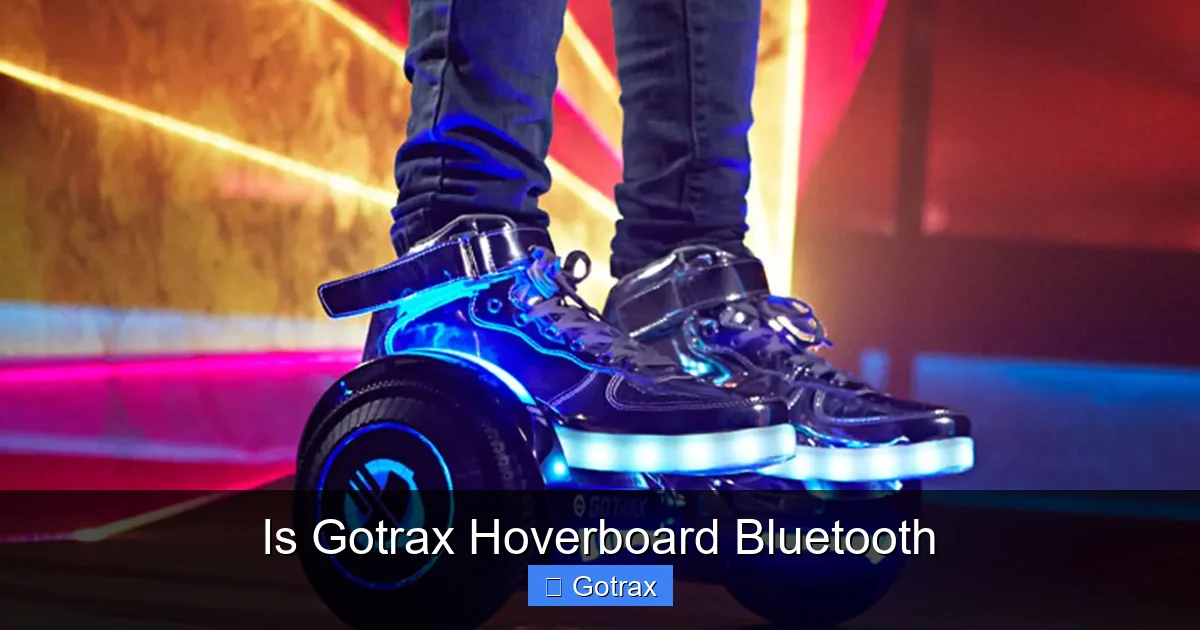
Yes, many Gotrax hoverboards come equipped with Bluetooth technology, allowing riders to stream music, access app features, and enjoy a more interactive experience. This guide explores which models include Bluetooth, how to use it, and what benefits it brings to your daily rides.
If you’re considering buying a Gotrax hoverboard, you’ve probably noticed that some models advertise Bluetooth capability—while others don’t. You might be wondering: Is Gotrax hoverboard Bluetooth really a thing? The short answer is yes—but not on every model. Gotrax, a popular brand in the personal electric transportation space, offers a range of hoverboards, and Bluetooth is a standout feature on several of their newer and more advanced versions.
Bluetooth on a hoverboard isn’t just a gimmick. It adds real value by letting you connect your smartphone wirelessly to the board. This means you can play music through built-in speakers, access ride data via a mobile app, and even customize settings like speed limits or LED lighting. For many riders, especially younger ones, this turns a simple ride into a full-on mobile entertainment experience. But before you assume every Gotrax hoverboard comes with this tech, it’s important to know which models actually support Bluetooth and how to make the most of it.
In this guide, we’ll dive deep into the world of Gotrax hoverboards with Bluetooth. We’ll explore which models include this feature, how to pair your device, what you can do with the connection, and whether it’s worth the extra cost. Whether you’re a parent looking for a fun gift for your teen or an adult wanting a stylish way to commute, understanding Bluetooth on Gotrax hoverboards will help you make a smarter, more informed decision.
Key Takeaways
- Bluetooth is available on select Gotrax hoverboard models: Not all Gotrax hoverboards have Bluetooth, so it’s important to check the specific model before purchasing.
- Music streaming is a key feature: Bluetooth enables wireless audio playback through built-in speakers, letting you enjoy your favorite tunes while riding.
- Gotrax app integration enhances control: Some models sync with the Gotrax app for speed tracking, battery monitoring, and ride statistics.
- Easy pairing process: Connecting your phone to a Gotrax hoverboard via Bluetooth is simple and takes just a few steps.
- Improved safety and fun: Bluetooth features add entertainment without compromising safety when used responsibly.
- Battery life remains unaffected: Using Bluetooth does not significantly drain the hoverboard’s main battery, so ride time stays consistent.
- Great for kids and adults alike: The added fun of music and app interaction makes Bluetooth-enabled Gotrax hoverboards appealing to a wide age range.
📑 Table of Contents
Which Gotrax Hoverboards Have Bluetooth?
Not all Gotrax hoverboards come with Bluetooth, so it’s crucial to identify which models include this feature. Gotrax offers a variety of hoverboards under different series, and Bluetooth is typically found in their more premium or newer lines. Let’s break it down.
Gotrax G4 Hoverboard – The Flagship with Bluetooth
The Gotrax G4 is one of the brand’s most popular models and one of the first to include Bluetooth as a standard feature. Designed with a sleek, modern look, the G4 comes equipped with dual 350-watt motors, a top speed of 12 mph, and a range of up to 12 miles on a single charge. But what really sets it apart is its built-in Bluetooth connectivity.
With the G4, you can pair your iPhone or Android device to the hoverboard and stream music directly through its integrated speakers. The sound quality is surprisingly good for a hoverboard—clear and loud enough to enjoy without being overly distorted. The G4 also supports the Gotrax app, which lets you track your speed, check battery life, and even set speed limits for younger riders. This makes it a great choice for families who want both fun and safety.
Gotrax G3 Hoverboard – Bluetooth Optional
The Gotrax G3 is another well-loved model, known for its balance of performance and affordability. However, Bluetooth is not standard on all G3 units. Some versions of the G3 do include Bluetooth, while others don’t. This can be confusing for buyers, so it’s essential to check the product description carefully before purchasing.
If you’re eyeing the G3, look for keywords like “Bluetooth enabled,” “music sync,” or “app compatible” in the listing. These usually indicate that the model supports wireless connectivity. The G3 with Bluetooth offers similar audio streaming and app features as the G4, though it has slightly less power and a shorter range. Still, for casual riders or younger users, it’s a solid option.
Gotrax G2 and G1 – No Bluetooth
The older Gotrax G2 and G1 models do not include Bluetooth functionality. These hoverboards are more basic, focusing on core performance features like balance, speed, and durability. They’re great for beginners or those on a tight budget, but if Bluetooth is a must-have for you, you’ll want to skip these and go for the G3 or G4.
Gotrax XR and Other Newer Models
Gotrax continues to release updated versions of their hoverboards, and many of the newer models—like the Gotrax XR series—now include Bluetooth as a standard or optional feature. The XR models are designed for older teens and adults, with higher weight capacities and longer ranges. If Bluetooth is important to you, always check the latest product specs on the official Gotrax website or trusted retailers like Amazon.
How Does Bluetooth Work on a Gotrax Hoverboard?
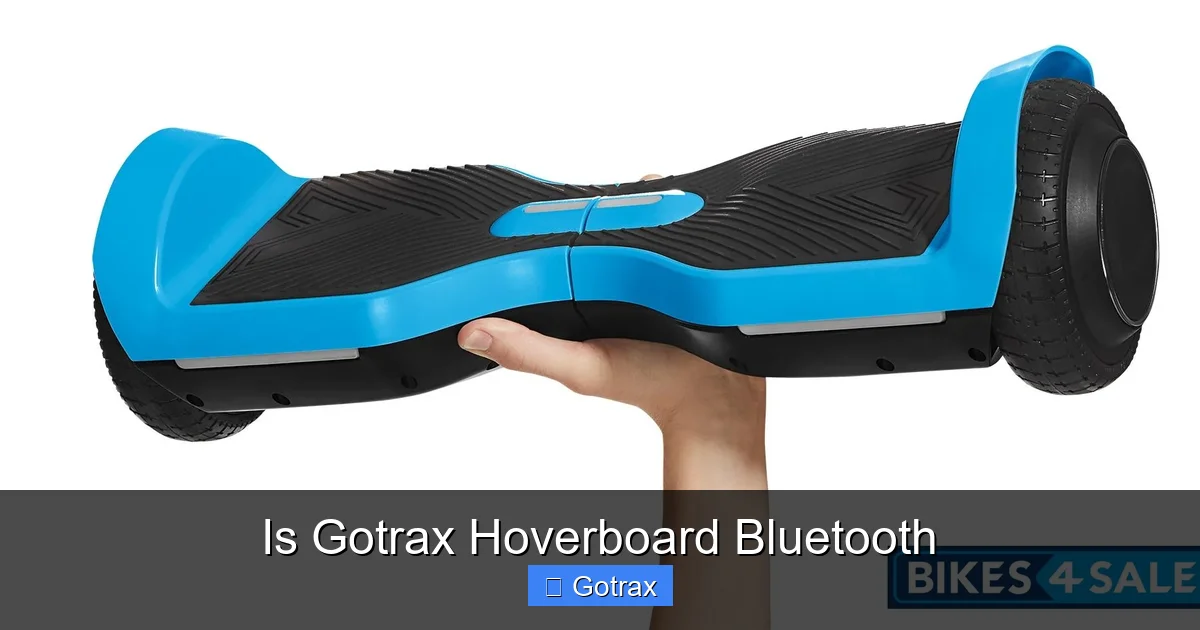
Visual guide about Is Gotrax Hoverboard Bluetooth
Image source: bikes4sale.com
So, you’ve got a Gotrax hoverboard with Bluetooth—now what? How does it actually work, and what can you do with it? Let’s walk through the process step by step.
Pairing Your Phone to the Hoverboard
Pairing your smartphone to a Gotrax hoverboard with Bluetooth is simple and takes just a few minutes. Here’s how to do it:
1. Turn on your hoverboard and make sure it’s fully charged.
2. Enable Bluetooth on your phone (go to Settings > Bluetooth).
3. On the hoverboard, press and hold the Bluetooth button (usually located near the power switch or under the footpad) for 3–5 seconds until you hear a beep or see a flashing LED light.
4. Your phone should detect the hoverboard as a Bluetooth device (it may appear as “Gotrax G4” or similar).
5. Tap to connect. You’ll hear a confirmation sound from the hoverboard once paired.
Once connected, your phone’s audio will play through the hoverboard’s built-in speakers. You can control volume, skip tracks, and pause music directly from your phone—no need to fiddle with the board itself.
Using the Gotrax App
Many Bluetooth-enabled Gotrax hoverboards also work with the official Gotrax app, available for both iOS and Android. Downloading the app unlocks additional features that go beyond just music.
Once your hoverboard is connected via Bluetooth, open the app and follow the on-screen instructions to sync your device. The app can display real-time data such as:
– Current speed
– Battery percentage
– Total distance traveled
– Ride time
Some models even allow you to set speed limits, which is especially useful if you’re letting a younger rider use the board. You can also customize LED light patterns or turn them off completely through the app. It’s a great way to keep track of your rides and ensure safe usage.
Audio Quality and Speaker Performance
One common question is: How good is the sound? The built-in speakers on Gotrax hoverboards with Bluetooth are decent for casual listening. They’re not going to replace your home stereo, but they’re more than adequate for riding around the neighborhood or cruising at the park.
The speakers are typically located under the footpads or on the sides of the board. They deliver clear audio with decent bass, though very high volumes can cause slight distortion. For best results, keep the volume at a moderate level—this also helps you stay aware of your surroundings, which is important for safety.
Keep in mind that the speakers are designed for personal use. They’re not loud enough to disturb others, which is a plus in shared spaces. If you’re riding with friends, they might not hear your music unless they’re right next to you—perfect for a private soundtrack to your adventure.
Benefits of Bluetooth on a Gotrax Hoverboard
Visual guide about Is Gotrax Hoverboard Bluetooth
Image source: slimages.macysassets.com
Now that we know how Bluetooth works, let’s talk about why it matters. What are the real benefits of having Bluetooth on your hoverboard?
Entertainment on the Go
Let’s be honest—riding a hoverboard is fun, but it’s even more fun with music. Bluetooth lets you create a personal soundtrack for every ride. Whether you’re cruising to school, exploring a new neighborhood, or just enjoying a sunny afternoon, your favorite playlist can go with you.
This is especially appealing to teens and young adults who love to personalize their experiences. Instead of riding in silence, they can jam out to their favorite songs, making the ride more engaging and enjoyable. It’s a small addition that makes a big difference in daily use.
Enhanced Safety with App Monitoring
Bluetooth isn’t just about fun—it can also improve safety. Through the Gotrax app, parents can monitor their child’s riding habits. For example, you can see how fast they’re going, how long they’ve been riding, and how much battery is left. Some apps even allow you to set geofences or receive alerts if the board goes beyond a certain area.
This level of oversight gives parents peace of mind, especially for younger riders who are still building confidence and skill. It’s a smart way to encourage independence while maintaining a safety net.
Customization and Personalization
Bluetooth connectivity opens the door to customization. With the app, you can change LED light colors, adjust brightness, or even create custom light patterns. Some models let you sync the lights to your music, creating a mini light show as you ride.
This kind of personalization makes the hoverboard feel more like an extension of your personality. Whether you want a sleek, minimalist look or a flashy, party-ready vibe, Bluetooth gives you the tools to make it happen.
Convenience and Ease of Use
Having Bluetooth means fewer wires and less hassle. You don’t need to carry a separate speaker or worry about tangled cords. Just pair your phone once, and you’re good to go. The connection is stable and reliable, even when riding over bumps or uneven surfaces.
Plus, most Gotrax hoverboards with Bluetooth maintain a strong connection within a range of 30 feet, so you can keep your phone in your pocket or backpack without losing audio.
Does Bluetooth Affect Battery Life?
A common concern among potential buyers is whether using Bluetooth will drain the hoverboard’s battery faster. After all, the main battery powers the motors, lights, and electronics—so adding another feature might seem like a risk.
The good news? Bluetooth has a minimal impact on battery life. The power draw from the Bluetooth module and speakers is very low compared to the motors that drive the wheels. In real-world testing, riders report no noticeable difference in range when using Bluetooth versus riding without it.
For example, the Gotrax G4 has a rated range of up to 12 miles. Whether you’re streaming music the entire time or riding in silence, you’ll still get close to that distance on a full charge. The hoverboard’s battery is designed to handle multiple functions simultaneously, so Bluetooth won’t shorten your ride time.
That said, if you’re using the app extensively—constantly checking stats, changing settings, or playing high-volume music—there might be a very slight reduction in efficiency. But for most users, this is negligible. The convenience and enjoyment of Bluetooth far outweigh any minor impact on performance.
Tips for Getting the Most Out of Bluetooth on Your Gotrax Hoverboard
To make the most of your Bluetooth-enabled Gotrax hoverboard, here are some practical tips and best practices.
Keep Your Firmware Updated
Gotrax occasionally releases firmware updates for their hoverboards, which can improve Bluetooth performance, fix bugs, or add new features. Check the Gotrax website or app regularly for updates. Some models allow you to update the firmware directly through the app when connected via Bluetooth.
Use a Secure Phone Mount
If you like to follow navigation apps or watch videos while riding (safely, of course), consider using a phone mount. Attach your phone to a backpack, handlebar, or wearable mount so you can see the screen without holding it. This keeps your hands free and your focus on the ride.
Protect the Speakers from Moisture
While Gotrax hoverboards are designed to handle light splashes and rain, it’s best to avoid submerging them or riding through deep puddles. Water can damage the internal speakers and Bluetooth module. If you do get caught in the rain, dry the board thoroughly before storing it.
Pair Only One Device at a Time
Most Gotrax hoverboards can only connect to one Bluetooth device at a time. If you’re sharing the board with family members, make sure to disconnect your phone before someone else pairs theirs. This prevents connection conflicts and ensures smooth operation.
Use Low to Moderate Volume
As mentioned earlier, high volume can distort the sound and may reduce speaker lifespan. Keep the volume at a comfortable level—loud enough to enjoy, but not so loud that you can’t hear traffic or other environmental sounds. This is especially important for safety in busy areas.
Charge Regularly
Even though Bluetooth doesn’t drain the battery much, it’s still important to charge your hoverboard after each use. Keeping the battery topped up ensures optimal performance and extends its overall lifespan. Avoid letting the battery drop to 0% frequently.
Is a Bluetooth Gotrax Hoverboard Worth It?
So, after all this, the big question remains: Is a Gotrax hoverboard with Bluetooth worth the extra cost? The answer depends on your needs and preferences.
If you’re buying a hoverboard for a teenager or someone who loves music and tech, then yes—Bluetooth is definitely worth it. The ability to stream music and use the app adds a layer of fun and functionality that enhances the overall experience. It makes the hoverboard feel more modern and engaging.
On the other hand, if you’re looking for a simple, no-frills ride—perhaps for commuting or exercise—then Bluetooth might not be essential. You can still enjoy a smooth, reliable ride on a non-Bluetooth model like the G2 or G1, and save some money in the process.
That said, the price difference between Bluetooth and non-Bluetooth models is usually not huge. For just a little more, you get a significantly upgraded experience. Given how affordable and useful Bluetooth has become, it’s often a smart investment.
Final Thoughts
Gotrax hoverboards with Bluetooth offer a fun, modern twist on personal transportation. They combine the thrill of riding with the convenience of wireless technology, making them a hit among kids, teens, and adults alike. Whether you’re streaming your favorite playlist, tracking your rides with the app, or customizing your board’s lights, Bluetooth adds real value without compromising performance.
When shopping for a Gotrax hoverboard, always check the model specifications to confirm Bluetooth availability. The G4 and certain G3 and XR models are your best bets. Once you’ve got one, pairing your phone is quick and easy, and the benefits—entertainment, safety, and customization—make every ride more enjoyable.
In the end, if you’re looking for a hoverboard that does more than just move you from point A to point B, a Bluetooth-enabled Gotrax model is a fantastic choice. It’s not just a ride—it’s an experience.
Frequently Asked Questions
Do all Gotrax hoverboards have Bluetooth?
No, not all Gotrax hoverboards come with Bluetooth. Only specific models like the Gotrax G4, some versions of the G3, and newer XR series include Bluetooth functionality. Always check the product description before buying.
Can I connect any phone to a Gotrax hoverboard via Bluetooth?
Yes, most Bluetooth-enabled Gotrax hoverboards are compatible with both iPhone and Android devices. As long as your phone has Bluetooth, you should be able to pair it without issues.
Does using Bluetooth drain the hoverboard’s battery faster?
No, using Bluetooth has a minimal impact on battery life. The power draw from the Bluetooth module and speakers is very low, so your ride time remains nearly the same whether you use it or not.
Can I use the Gotrax app without Bluetooth?
No, the Gotrax app requires a Bluetooth connection to sync with your hoverboard. Without Bluetooth, you won’t be able to access ride data, customize settings, or control features through the app.
How do I reset the Bluetooth connection on my Gotrax hoverboard?
To reset the Bluetooth connection, turn off the hoverboard, press and hold the Bluetooth button for 10 seconds, then turn it back on and re-pair your device. This clears any previous connections.
Are the built-in speakers loud enough for outdoor use?
Yes, the built-in speakers are loud enough for personal outdoor use. They provide clear audio for riding in parks or neighborhoods, though they’re not designed to be heard by others from a distance.