
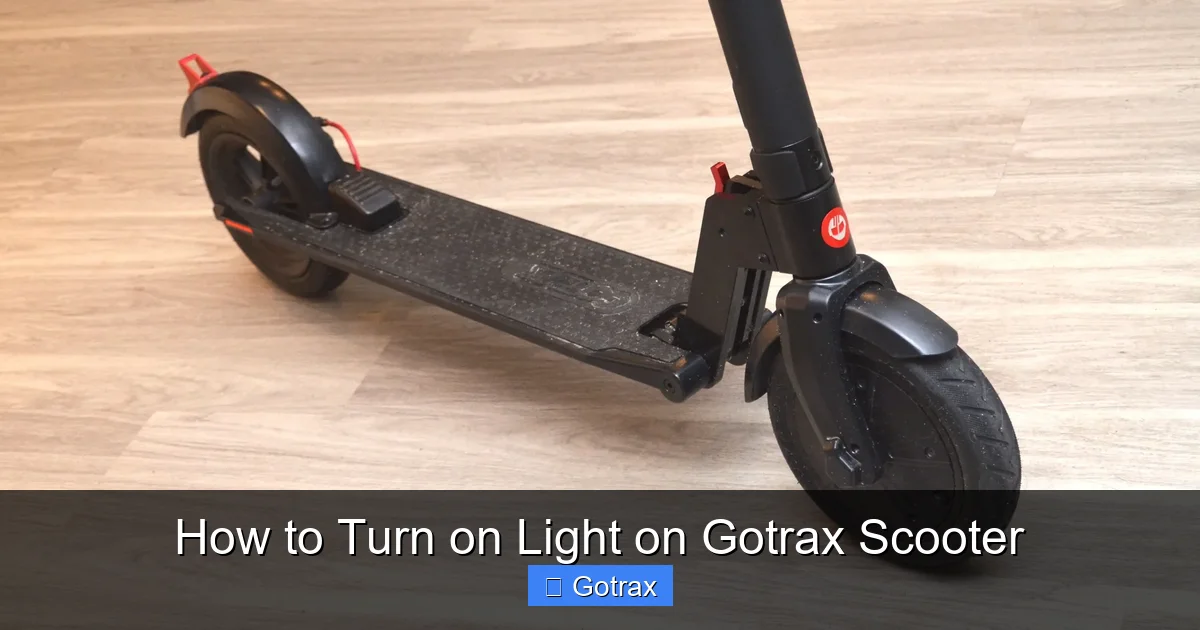
This guide walks you through how to turn on the light on a Gotrax scooter, covering models like the GXL, XR, and Elite. You’ll learn simple steps, troubleshooting tips, and safety advice to ride confidently after dark.
Key Takeaways
- Most Gotrax scooters have built-in front lights that activate automatically when powered on or via a button press.
- Check your model’s specific lighting system—older models may require manual activation, while newer ones feature auto-on functionality.
- Ensure the battery is charged—lights won’t work if the scooter has low or no power.
- Use the power button or display controls to toggle lights on some Gotrax models like the XR and Elite.
- Add external lights for extra visibility if your model lacks sufficient built-in lighting.
- Regular maintenance helps prevent lighting issues—clean connectors and check for loose wires.
- Ride safely at night by combining scooter lights with reflective gear and helmets.
How to Turn on Light on Gotrax Scooter: A Complete Guide
Riding your Gotrax scooter at night can be both fun and practical—whether you’re commuting home after work or enjoying a late evening cruise through the neighborhood. But to do so safely, you need proper lighting. One of the most common questions Gotrax owners ask is: “How do I turn on the light on my Gotrax scooter?” The good news is that most Gotrax electric scooters come equipped with built-in front lights designed to improve visibility in low-light conditions. However, the method to activate them varies slightly depending on your model.
In this comprehensive guide, we’ll walk you through everything you need to know about turning on the light on your Gotrax scooter. Whether you own a Gotrax GXL, XR, Elite, or another popular model, we’ve got you covered. You’ll learn how to activate the lights, troubleshoot common issues, and even enhance your nighttime visibility with aftermarket accessories. By the end of this guide, you’ll be ready to ride safely and confidently—day or night.
Understanding Gotrax Scooter Lighting Systems
Before diving into the steps, it’s important to understand how Gotrax integrates lighting into their scooters. Unlike cars or motorcycles, electric scooters like those from Gotrax are designed with simplicity and efficiency in mind. Their lighting systems are typically minimal but functional, focusing on front illumination to help riders see the path ahead and be seen by others.
Most Gotrax models feature a built-in LED headlight located near the base of the handlebars or integrated into the front fender. These lights are powered by the scooter’s main battery and are designed to turn on automatically when the scooter is powered up. However, some models require a manual activation step, while others include a dedicated light button or use the display panel to control lighting.
It’s also worth noting that Gotrax scooters generally do not include rear lights as standard. This means riders must rely on reflective elements or add external rear lights for full visibility. We’ll cover enhancement options later in this guide.
Step-by-Step: How to Turn on the Light on Your Gotrax Scooter
Now that you understand the basics, let’s get into the practical steps. The process varies slightly depending on your Gotrax model, so we’ll break it down by the most popular ones: the Gotrax GXL, XR, and Elite.
Gotrax GXL (V1 and V2)
The Gotrax GXL is one of the brand’s most popular entry-level scooters. It features a simple design with a front LED light that activates when the scooter is turned on.
Step 1: Power On the Scooter
Press and hold the power button (located on the handlebar or near the deck) for 2–3 seconds until the display lights up. You’ll see the battery indicator and speedometer activate.
Visual guide about How to Turn on Light on Gotrax Scooter
Image source: m.media-amazon.com
Step 2: Check the Headlight
Once powered on, the front LED light should turn on automatically. Look for a small white light near the front wheel or under the handlebar stem. If it’s not on, proceed to troubleshooting.
Step 3: Test in Low Light
The GXL’s light is designed to be always on when the scooter is powered. However, in bright daylight, it may be hard to see. Test it at dusk or in a dimly lit area to confirm it’s working.
Tip: If the light doesn’t turn on, ensure the battery is charged. A low battery (below 10%) may disable non-essential features like the light.
Gotrax XR
The Gotrax XR is a step up from the GXL, offering improved performance and a slightly more advanced control system. It includes a front LED light that can be toggled using the display panel.
Step 1: Turn On the Scooter
Press and hold the power button until the display activates. You’ll see the battery level, speed mode, and other indicators.
Step 2: Access the Light Control
On the XR, the light is controlled via the display. While the scooter is on, press the “Mode” button (usually labeled “M”) once. This will toggle the headlight on or off.
Step 3: Confirm the Light is On
Look for the front LED to illuminate. If it doesn’t respond, try pressing the Mode button again. Some users report that the light only activates after the first press when the scooter is in motion.
Pro Tip: The XR’s light may not turn on immediately at startup. Try giving the scooter a gentle push or pressing the throttle slightly to activate the system.
Gotrax Elite
The Gotrax Elite is a premium model with enhanced features, including a brighter LED headlight and more intuitive controls.
Step 1: Power Up the Scooter
Hold the power button for 2–3 seconds until the display lights up. The Elite has a larger, more detailed screen showing speed, battery, and lighting status.
Step 2: Toggle the Light
On the Elite, the light is controlled through the display menu. Press the “Mode” button once to turn the light on. A light icon should appear on the screen when active.
Step 3: Adjust Brightness (If Available)
Some Elite models allow brightness adjustment. Press and hold the Mode button for 2 seconds to cycle through low, medium, and high settings.
Note: The Elite’s light is designed to stay on during operation. If it turns off unexpectedly, check for firmware updates or consult Gotrax support.
Manual vs. Automatic Light Activation
One of the key differences between Gotrax models is whether the light turns on automatically or requires manual input.
Automatic Activation: Models like the GXL and some versions of the XR turn the light on as soon as the scooter is powered. This is convenient and ensures you’re always visible when riding.
Manual Activation: The XR and Elite often require a button press to activate the light. This gives riders more control but means you must remember to turn it on.
Why the Difference? Gotrax designs its scooters with energy efficiency in mind. Automatic lights ensure safety without user error, while manual controls allow users to conserve battery when riding in daylight.
Troubleshooting Common Lighting Issues
Even with proper use, you might encounter issues with your Gotrax scooter’s light. Here are the most common problems and how to fix them.
Light Won’t Turn On
Possible Causes:
- Battery is low or dead
- Light button not pressed correctly
- Faulty wiring or connection
- Light bulb or LED is burnt out
Solutions:
- Charge the scooter fully and try again.
- Ensure you’re pressing the correct button (Mode or Power) and holding it long enough.
- Check the handlebar area for loose wires or damaged connectors.
- If the light still doesn’t work, contact Gotrax support—some models have replaceable LED modules.
Light Flickers or Turns Off While Riding
This usually indicates a power or connection issue.
- Check the battery level—flickering can occur when power dips.
- Inspect the wiring near the stem and deck for wear or pinching.
- Ensure the scooter isn’t in Eco mode, which may reduce power to non-essential systems.
Light Only Works When Throttle is Applied
Some Gotrax models activate the light only when the motor is engaged. This is normal for certain firmware versions.
- Try giving the scooter a gentle push or pressing the throttle slightly to activate the system.
- Update the scooter’s firmware via the Gotrax app (if supported).
Enhancing Your Gotrax Scooter’s Lighting
While the built-in lights are helpful, they may not be enough for safe nighttime riding—especially in areas with poor street lighting. Here are ways to improve visibility.
Add a Rear Light
Most Gotrax scooters lack a rear brake light. Adding a clip-on LED tail light is an easy and affordable upgrade. Look for USB-rechargeable models with flashing modes for maximum visibility.
Install Additional Front Lighting
For extra brightness, consider a handlebar-mounted LED light. These can be powered by a separate battery pack and offer wider beam angles than the built-in light.
Use Reflective Gear
Wear reflective clothing, wristbands, or a vest. Attach reflective tape to your scooter’s frame, wheels, and helmet. This helps other road users see you from all angles.
Upgrade to a Smart Light System
Some riders install smart lights that sync with the scooter’s speed or brake input. These can be programmed to flash when slowing down, mimicking car brake lights.
Safety Tips for Night Riding
Turning on your light is just the first step. Safe night riding requires a combination of visibility, awareness, and preparation.
- Ride in well-lit areas whenever possible. Avoid dark alleys or poorly maintained paths.
- Follow traffic rules—use bike lanes, signal turns, and obey traffic signals.
- Reduce speed at night. It’s harder to see obstacles, potholes, or pedestrians in the dark.
- Wear a helmet with built-in lights or reflective elements.
- Let someone know your route if riding alone late at night.
Maintenance Tips to Keep Lights Working
Regular maintenance ensures your Gotrax scooter’s lighting system stays reliable.
- Clean the lens of the front light with a soft cloth to remove dirt and moisture.
- Check connections monthly, especially after riding in rain or rough terrain.
- Store the scooter indoors to prevent corrosion from humidity.
- Update firmware if your model supports it—Gotrax occasionally releases updates that improve lighting performance.
Conclusion
Knowing how to turn on the light on your Gotrax scooter is essential for safe and confident riding, especially after sunset. Whether you own a GXL, XR, or Elite, the process is straightforward once you understand your model’s specific controls. Most lights activate automatically or with a simple button press, but troubleshooting may be needed if issues arise.
Remember, built-in lights are a great start, but enhancing your visibility with rear lights, reflective gear, and smart accessories can make a big difference. Combine proper lighting with safe riding habits, and you’ll enjoy your Gotrax scooter day and night.
If you ever run into problems, don’t hesitate to reach out to Gotrax customer support or consult your user manual. With the right setup, your scooter can be a reliable and safe mode of transportation—no matter the time of day.