
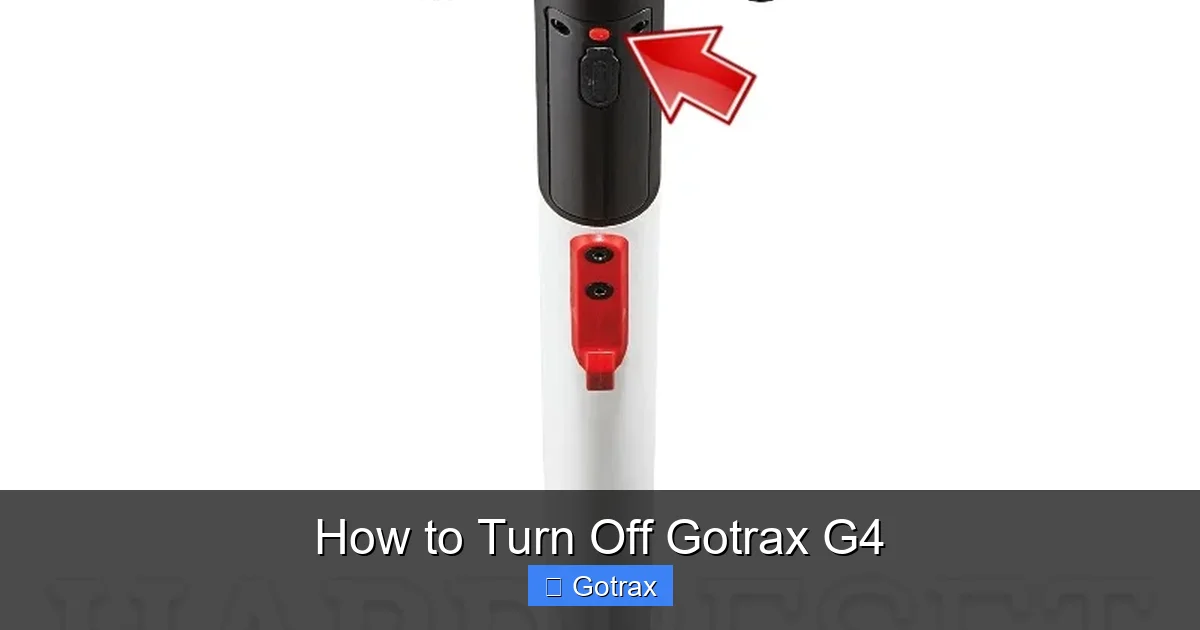
This guide walks you through how to turn off Gotrax G4 properly, whether you’re ending a ride or storing your scooter. We cover standard shutdown steps, safety tips, and troubleshooting common issues to keep your e-scooter in top condition.
Key Takeaways
- Always power off using the handlebar button: Press and hold the power button for 3 seconds to shut down the Gotrax G4 safely.
- Turn off before charging: Never charge your scooter while it’s powered on to avoid overheating or battery damage.
- Use the app for remote control: The Gotrax app lets you monitor battery life and power off your G4 remotely if needed.
- Store with 50-70% battery: For long-term storage, keep the battery partially charged and power off completely.
- Check for firmware updates: Updated firmware ensures smooth operation and reliable shutdown functions.
- Clean and inspect regularly: Dirt or moisture around the power button can interfere with turning the scooter off.
- Know emergency shutdown steps: If the scooter becomes unresponsive, use the physical power switch or disconnect the battery as a last resort.
How to Turn Off Gotrax G4: A Complete Step-by-Step Guide
If you’re a proud owner of a Gotrax G4 electric scooter, you already know how fun, convenient, and eco-friendly it is for commuting, running errands, or just cruising around town. But like any electronic device, proper use includes knowing how to turn it off correctly. Whether you’re finishing a ride, preparing to charge, or storing your scooter for a few days, turning off your Gotrax G4 the right way helps protect the battery, extend the scooter’s lifespan, and ensure safety.
In this comprehensive guide, we’ll walk you through exactly how to turn off Gotrax G4—from the standard method using the handlebar controls to advanced tips, troubleshooting, and best practices for long-term care. By the end, you’ll feel confident handling your scooter’s power settings like a pro.
Understanding Your Gotrax G4 Power System
Before diving into the shutdown process, it’s helpful to understand how the Gotrax G4’s power system works. The G4 is powered by a rechargeable lithium-ion battery that supplies energy to a 350-watt motor. The scooter is controlled via a digital display on the handlebar, which includes a power button, speed settings, and battery indicator.
The power button is your main interface for turning the scooter on and off. It’s designed to be simple and intuitive, but like any electronic component, it can occasionally act up. Knowing how the system operates helps you troubleshoot issues and use your scooter more effectively.
Components Involved in Powering Off
- Power Button: Located on the left handlebar, this is the primary way to turn the scooter on and off.
- Digital Display: Shows battery level, speed mode, and error codes. It turns off when the scooter is powered down.
- Battery Management System (BMS): Monitors battery health and prevents over-discharge or overcharging.
- Motor Controller: Cuts power to the motor when the scooter is turned off.
Understanding these components helps you appreciate why proper shutdown is important—not just for convenience, but for safety and longevity.
Standard Method: How to Turn Off Gotrax G4 Using the Handlebar Button
The most common and recommended way to turn off your Gotrax G4 is by using the power button on the handlebar. This method is quick, safe, and ensures all systems power down correctly.
Step 1: Come to a Complete Stop
Before turning off your scooter, make sure you’ve come to a full stop. Never attempt to power down while the scooter is in motion. This prevents accidental loss of control and protects the motor and braking system.
Tip: Always use the hand brakes to slow down gradually. The G4 has regenerative braking, which helps recharge the battery slightly during deceleration.
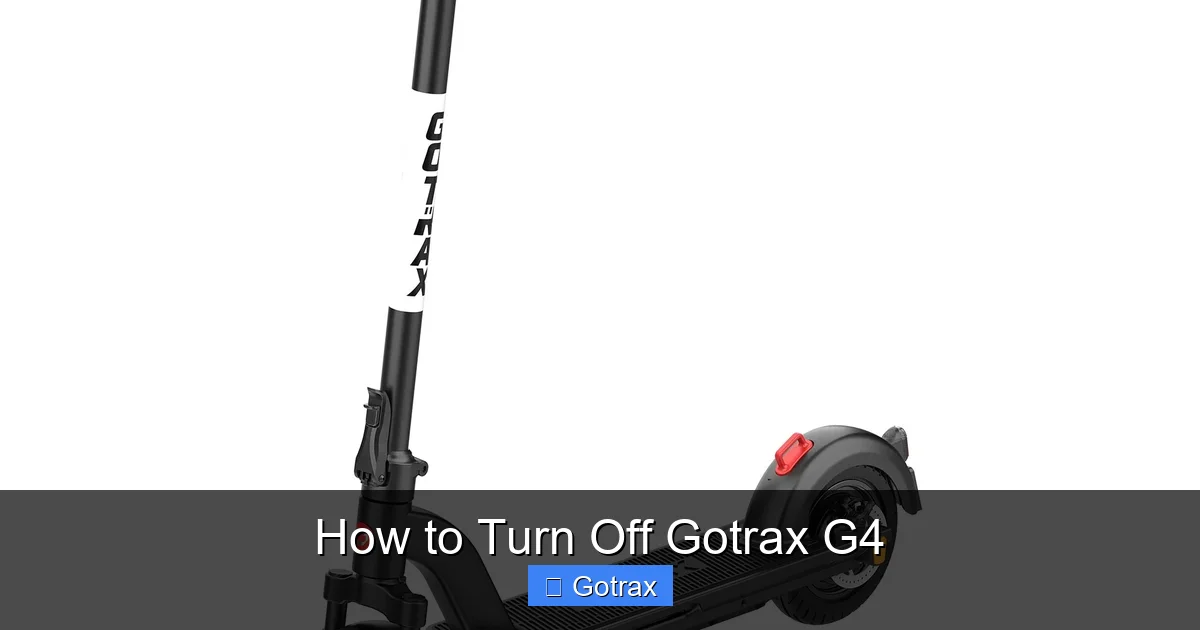
Visual guide about How to Turn Off Gotrax G4
Image source: gotrax.com
Step 2: Locate the Power Button
The power button is a circular button on the left side of the handlebar, usually marked with a power symbol (⭘). It’s easy to spot and designed for quick access.
Step 3: Press and Hold the Power Button
To turn off the scooter:
- Press and hold the power button for 3 seconds.
- You’ll hear a beep or see the display lights turn off.
- The digital screen will go dark, indicating the scooter is powered down.
Note: If you only press the button briefly, the scooter may switch speed modes instead of turning off. Always hold it for the full 3 seconds.
Step 4: Confirm Shutdown
Once the display turns off, gently press the throttle or power button again to confirm the scooter doesn’t respond. If it does, repeat the shutdown process.
Example: After a 15-minute ride to the coffee shop, I pull over, stop completely, and hold the power button for 3 seconds. The screen goes black, and I know it’s safe to walk away.
Alternative Methods to Turn Off Gotrax G4
While the handlebar button is the standard method, there are a few alternative ways to power down your Gotrax G4, especially in special situations.
Using the Gotrax Mobile App
If you’ve connected your G4 to the official Gotrax app (available on iOS and Android), you can monitor and control your scooter remotely.
- Open the app and ensure your scooter is connected via Bluetooth.
- Navigate to the “Control” or “Power” section.
- Tap the “Power Off” button.
- The scooter will shut down, and the app will confirm the status.
Tip: This is especially useful if you’ve parked your scooter and want to ensure it’s off without walking back to it.
Using the Physical Power Switch (If Applicable)
Some Gotrax models have a physical power switch near the battery compartment. While the G4 primarily relies on the handlebar button, checking for a secondary switch can be helpful in emergencies.
- Turn the scooter upside down or remove the deck plate (if you’re comfortable doing so).
- Look for a small toggle or button near the battery.
- Flip or press it to cut power.
Caution: Only use this method if the handlebar button fails. Frequent use can wear out the switch.
Disconnecting the Battery (Emergency Only)
In rare cases where the scooter becomes unresponsive or overheats, you may need to disconnect the battery.
- Turn the scooter off using the handlebar button first, if possible.
- Remove the deck plate using a screwdriver.
- Locate the battery connector and gently unplug it.
- Wait 30 seconds, then reconnect to reset the system.
Warning: Only attempt this if you’re familiar with electronics. Improper handling can damage the battery or void your warranty.
Best Practices for Turning Off Your Gotrax G4
Turning off your scooter correctly is just the beginning. Following best practices ensures your Gotrax G4 stays in peak condition.
Always Power Off Before Charging
Never charge your scooter while it’s powered on. This can cause overheating, reduce battery life, or trigger safety mechanisms that stop charging.
- Turn off the scooter using the handlebar button.
- Plug in the charger to the charging port (located near the rear wheel).
- Wait for the charging indicator to turn green (fully charged).
Example: I always shut down my G4 after my evening ride, then plug it in overnight. By morning, it’s ready for the next day.
Store with Partial Charge
For long-term storage (more than a week), avoid fully charging or fully draining the battery.
- Charge the battery to 50–70% before storing.
- Turn off the scooter completely.
- Store in a cool, dry place away from direct sunlight.
- Check the battery every 2–3 weeks and recharge if it drops below 40%.
Why? Lithium-ion batteries degrade faster when stored at full or empty charge. Partial charge minimizes stress on the cells.
Keep the Power Button Clean
Dirt, dust, or moisture can interfere with the power button’s function.
- Wipe the handlebar area with a dry or slightly damp cloth.
- Use compressed air to remove debris from around the button.
- Never spray water directly on the scooter.
Tip: After riding in the rain, dry the scooter thoroughly before turning it off.
Update Firmware Regularly
Gotrax occasionally releases firmware updates that improve performance, battery management, and shutdown reliability.
- Download the Gotrax app.
- Connect your scooter.
- Check for updates under “Settings” or “Device Info.”
- Follow on-screen instructions to install.
Note: Always ensure your scooter is charged above 50% before updating.
Troubleshooting: What to Do If You Can’t Turn Off Gotrax G4
Sometimes, the scooter may not respond when you try to turn it off. Here’s how to handle common issues.
The Power Button Doesn’t Respond
If holding the button for 3 seconds doesn’t work:
- Check if the battery is critically low. Charge for 30 minutes and try again.
- Ensure the scooter isn’t in a locked or demo mode (check the app).
- Restart the scooter by turning it on and off again.
The Display Stays On
If the screen remains lit after shutdown:
- Wait 1–2 minutes—some models take time to fully power down.
- Press and hold the power button again.
- If it persists, disconnect the battery as a last resort.
Scooter Powers Off Unexpectedly
If the G4 turns off during a ride:
- Check for low battery—recharge if below 10%.
- Inspect for overheating—let the motor cool down.
- Look for error codes on the display (e.g., “E1” for motor issue).
Example: My G4 once shut off mid-ride. I checked the app and saw “Low Battery” alert. After charging, it worked perfectly.
App Connection Issues
If the app won’t let you power off remotely:
- Ensure Bluetooth is enabled on your phone.
- Restart the app and reconnect.
- Move closer to the scooter to improve signal.
Safety Tips When Turning Off Your Gotrax G4
Safety should always come first when handling electric scooters.
- Never leave the scooter on unattended: This can lead to overheating or accidental activation.
- Turn off before dismounting: Prevents accidental throttle engagement.
- Avoid wet conditions: Water can damage electronics and interfere with the power button.
- Use the kickstand: Always deploy the kickstand after turning off to prevent tipping.
- Inspect regularly: Check for loose wires, damaged buttons, or battery swelling.
Conclusion: Master the Art of Shutting Down Your Gotrax G4
Knowing how to turn off Gotrax G4 properly is a small but essential part of owning and maintaining your electric scooter. It’s not just about pressing a button—it’s about doing it safely, correctly, and consistently to protect your investment.
By following the standard shutdown procedure, using the app when convenient, and practicing good maintenance habits, you’ll keep your G4 running smoothly for years. Whether you’re a daily commuter or a weekend rider, these tips will help you get the most out of your scooter while minimizing risks.
Remember: always power off before charging, keep the battery at a healthy level for storage, and don’t hesitate to troubleshoot if something feels off. With a little care, your Gotrax G4 will remain a reliable, fun, and eco-friendly way to get around.
So next time you finish a ride, take that extra 3 seconds to hold the power button. Your scooter—and your peace of mind—will thank you.