
Gotrax hoverboards typically take 3 to 4 hours to fully charge, depending on the model and battery capacity. Charging time may vary slightly based on usage, temperature, and charger type, but following proper charging practices ensures optimal performance and longer battery life.
If you’ve recently bought a Gotrax hoverboard—or you’re thinking about getting one—you’ve probably asked yourself: “How long does a Gotrax hoverboard take to charge?” It’s a totally fair question. After all, you want to hop on and ride, not wait around for hours while it juices up. The good news? Gotrax hoverboards are designed with convenience in mind, and their charging times are pretty reasonable compared to other personal electric vehicles.
But charging isn’t just about speed. It’s also about safety, battery health, and getting the most out of your hoverboard over time. Whether you’re commuting to school, cruising around the neighborhood, or just having fun with friends, understanding the charging process helps you plan your rides better and keep your device in top shape. In this guide, we’ll break down everything you need to know about Gotrax hoverboard charging—from average times to best practices, troubleshooting tips, and what to avoid.
So, let’s dive in and answer that burning question: How long does a Gotrax hoverboard really take to charge? And more importantly, how can you make sure you’re charging it the right way?
Key Takeaways
- Standard charging time is 3–4 hours: Most Gotrax hoverboards, including popular models like the GXL V2 and G2, require about 3 to 4 hours for a full charge under normal conditions.
- First-time charging requires extra time: New hoverboards should be charged for at least 6 hours before the first use to activate and calibrate the lithium-ion battery properly.
- Avoid overcharging: Unplug the charger once the battery is full to prevent overheating and extend battery lifespan.
- Use only the included charger: Gotrax recommends using the original charger to avoid damage or reduced efficiency.
- Temperature affects charging speed: Charging in extreme cold or heat can slow down the process or trigger safety cutoffs.
- Partial charges are fine: You don’t need to drain the battery completely before recharging—partial top-ups help maintain battery health.
- LED indicators show charging status: A red light means charging; green means fully charged—simple and easy to monitor.
📑 Table of Contents
Understanding Gotrax Hoverboard Battery Basics
Before we get into charging times, it helps to understand what’s under the hood—or rather, under the footpad. Gotrax hoverboards are powered by rechargeable lithium-ion batteries, which are lightweight, energy-dense, and perfect for personal mobility devices. These batteries are similar to what you’d find in smartphones, laptops, and electric scooters, but they’re specifically engineered for the demands of self-balancing scooters.
Most Gotrax models, such as the G2, GXL V2, and G4, use 36V lithium-ion battery packs with capacities ranging from 4.4Ah to 8.8Ah. The higher the ampere-hour (Ah) rating, the more energy the battery can store—and the longer the hoverboard can run on a single charge. For example, the Gotrax G4, with its 8.8Ah battery, offers up to 12 miles of range, while the G2, with a 4.4Ah battery, gives you around 7 miles.
The battery is housed in a protective casing beneath the hoverboard’s deck, connected to the motors and control board. It charges via a standard wall outlet using the included charger, which converts AC power from your wall into the DC power the battery needs. The charger typically outputs around 2A, which is safe and efficient for lithium-ion batteries.
One thing to note: Gotrax hoverboards don’t have removable batteries. That means you can’t swap in a spare pack when you’re out and about. Instead, you’ll need to plug in and wait. But thanks to the relatively fast charging time, this usually isn’t a major inconvenience.
Why Battery Type Matters
Lithium-ion batteries are the gold standard for modern electronics, and for good reason. They charge quickly, hold their charge well when not in use, and have a long cycle life—meaning they can be charged and discharged hundreds of times before their performance starts to decline. Compared to older battery types like lead-acid or nickel-cadmium, lithium-ion is lighter, more efficient, and doesn’t suffer from the “memory effect” (where batteries lose capacity if not fully discharged before recharging).
Gotrax uses high-quality lithium-ion cells that are tested for safety and durability. They’re designed to handle the vibrations, impacts, and temperature changes that come with riding a hoverboard. Plus, they include built-in protection circuits that prevent overcharging, over-discharging, short circuits, and overheating. This not only keeps you safe but also helps the battery last longer.
Battery Capacity and Range
Battery capacity directly affects how long your hoverboard can run—and indirectly, how often you need to charge it. Gotrax offers different models with varying battery sizes to suit different needs. For instance:
– The Gotrax G2 has a 4.4Ah battery and offers up to 7 miles of range.
– The Gotrax GXL V2 bumps that up to 6.6Ah and about 9 miles.
– The Gotrax G4, with its 8.8Ah battery, can go up to 12 miles.
Keep in mind that real-world range depends on factors like rider weight, terrain, speed, and riding style. Heavier riders or uphill climbs will drain the battery faster. But even with these variables, a larger battery means fewer charging stops and more time riding.
How Long Does a Gotrax Hoverboard Take to Charge?

Visual guide about How Long Does a Gotrax Hoverboard Take to Charge
Image source: motoped.com
Now, let’s get to the heart of the matter: How long does a Gotrax hoverboard take to charge? The short answer is: **3 to 4 hours** for a full charge under normal conditions. But let’s break that down by model and situation so you know exactly what to expect.
Most Gotrax hoverboards, including the G2, GXL V2, and G4, take between 3 and 4 hours to go from completely dead to 100% charged. This is based on using the original charger that comes with the board and charging in a room-temperature environment (around 68–77°F or 20–25°C).
For example, if you come home after a long day and your hoverboard’s battery is nearly empty, plugging it in around 7 PM should have it ready to ride by 10 or 11 PM. That’s convenient enough for evening rides or next-day use.
But there are a few exceptions and special cases to keep in mind.
First-Time Charging: The 6-Hour Rule
If you’re charging your Gotrax hoverboard for the very first time, Gotrax recommends charging it for **at least 6 hours**—even if the battery isn’t completely dead. This is because new lithium-ion batteries often ship with a partial charge (usually around 30–50%) to preserve their health during storage and shipping.
The extended first charge helps “activate” the battery and calibrate the onboard battery management system (BMS). Think of it like waking up a sleeping giant—it needs a full meal to get going. Skipping this step might not damage the battery immediately, but it could affect long-term performance and accuracy of the battery indicator.
So, when your new Gotrax arrives, resist the urge to unbox and ride right away. Plug it in, let it charge overnight, and enjoy a smoother, more reliable experience from day one.
Charging Time by Model
While most Gotrax hoverboards fall into the 3–4 hour range, there are slight variations depending on battery size and charger output. Here’s a quick breakdown:
– **Gotrax G2 (4.4Ah):** ~3 hours to full charge
– **Gotrax GXL V2 (6.6Ah):** ~3.5 to 4 hours
– **Gotrax G4 (8.8Ah):** ~4 hours
These times assume you’re starting from 0% and using the included 2A charger. If you’re only topping off the battery—say, from 50% to 100%—you’ll obviously cut the time in half.
It’s also worth noting that charging slows down as the battery approaches full capacity. This is a safety feature called “tapering,” where the charger reduces the current to prevent overcharging. So, the last 10–20% of charging might take longer than the first 80%.
Factors That Can Affect Charging Time
While 3–4 hours is the standard, several factors can speed up or slow down the process:
– **Temperature:** Charging in very cold environments (below 50°F or 10°C) can slow down chemical reactions in the battery, increasing charge time. Extremely hot conditions (above 95°F or 35°C) can trigger thermal protection and pause charging altogether. Always charge in a cool, dry place.
– **Charger Quality:** Using a third-party or damaged charger can reduce efficiency or even damage the battery. Stick to the original Gotrax charger.
– **Battery Age:** Over time, lithium-ion batteries lose capacity. An older hoverboard might take longer to charge or not hold a charge as well.
– **Power Source:** Charging from a weak or overloaded outlet (like one shared with high-wattage appliances) can slow things down. Use a dedicated outlet when possible.
How to Charge Your Gotrax Hoverboard Properly
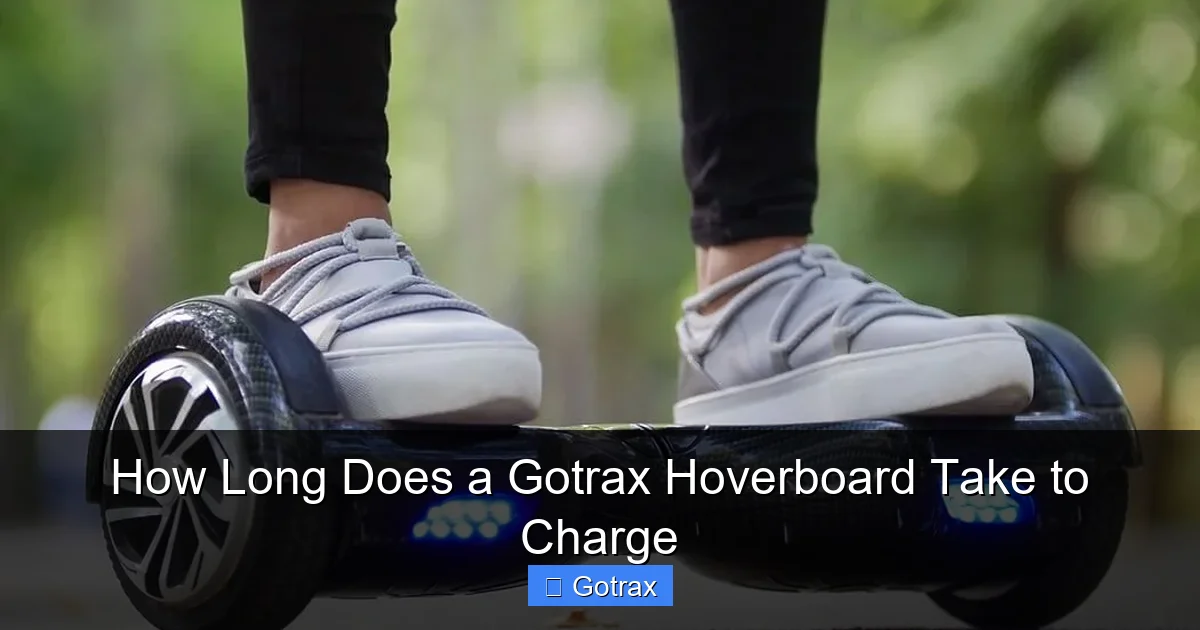
Visual guide about How Long Does a Gotrax Hoverboard Take to Charge
Image source: motoped.com
Charging your Gotrax hoverboard correctly isn’t just about plugging it in—it’s about doing it safely and efficiently to protect your investment. Here’s a step-by-step guide to make sure you’re getting the most out of every charge.
Step 1: Use the Right Charger
Always use the charger that came with your Gotrax hoverboard. Gotrax designs their chargers to match the voltage and current requirements of their batteries. Using a different charger—even if it fits—can lead to undercharging, overcharging, or worse, a fire hazard.
Look for the Gotrax logo and model number on the charger. If you’ve lost yours, contact Gotrax customer support for a replacement rather than buying a generic one online.
Step 2: Plug In Safely
1. Make sure the hoverboard is turned off before charging.
2. Locate the charging port—usually on the side or rear of the board, covered by a rubber flap.
3. Insert the charger plug firmly into the port.
4. Plug the other end into a standard wall outlet.
Avoid using extension cords or power strips if possible. If you must, ensure they’re rated for at least 10 amps and are in good condition.
Step 3: Monitor the LED Indicator
Most Gotrax hoverboards have an LED light on the charger or near the charging port that shows the status:
– **Red light:** Charging in progress
– **Green light:** Fully charged
Some models also have a battery indicator on the footpad that shows charge level with colored lights (e.g., green for full, yellow for medium, red for low).
Once the light turns green, unplug the charger. Leaving it plugged in for too long can stress the battery, even with built-in protection.
Step 4: Store and Charge in the Right Environment
Charge your hoverboard in a dry, room-temperature area—ideally between 50°F and 86°F (10°C to 30°C). Avoid garages in winter or sunny patios in summer. Extreme temperatures can damage the battery or trigger safety cutoffs.
Also, keep the hoverboard away from flammable materials while charging. Although rare, battery malfunctions can occur, and it’s better to be safe.
Step 5: Don’t Overcharge
Modern Gotrax hoverboards have built-in protection against overcharging, but it’s still best practice to unplug once fully charged. Leaving it plugged in overnight occasionally won’t hurt, but doing it regularly can degrade the battery over time.
Think of it like your phone—most people charge it overnight, and that’s fine. But if you leave it plugged in for days, the battery wears out faster.
Tips to Maximize Battery Life and Performance
Charging your Gotrax hoverboard correctly is one thing—keeping that battery healthy over the long term is another. Here are some practical tips to help your hoverboard last longer and perform better.
Avoid Deep Discharges
Lithium-ion batteries prefer partial charges over full drains. Try not to let your battery drop below 20% regularly. Deep discharges (going from 100% to 0%) put extra stress on the cells and can shorten their lifespan.
Instead, top off your battery whenever convenient—like after a short ride or before bed. This “opportunity charging” keeps the battery in a healthy state and ensures you’re always ready to go.
Store with a Partial Charge
If you’re not going to use your hoverboard for a week or more, don’t store it with a full or empty battery. Instead, charge it to about 50–60% before putting it away. This reduces stress on the cells and helps maintain capacity.
For long-term storage (months), check the battery every few weeks and top it off if it drops below 40%.
Keep It Clean and Dry
Dirt, moisture, and debris can damage the charging port or internal components. Wipe down your hoverboard regularly with a dry cloth, and make sure the charging port is clean and free of dust.
Never charge a wet hoverboard—wait until it’s completely dry.
Update Firmware When Available
Gotrax occasionally releases firmware updates that improve battery management, performance, and safety. Check the Gotrax website or app (if available) for updates and follow the instructions to install them.
Ride Responsibly
How you ride affects battery life too. Aggressive acceleration, high speeds, and rough terrain drain the battery faster. Riding smoothly and at moderate speeds not only saves energy but also reduces wear on motors and tires.
Troubleshooting Common Charging Issues
Even with proper care, you might run into charging problems from time to time. Here’s how to troubleshoot the most common issues.
Hoverboard Won’t Charge
If your Gotrax hoverboard isn’t charging, check these things:
– Is the charger plugged in securely at both ends?
– Is the outlet working? Try plugging in another device.
– Is the charging port damaged or dirty? Clean it gently with a dry toothbrush.
– Is the battery completely dead? Some boards won’t charge if the voltage drops too low. Try leaving it plugged in for 30 minutes to see if it “wakes up.”
If none of these work, contact Gotrax support.
Charging Light Doesn’t Turn Green
If the LED stays red for hours, the battery might be faulty, the charger could be damaged, or the board may need a reset. Try unplugging and replugging the charger. If the problem persists, reach out to customer service.
Battery Drains Quickly
If your hoverboard loses charge faster than usual, it could be due to:
– Old battery (typically lasts 300–500 charge cycles)
– Cold weather
– Heavy rider or uphill riding
– A software glitch
Try recalibrating the battery: fully charge it, then ride until it shuts off, then recharge fully. This can reset the battery indicator.
Gotrax Hoverboard Charging: Myths vs. Facts
There’s a lot of misinformation out there about hoverboard charging. Let’s clear up some common myths.
Myth: You Must Fully Drain the Battery Before Charging
**Fact:** This is false. Lithium-ion batteries don’t have a “memory effect.” In fact, partial charges are better for battery health. You can charge your Gotrax hoverboard whenever convenient—no need to wait until it’s dead.
Myth: Leaving It Plugged In Overnight Will Ruin the Battery
**Fact:** Not necessarily. Gotrax hoverboards have overcharge protection, so they’ll stop charging when full. However, keeping it plugged in for days at a time can cause minor stress. It’s fine occasionally, but not ideal for daily use.
Myth: Faster Chargers Will Charge It Quicker
**Fact:** Using a higher-amp charger can damage the battery. Gotrax hoverboards are designed for 2A input. A 3A or 4A charger might seem faster, but it can overheat the battery and reduce its lifespan.
Conclusion
So, how long does a Gotrax hoverboard take to charge? The answer is simple: **3 to 4 hours** for a full charge, with a recommended 6-hour first charge for new boards. That’s fast enough to keep up with your lifestyle, whether you’re commuting, cruising, or just having fun.
But charging isn’t just about speed—it’s about doing it right. Using the correct charger, avoiding extreme temperatures, and following best practices will keep your hoverboard running smoothly for years. Remember to monitor the LED indicators, avoid overcharging, and take care of that lithium-ion battery like the valuable component it is.
Gotrax hoverboards are built for reliability and ease of use, and their charging system reflects that. With a little knowledge and attention, you’ll get the most out of every charge—and every ride.
So plug in, power up, and get ready to glide. Your next adventure is just a charge away.
Frequently Asked Questions
How long does it take to charge a Gotrax hoverboard for the first time?
New Gotrax hoverboards should be charged for at least 6 hours before first use, even if the battery isn’t fully drained. This helps activate the battery and calibrate the system for optimal performance.
Can I leave my Gotrax hoverboard plugged in overnight?
Yes, but it’s not recommended regularly. Gotrax hoverboards have overcharge protection, so they’ll stop charging when full. However, prolonged charging can stress the battery over time.
Why is my Gotrax hoverboard taking longer to charge?
Charging may slow down due to cold temperatures, a weak power source, or an aging battery. Ensure you’re using the original charger and charging in a room-temperature environment.
What does a red or green light mean when charging?
A red light means the hoverboard is charging. A green light means it’s fully charged. Always unplug once the light turns green to preserve battery health.
Can I use a different charger for my Gotrax hoverboard?
No. Always use the original Gotrax charger. Third-party chargers may not match the voltage or current requirements and can damage the battery or pose a safety risk.
How often should I charge my Gotrax hoverboard?
You can charge it after every ride or whenever convenient. Partial charges are fine and actually better for battery health than waiting for a full drain.