

Rebooting your Gotrax scooter is a simple yet effective way to resolve minor glitches, restore performance, and refresh the system. Whether you’re dealing with unresponsive controls, battery issues, or connectivity problems, a proper reboot can often fix the issue without needing professional help.
Key Takeaways
- Rebooting fixes common issues: A reboot can resolve problems like unresponsive throttle, display errors, or sudden power loss.
- Simple steps for most models: Most Gotrax scooters can be rebooted by turning them off, waiting 30 seconds, and turning them back on.
- Hard reset for stubborn problems: If a standard reboot doesn’t work, a hard reset may be needed to restore factory settings.
- Check battery and connections first: Always ensure the battery is charged and all connections are secure before rebooting.
- Reboot after firmware updates: After updating your scooter’s firmware, a reboot ensures the new software runs properly.
- Prevent future issues: Regular reboots and proper maintenance can keep your Gotrax scooter running smoothly.
- Contact support if problems persist: If rebooting doesn’t solve the issue, reach out to Gotrax customer service for help.
📑 Table of Contents
How Do You Reboot the Gotrax Scooter: A Complete Guide
Gotrax scooters are known for their reliability, affordability, and sleek design, making them a popular choice for urban commuters, students, and casual riders. Whether you’re zipping through city streets or cruising around campus, these electric scooters offer a convenient and eco-friendly way to get around. But like any electronic device, they can occasionally run into hiccups—unresponsive controls, sudden shutdowns, or display glitches. When that happens, one of the first and most effective troubleshooting steps is to reboot your Gotrax scooter.
Rebooting your scooter is like giving it a fresh start. It clears temporary software glitches, resets the control board, and re-establishes communication between components. Think of it as turning your phone off and on again—it’s simple, but it often works wonders. In this guide, we’ll walk you through exactly how to reboot your Gotrax scooter, no matter which model you own. We’ll also cover when to reboot, what to do if a standard reboot doesn’t work, and how to maintain your scooter to prevent future issues. By the end, you’ll know exactly how to keep your Gotrax running smoothly with just a few easy steps.
Why Rebooting Your Gotrax Scooter Matters
You might be wondering, “Why do I even need to reboot my scooter?” After all, it’s not a computer, right? Well, modern electric scooters like the Gotrax series are packed with electronic components—motor controllers, battery management systems, LED displays, and Bluetooth modules—all working together. Just like your smartphone or laptop, these systems can sometimes get stuck in a loop, freeze, or lose communication. A reboot forces the system to restart, clearing any temporary errors and restoring normal function.
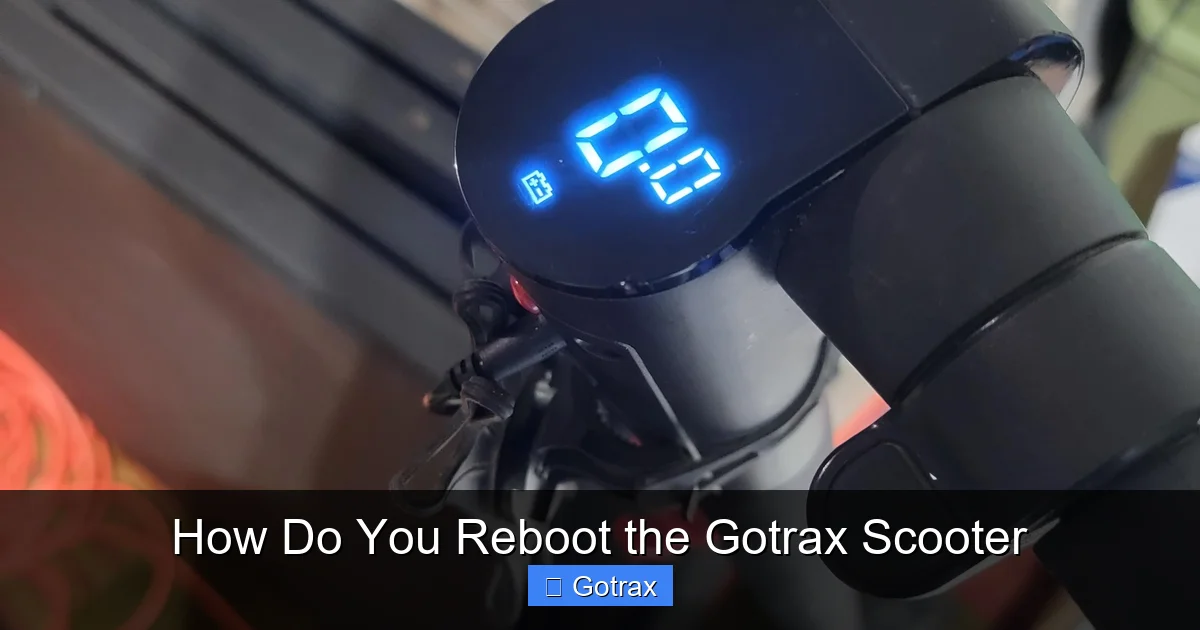
Visual guide about How Do You Reboot the Gotrax Scooter
Image source: i.redd.it
Common signs that your Gotrax scooter needs a reboot include the throttle not responding, the display showing incorrect battery levels, the scooter cutting out mid-ride, or Bluetooth failing to connect to the app. These issues are often software-related and don’t indicate a hardware failure. In many cases, a simple reboot resolves them instantly. Plus, rebooting is completely safe—it won’t damage your scooter or void your warranty. It’s a non-invasive, user-friendly fix that every rider should know.
When Should You Reboot?
Knowing when to reboot your Gotrax scooter can save you time and frustration. Here are some common scenarios where a reboot is recommended:
- After a firmware update: Gotrax occasionally releases firmware updates to improve performance or fix bugs. After installing an update, a reboot ensures the new software takes effect properly.
- When the scooter behaves erratically: If the throttle sticks, the motor stutters, or the display flickers, a reboot can reset the control board and restore smooth operation.
- After a sudden shutdown: If your scooter powers off unexpectedly, especially during a ride, rebooting can help determine if it was a temporary glitch or a deeper issue.
- Before long rides: Some riders reboot their scooter before a long trip to ensure all systems are functioning optimally.
- When troubleshooting connectivity issues: If the Gotrax app won’t connect or shows incorrect data, rebooting both the scooter and your phone can re-establish the link.
Rebooting is also a great first step before contacting customer support. Many issues can be resolved with this simple action, saving you the hassle of shipping your scooter or waiting for a technician.
Step-by-Step Guide to Rebooting Your Gotrax Scooter
Rebooting your Gotrax scooter is straightforward and takes less than a minute. The process is similar across most models, including the GXL, G2, G3, G4, and FLEX series. Here’s how to do it safely and effectively.

Visual guide about How Do You Reboot the Gotrax Scooter
Image source: cdn.shopify.com
Standard Reboot (Soft Reset)
The standard reboot, also known as a soft reset, is the most common method. It’s perfect for minor glitches and routine maintenance.
- Turn off the scooter: Press and hold the power button until the display turns off. Make sure the scooter is completely powered down—no lights should be on.
- Wait 30 seconds: This allows the internal capacitors to discharge and the system to fully reset. Don’t skip this step—it’s crucial for a proper reboot.
- Turn the scooter back on: Press the power button again to restart the scooter. Wait for the display to fully load and show the battery level and other indicators.
- Test the controls: Gently press the throttle and check that the motor responds smoothly. Also, verify that the display shows accurate information.
That’s it! In most cases, this simple process will resolve the issue. For example, if your scooter’s display was showing “0%” battery despite being charged, a reboot often corrects the reading.
Hard Reset (Factory Reset)
If a standard reboot doesn’t work, or if your scooter is experiencing persistent problems like failure to power on or constant error messages, a hard reset may be necessary. This process restores the scooter to its factory settings, clearing all stored data and configurations.
Note: A hard reset should only be used as a last resort, as it erases custom settings and may require you to re-pair the scooter with the app.
Here’s how to perform a hard reset on most Gotrax models:
- Ensure the scooter is off: Make sure the power is completely turned off.
- Press and hold the power button: While holding the power button, also press and hold the brake lever (or throttle, depending on the model—check your user manual for specifics).
- Wait for the display to flash: Continue holding both buttons until the display lights flash or you hear a beep. This indicates the reset has started.
- Release the buttons: Let go and wait for the scooter to restart. The display should show the initial setup screen.
- Reconfigure settings: You may need to reconnect to the Gotrax app and re-enter your preferences.
For example, if your G4 scooter keeps disconnecting from the app, a hard reset can reinitialize the Bluetooth module and restore connectivity.
Rebooting Specific Gotrax Models
While the general reboot process is similar across models, some Gotrax scooters have unique features or reset procedures. Here’s a quick breakdown:
- Gotrax GXL Series: Standard reboot works well. For hard reset, hold power + brake for 10 seconds.
- Gotrax G2/G3: Same as GXL. Ensure the battery is above 20% before rebooting.
- Gotrax G4: Features a more advanced display. If the screen freezes, try rebooting with the app closed.
- Gotrax FLEX: Includes regenerative braking. Reboot if the brake feels unresponsive.
- Gotrax XR Elite: Has a removable battery. Reboot after reinserting the battery if the scooter doesn’t power on.
Always refer to your user manual for model-specific instructions. If you’ve lost your manual, you can download it from the Gotrax website.
Troubleshooting Common Issues After a Reboot
Even after a successful reboot, some issues may persist. Here’s how to troubleshoot the most common problems and when to seek further help.
Scooter Still Won’t Turn On
If your Gotrax scooter doesn’t power on after a reboot, the issue is likely hardware-related. Check the following:
- Battery level: Ensure the battery is charged. A completely drained battery may need several hours to show any charge.
- Battery connection: If your model has a removable battery, remove it and reinsert it firmly. Look for dirt or corrosion on the contacts.
- Charging port: Inspect the charging port for debris or damage. Try a different charger if possible.
- Fuse: Some models have an internal fuse that may blow during a power surge. Check your manual for fuse location and replacement instructions.
If none of these steps work, the battery or control board may be faulty. Contact Gotrax support for warranty service.
Throttle or Brake Not Responding
If the throttle or brake feels unresponsive after a reboot, try these steps:
- Check for obstructions: Make sure the throttle lever moves freely and isn’t stuck.
- Calibrate the throttle: Some models allow throttle calibration via the app or a button sequence. Refer to your manual.
- Inspect wiring: Look under the deck for loose or damaged wires connected to the throttle or brake sensor.
- Test in safe area: Try a slow test ride in a safe, open space to see if the issue persists.
Persistent throttle issues could indicate a faulty sensor or controller, which may require professional repair.
Display Shows Errors or Inaccurate Readings
If the display shows error codes, incorrect speed, or wrong battery percentage, try:
- Reboot again: Sometimes a second reboot clears display glitches.
- Update firmware: Use the Gotrax app to check for and install any available firmware updates.
- Reset app connection: Unpair the scooter from the app, reboot both devices, and re-pair.
- Check sensor alignment: The speed sensor (usually near the rear wheel) must be properly aligned with the magnet.
For example, if your G3 shows “E1” error, it often means a throttle communication issue—rebooting and re-calibrating usually fixes it.
Bluetooth or App Connectivity Problems
If the Gotrax app won’t connect after a reboot:
- Restart your phone: Turn your phone off and on to refresh Bluetooth.
- Forget and re-pair: In your phone’s Bluetooth settings, forget the scooter and pair it again.
- Update the app: Make sure you’re using the latest version of the Gotrax app.
- Check distance: Stay within 10 feet of the scooter during pairing.
App issues are usually software-related and resolve with these steps.
Tips for Maintaining Your Gotrax Scooter
Rebooting is just one part of keeping your Gotrax scooter in top condition. Regular maintenance can prevent many issues from occurring in the first place. Here are some practical tips:
Charge Properly
Always use the original charger and avoid overcharging. Charge your scooter after each use, but don’t leave it plugged in overnight. Store the battery at around 50% charge if you won’t be using the scooter for weeks.
Keep It Clean
Wipe down the deck, handlebars, and wheels regularly. Avoid water exposure—Gotrax scooters are water-resistant, not waterproof. Use a damp cloth, not a hose.
Check Tire Pressure
If your model has pneumatic tires (like the G4 or FLEX), check the pressure monthly. Underinflated tires reduce range and increase wear.
Inspect Brakes and Throttle
Test the brakes and throttle before each ride. Listen for unusual noises or resistance. Adjust brake pads if they’re worn.
Store Indoors
Keep your scooter in a dry, temperature-controlled environment. Extreme cold or heat can damage the battery and electronics.
Reboot Monthly
Even if your scooter is working fine, a monthly reboot can refresh the system and prevent hidden glitches from building up.
By following these habits, you’ll extend the life of your Gotrax scooter and reduce the need for frequent reboots or repairs.
When to Contact Gotrax Support
While rebooting solves many issues, some problems require professional attention. Contact Gotrax customer support if:
- The scooter still won’t turn on after multiple reboots and battery checks.
- You notice burning smells, smoke, or unusual heat from the battery or motor.
- The scooter makes grinding or clicking noises during operation.
- The frame is cracked or the deck is warped.
- You’ve tried all troubleshooting steps and the issue persists.
Gotrax offers a limited warranty on most models, typically covering defects for 90 days to one year. Keep your receipt and register your scooter online to ensure warranty coverage. Support can be reached via email, phone, or live chat on their website.
Conclusion
Rebooting your Gotrax scooter is a simple, powerful tool for maintaining performance and resolving common issues. Whether you’re dealing with a frozen display, unresponsive throttle, or app connectivity problems, a quick reboot can often get you back on the road in minutes. By following the step-by-step guide in this article, you’ll be able to perform both standard and hard resets with confidence.
Remember, regular maintenance—like proper charging, cleaning, and monthly reboots—can prevent many problems before they start. And if you ever run into an issue that a reboot can’t fix, don’t hesitate to reach out to Gotrax support. With the right care, your Gotrax scooter will deliver reliable, fun, and eco-friendly transportation for years to come.
Frequently Asked Questions
How do you reboot a Gotrax scooter?
To reboot your Gotrax scooter, turn it off completely, wait 30 seconds, then turn it back on. This soft reset clears temporary glitches and restores normal function.
What if my Gotrax scooter won’t turn on after a reboot?
If the scooter still won’t turn on, check the battery charge, connections, and charging port. If the battery is dead or damaged, it may need replacement.
How often should I reboot my Gotrax scooter?
Reboot your scooter whenever you notice performance issues or after firmware updates. A monthly reboot is also recommended for maintenance.
Can rebooting damage my Gotrax scooter?
No, rebooting is completely safe and will not damage your scooter or void the warranty. It’s a standard troubleshooting step.
What’s the difference between a soft reset and a hard reset?
A soft reset restarts the scooter normally. A hard reset restores factory settings and should only be used for persistent problems.
Why does my Gotrax scooter keep disconnecting from the app?
This is often due to Bluetooth interference or software glitches. Reboot both the scooter and your phone, then re-pair them in the app.