
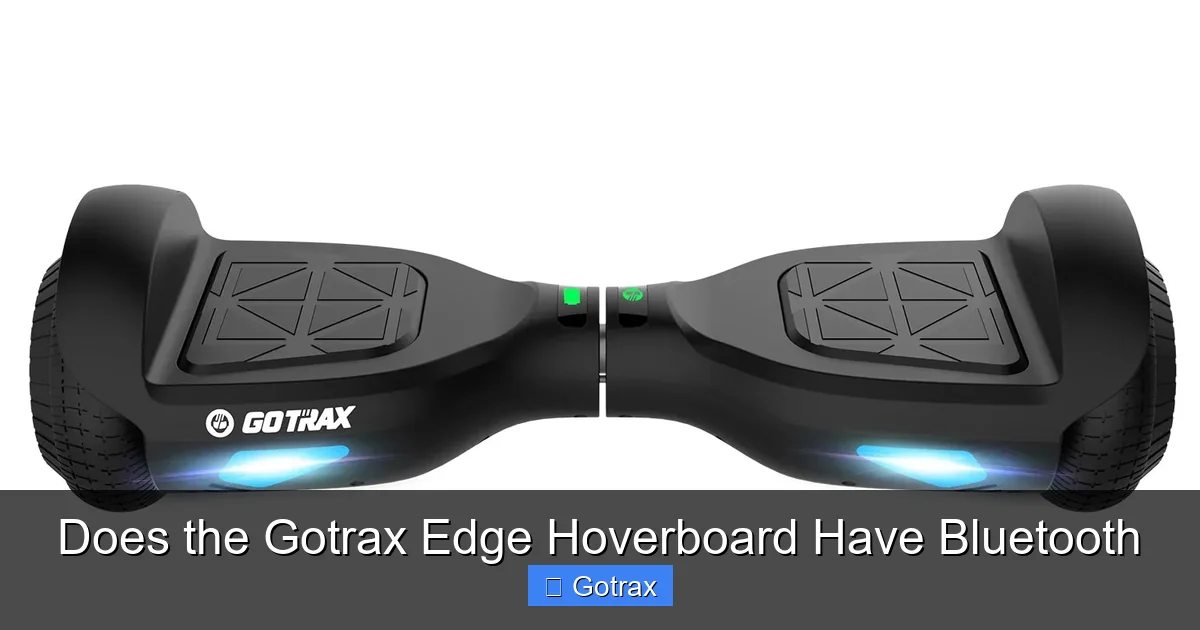
The Gotrax Edge hoverboard does not have built-in Bluetooth connectivity. While it offers solid performance and safety features, it lacks wireless audio or app integration. If Bluetooth is a must-have, you’ll need to explore alternative models or external solutions.
Key Takeaways
- No Built-in Bluetooth: The Gotrax Edge hoverboard does not come with Bluetooth functionality, meaning you can’t pair it with your phone for music or app control.
- Focus on Core Features: Gotrax prioritizes safety, stability, and ease of use over high-tech extras like Bluetooth or LED light shows.
- Great for Beginners: With self-balancing tech and a top speed of 6 mph, it’s ideal for new riders who value simplicity and reliability.
- External Audio Options: You can still enjoy music while riding by using a portable Bluetooth speaker or wired headphones.
- Affordable Price Point: The lack of Bluetooth helps keep the cost down, making it a budget-friendly choice for families and casual users.
- Future Models May Differ: Gotrax frequently updates its lineup, so newer versions or related models might include Bluetooth in the future.
📑 Table of Contents
- Does the Gotrax Edge Hoverboard Have Bluetooth? A Complete Breakdown
- What Is the Gotrax Edge Hoverboard?
- Why Doesn’t the Gotrax Edge Have Bluetooth?
- How Do Other Hoverboards Compare?
- Can You Add Bluetooth to the Gotrax Edge?
- Who Is the Gotrax Edge Best For?
- Pros and Cons of the Gotrax Edge Hoverboard
- Final Thoughts: Is the Gotrax Edge Worth It Without Bluetooth?
- Tips for Getting the Most Out of Your Gotrax Edge
Does the Gotrax Edge Hoverboard Have Bluetooth? A Complete Breakdown
If you’re in the market for a hoverboard, you’ve probably come across the Gotrax Edge. It’s one of the most popular entry-level models on the market, praised for its affordability, safety certifications, and beginner-friendly design. But as you compare it to other hoverboards, you might be wondering: Does the Gotrax Edge hoverboard have Bluetooth? That’s a fair question—especially if you love listening to music while you ride or want to track your stats through a companion app.
The short answer? No, the Gotrax Edge does not have Bluetooth. Unlike some flashier models from brands like Segway or Razor, the Edge keeps things simple. It focuses on core functionality—balance, speed, and safety—rather than adding tech extras like wireless audio or smartphone integration. That might be a dealbreaker for some, but for others, it’s actually a plus. Without Bluetooth, the Edge avoids potential connectivity issues, reduces complexity, and keeps the price low.
In this article, we’ll dive deep into what the Gotrax Edge offers, why it doesn’t include Bluetooth, and how you can still enjoy a fun, connected riding experience—even without built-in wireless features. Whether you’re a parent buying your first hoverboard for your child or an adult looking for a fun way to get around, this guide will help you make an informed decision.
What Is the Gotrax Edge Hoverboard?
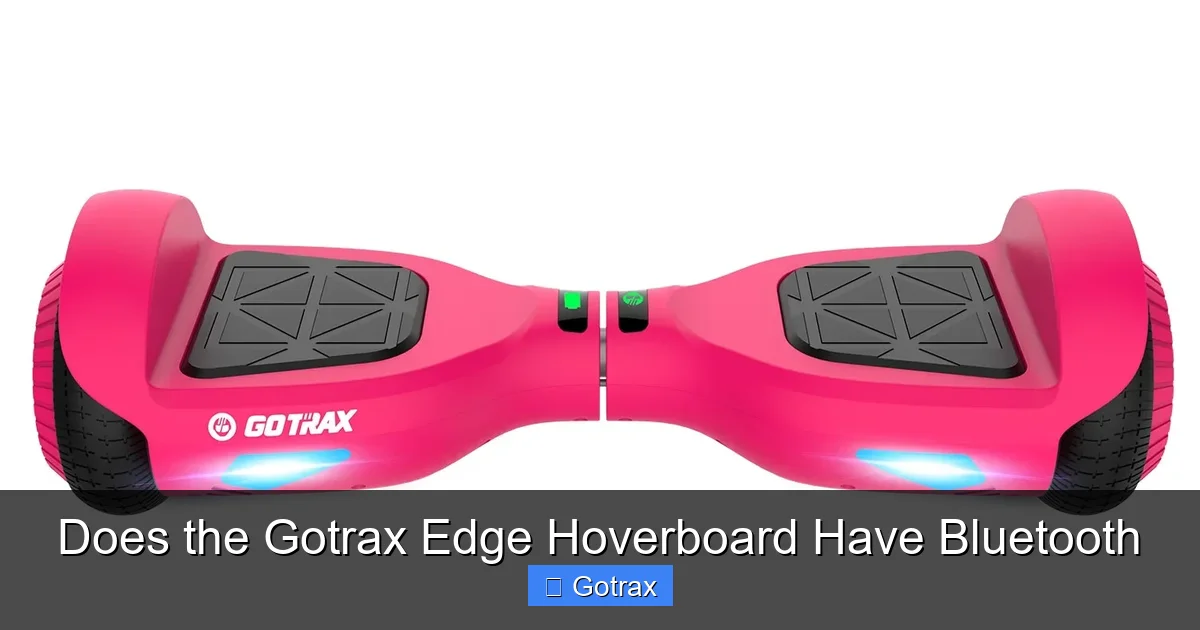
Visual guide about Does the Gotrax Edge Hoverboard Have Bluetooth
Image source: gotrax.com
Before we get into the Bluetooth question, let’s take a step back and understand what the Gotrax Edge actually is. Launched as part of Gotrax’s mission to make personal electric transportation accessible, the Edge is a self-balancing scooter designed for riders ages 8 and up. It’s lightweight, easy to learn, and built with safety in mind.
The Edge features two 350-watt motors, giving it enough power to carry riders up to 160 pounds at a top speed of 6 miles per hour. It has a range of about 7–10 miles on a single charge, depending on rider weight and terrain. The tires are solid rubber, which means no flats—great for beginners who don’t want to deal with maintenance. Plus, it’s UL 2272 certified, which means it’s been tested for electrical and fire safety.
One of the standout features of the Edge is its beginner mode. When you first turn it on, it limits the tilt angle and speed, helping new riders get comfortable with balance and control. Once you’re ready, you can switch to normal mode for a more responsive ride. There’s also a built-in LED headlight for visibility in low-light conditions and a battery indicator so you always know how much juice you have left.
But here’s the thing: the Edge doesn’t come with Bluetooth, a mobile app, or any kind of wireless connectivity. That’s not a flaw—it’s a design choice. Gotrax aimed to create a reliable, no-frills hoverboard that anyone can use right out of the box. And for many riders, that simplicity is exactly what they want.
Why Doesn’t the Gotrax Edge Have Bluetooth?
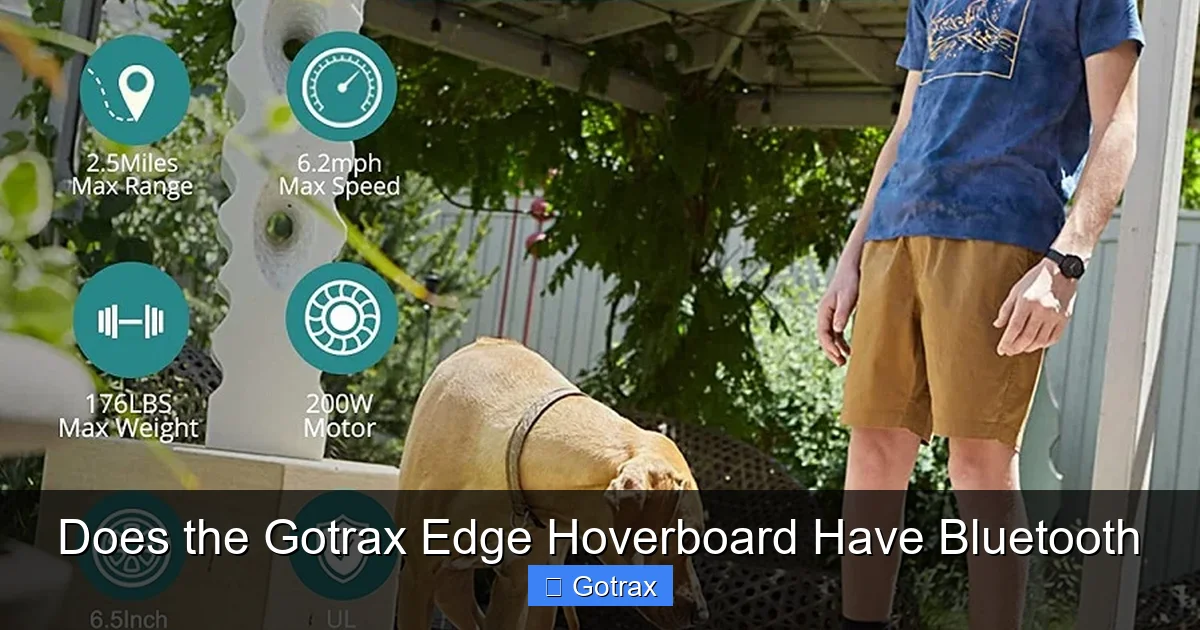
Visual guide about Does the Gotrax Edge Hoverboard Have Bluetooth
Image source: freshouttatime.com
Now, let’s address the elephant in the room: why doesn’t the Gotrax Edge have Bluetooth? After all, many hoverboards in the same price range—and even some cheaper ones—offer Bluetooth speakers, app connectivity, and customizable LED lights. So why did Gotrax leave it out?
The answer comes down to three main factors: cost, safety, and target audience.
Cost and Manufacturing Simplicity
Adding Bluetooth to a hoverboard isn’t just about slapping on a speaker. It requires additional hardware—like a Bluetooth module, audio amplifier, and sometimes even a small internal speaker or audio jack. These components increase manufacturing costs, which would likely be passed on to the consumer. Gotrax’s goal with the Edge was to offer a high-quality hoverboard at an affordable price—typically under $200. By skipping Bluetooth, they were able to keep the price low without sacrificing core performance.
Safety and Reliability
Bluetooth introduces potential points of failure. A poorly implemented Bluetooth system can drain the battery faster, cause connectivity issues, or even interfere with the hoverboard’s control systems. Gotrax prioritizes reliability and safety, especially for younger riders. By keeping the design simple, they reduce the risk of technical glitches that could affect performance or safety.
Target Audience: Beginners and Families
The Gotrax Edge is marketed toward first-time riders, kids, and families. These users are less likely to care about playing music through their hoverboard and more focused on learning how to ride safely. Gotrax likely determined that Bluetooth wasn’t a priority for this audience. Instead, they focused on features that matter most to beginners: stability, ease of use, and safety certifications.
In short, the lack of Bluetooth isn’t a mistake—it’s a deliberate choice that aligns with the Edge’s mission: to be a dependable, no-nonsense hoverboard for everyday riders.
How Do Other Hoverboards Compare?
To better understand the Gotrax Edge’s position, let’s compare it to other popular hoverboards that do offer Bluetooth.
Segway Ninebot S
The Segway Ninebot S is a premium hoverboard with Bluetooth connectivity. It pairs with a smartphone app that lets you monitor speed, battery life, and riding statistics. Some models even allow you to customize LED lights and play music through built-in speakers. However, it comes at a much higher price—often double or triple the cost of the Gotrax Edge.
Razor Hovertrax 2.0
The Razor Hovertrax 2.0 is another mid-range option that includes Bluetooth. It has a built-in speaker and app integration, letting you play music and track your rides. It’s stylish and fun, but it’s also heavier and more expensive than the Edge.
Swagtron T580
The Swagtron T580 is a budget-friendly hoverboard with Bluetooth and app support. It’s a direct competitor to the Gotrax Edge in terms of price, but it includes wireless features that the Edge lacks. However, some users report connectivity issues or shorter battery life when using Bluetooth heavily.
What This Means for You
If Bluetooth is a must-have, models like the Swagtron T580 or Razor Hovertrax 2.0 might be better fits. But if you’re okay with a simpler experience—or prefer to keep your phone in your pocket while riding—the Gotrax Edge offers excellent value. It’s all about what matters most to you: flashy features or reliable performance.
Can You Add Bluetooth to the Gotrax Edge?
Even though the Gotrax Edge doesn’t have built-in Bluetooth, that doesn’t mean you’re stuck in silence. There are several ways to enjoy music or audio while riding—without voiding your warranty or risking safety.
Use a Portable Bluetooth Speaker
One of the easiest and safest options is to bring a portable Bluetooth speaker with you. Clip it to your backpack, belt, or even a handlebar mount if you’re using the hoverboard with a handle. Speakers like the JBL Clip 4 or Anker Soundcore Mini are compact, waterproof, and deliver great sound. Just make sure the volume isn’t so loud that it distracts you from your surroundings.
Wired Headphones or Earbuds
If you prefer a more private listening experience, wired headphones or earbuds are a solid choice. They don’t rely on Bluetooth, so there’s no risk of interference with the hoverboard’s electronics. Just be cautious—wearing headphones while riding can reduce your awareness of traffic, pedestrians, or other hazards. If you do use them, keep the volume low and stay in safe, low-traffic areas.
Smartphone Mounts and Pockets
Some riders attach their phone to a small mount or keep it in a secure pocket with headphones. This lets you control your music without holding the phone. Just make sure the phone is secure and won’t fall out while you’re riding.
DIY Bluetooth Kits (Not Recommended)
You might come across DIY Bluetooth kits that claim to add wireless audio to hoverboards. These usually involve wiring a Bluetooth receiver to the hoverboard’s power source and connecting it to external speakers. While technically possible, we strongly advise against this. Modifying your hoverboard can void the warranty, damage the electronics, or even create a fire hazard—especially if the hoverboard isn’t designed to handle the extra load.
Stick to external, non-invasive solutions for the best balance of fun and safety.
Who Is the Gotrax Edge Best For?
Now that we’ve covered the Bluetooth situation, let’s talk about who the Gotrax Edge is actually designed for. Understanding your needs will help you decide if this hoverboard is right for you—even without wireless features.
Beginners and First-Time Riders
The Edge is perfect for people who’ve never ridden a hoverboard before. Its beginner mode, self-balancing technology, and stable platform make it easy to learn. Kids, teens, and even adults can pick it up in minutes. The lack of Bluetooth means fewer distractions—just focus on balance and control.
Families and Parents
Parents love the Gotrax Edge because it’s safe, affordable, and durable. It’s UL 2272 certified, which means it’s been tested for fire and electrical safety. The solid tires mean no flat repairs, and the lightweight design makes it easy for kids to carry. Plus, without Bluetooth, parents don’t have to worry about their kids spending more time fiddling with apps than actually riding.
Budget-Conscious Buyers
If you’re looking for a quality hoverboard without breaking the bank, the Edge is a top contender. At under $200, it offers excellent value for the price. You’re paying for performance and safety, not flashy extras. That’s a smart trade-off if you care more about how it rides than how it looks.
Casual Riders and Commuters
The Edge isn’t built for off-roading or high-speed racing. But for short commutes, neighborhood rides, or weekend fun, it’s more than capable. The 7–10 mile range is plenty for most daily trips, and the 6 mph top speed is safe for sidewalks and parks.
Those Who Prefer Simplicity
Not everyone wants a hoverboard that doubles as a speaker or fitness tracker. Some riders just want to hop on, ride, and enjoy the experience. The Gotrax Edge delivers exactly that—no apps, no pairing, no complications.
Pros and Cons of the Gotrax Edge Hoverboard
To help you weigh your options, here’s a quick breakdown of the Gotrax Edge’s strengths and weaknesses.
Pros
- Affordable Price: One of the most budget-friendly hoverboards with UL 2272 certification.
- Beginner-Friendly: Self-balancing tech and beginner mode make it easy to learn.
- Safe and Reliable: Solid construction, UL certification, and no unnecessary electronics.
- Low Maintenance: Solid rubber tires mean no flats or air pumps.
- Lightweight and Portable: Easy to carry and store.
- Good Range and Speed: 7–10 miles per charge and up to 6 mph.
Cons
- No Bluetooth: Can’t connect to phones or play music wirelessly.
- No App Integration: No way to track rides or customize settings.
- Basic Design: Lacks flashy LED lights or advanced features.
- Limited Off-Road Capability: Best for smooth surfaces like sidewalks and driveways.
Overall, the pros far outweigh the cons for most users—especially those who value simplicity and safety over tech gimmicks.
Final Thoughts: Is the Gotrax Edge Worth It Without Bluetooth?
So, does the Gotrax Edge hoverboard have Bluetooth? No—it doesn’t. But that doesn’t make it a bad choice. In fact, for many riders, the lack of Bluetooth is a benefit. It keeps the design clean, the price low, and the focus on what really matters: riding safely and having fun.
The Gotrax Edge excels as a beginner-friendly, reliable, and affordable hoverboard. It’s perfect for kids, families, and anyone who wants a no-fuss way to enjoy personal electric transportation. While it won’t play your favorite playlist or connect to your phone, you can still enjoy music with a portable speaker or headphones.
If Bluetooth is a dealbreaker, consider models like the Swagtron T580 or Razor Hovertrax 2.0. But if you’re okay with a simpler experience—or prefer to keep your phone out of the equation—the Gotrax Edge is a smart, well-built choice that delivers on its promises.
In the end, the best hoverboard isn’t the one with the most features—it’s the one that fits your lifestyle, budget, and riding goals. And for many, the Gotrax Edge does just that.
Tips for Getting the Most Out of Your Gotrax Edge
Even without Bluetooth, there are ways to enhance your Gotrax Edge experience. Here are a few practical tips:
- Charge After Every Use: Keep the battery topped off to maintain performance and extend its lifespan.
- Practice in a Safe Area: Start on flat, open ground like a driveway or empty parking lot.
- Wear Protective Gear: A helmet, knee pads, and elbow pads can prevent injuries, especially for beginners.
- Check Tire Pressure (Even Though They’re Solid): While the tires don’t need air, inspect them regularly for cracks or wear.
- Use a Handle or Strap: Some riders attach a small handle or carry strap for easier transport.
- Keep It Clean: Wipe down the hoverboard after rides to remove dirt and debris.
With a little care and creativity, your Gotrax Edge can provide years of fun—Bluetooth or not.
Frequently Asked Questions
Does the Gotrax Edge hoverboard have Bluetooth?
No, the Gotrax Edge hoverboard does not have built-in Bluetooth. It lacks wireless audio or app connectivity, focusing instead on core performance and safety.
Can I add Bluetooth to my Gotrax Edge?
You can use a portable Bluetooth speaker or wired headphones, but modifying the hoverboard with DIY kits is not recommended due to safety and warranty risks.
What hoverboards have Bluetooth and are similar to the Gotrax Edge?
Models like the Swagtron T580 and Razor Hovertrax 2.0 offer Bluetooth and are in a similar price range, though they may cost slightly more.
Is the Gotrax Edge safe for kids?
Yes, the Gotrax Edge is UL 2272 certified, has beginner mode, and is designed for riders ages 8 and up, making it a safe choice for kids.
How long does the Gotrax Edge battery last?
The battery lasts about 7–10 miles per charge, depending on rider weight, terrain, and speed. Charging takes around 3–4 hours.
Can I listen to music while riding the Gotrax Edge?
Yes, you can use a portable Bluetooth speaker or wired headphones. Just keep the volume low and stay aware of your surroundings for safety.