
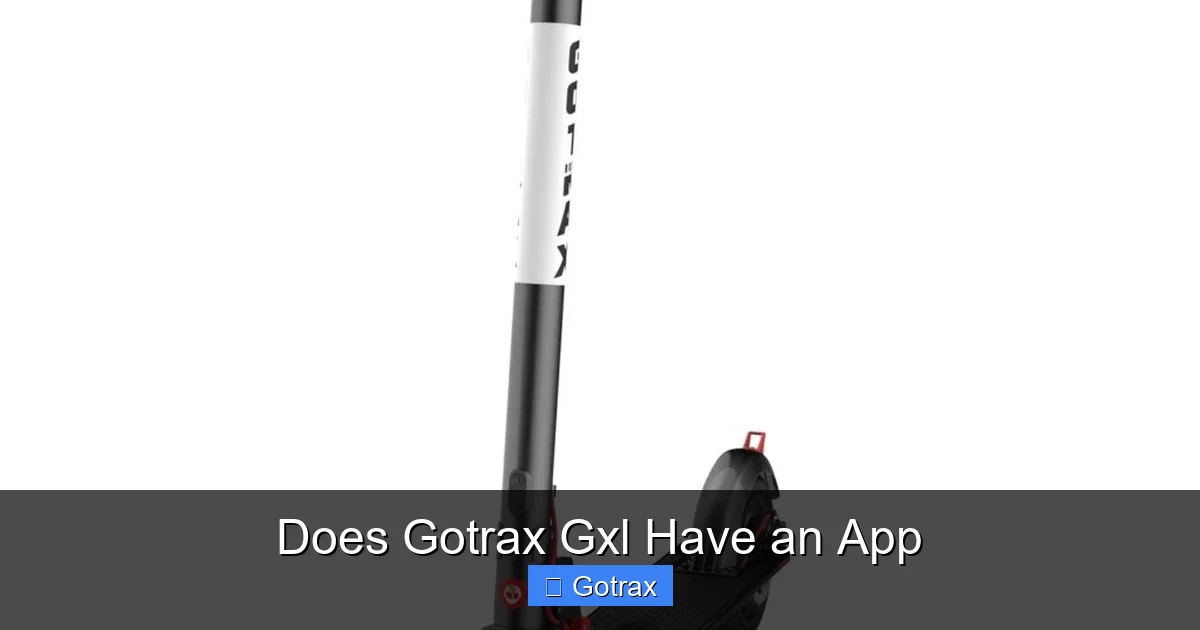
The Gotrax GXL electric scooter does not come with an official app from Gotrax. While it lacks built-in Bluetooth or smartphone integration, riders can still enhance their experience using third-party tools and accessories. This article explores alternatives, workarounds, and tips to get the most out of your GXL without an official app.
If you’re considering buying or already own a Gotrax GXL electric scooter, you might be wondering: Does Gotrax GXL have an app? It’s a fair question—especially in today’s world where most gadgets come with a companion app for tracking, customization, and remote control. Electric scooters, in particular, have evolved rapidly, with brands like Xiaomi, Segway, and even newer Gotrax models offering sleek apps that let you monitor battery life, adjust speed modes, lock your scooter, and even track your rides in real time.
But when it comes to the Gotrax GXL—one of the brand’s most popular entry-level scooters—the answer is a bit more complicated. The short version? No, the Gotrax GXL does not have an official app. Unlike some of its successors, such as the GXL V2 or the high-performance G4, the original GXL was designed as a straightforward, no-frills electric scooter. It focuses on reliability, affordability, and ease of use—not smart technology or digital integration.
That doesn’t mean you can’t enjoy a tech-enhanced ride, though. While the GXL lacks built-in Bluetooth, GPS, or app connectivity, there are still ways to add smart features using third-party tools and accessories. In this comprehensive guide, we’ll dive deep into whether the Gotrax GXL has an app, what features it does (and doesn’t) support, and how you can still make your riding experience more connected and convenient—even without official app support.
Whether you’re a daily commuter, a weekend explorer, or just someone who loves riding electric scooters, this article will help you understand the GXL’s capabilities and explore practical ways to enhance your ride.
Key Takeaways
- No Official App: The Gotrax GXL does not have a dedicated app developed or supported by Gotrax for smartphone connectivity.
- No Bluetooth or Smart Features: Unlike newer models such as the GXL V2 or G4, the original GXL lacks Bluetooth, GPS, or app-based controls.
- Manual Operation Only: All functions—speed, braking, lights—are controlled directly on the scooter without digital interfaces.
- Third-Party Apps Possible: Riders can use generic fitness or GPS tracking apps like Strava or Google Maps to log rides and monitor performance.
- Aftermarket Accessories Available: Bluetooth speedometers, phone mounts, and smart locks can add app-like functionality to the GXL.
- Firmware Updates Not Supported: Since there’s no app, firmware updates or remote diagnostics are not possible on the GXL.
- Future Models Offer App Support: Consider upgrading to newer Gotrax models like the G4 or GXL V2 if app integration is a priority.
📑 Table of Contents
Understanding the Gotrax GXL: Features and Limitations
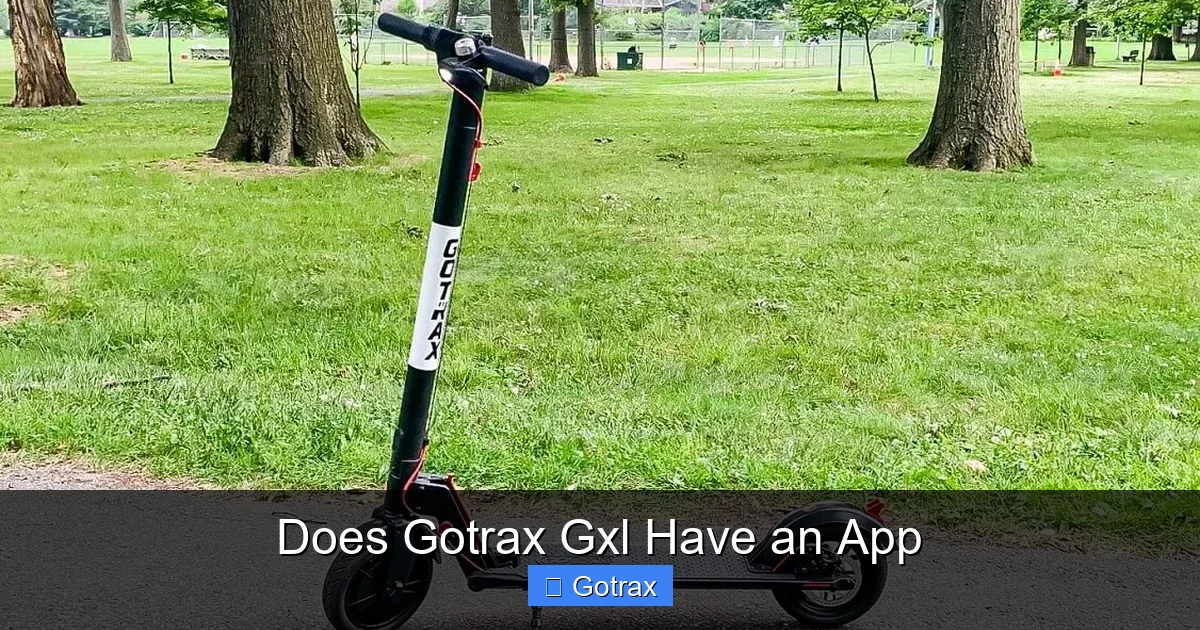
Before we get into app compatibility, let’s take a closer look at what the Gotrax GXL actually offers. Launched as a budget-friendly alternative to higher-end electric scooters, the GXL quickly gained popularity for its solid build, decent range, and user-friendly design. It’s powered by a 250-watt motor, reaches speeds of up to 15.5 mph, and offers a range of approximately 12–15 miles on a single charge, depending on rider weight, terrain, and riding style.
The scooter features a lightweight aluminum frame, 8.5-inch pneumatic tires for a smoother ride, and a simple LED display that shows speed and battery level. It also includes a hand-operated rear disc brake, front and rear LED lights, and a foldable design for easy storage and portability. These features make the GXL a great choice for students, urban commuters, and casual riders who want reliable performance without breaking the bank.
However, when it comes to technology and connectivity, the GXL falls short compared to newer models. It does not include Bluetooth, Wi-Fi, or any form of wireless communication with smartphones. There’s no built-in GPS, no app-based speed control, and no way to remotely lock or unlock the scooter. All functions are operated manually—speed is controlled via a thumb throttle, braking is mechanical, and the lights are turned on with a physical button.
This lack of smart features is one of the main reasons why the Gotrax GXL does not have an app. Gotrax designed the GXL to be simple, durable, and affordable—not high-tech. While this may disappoint tech-savvy riders, it also means the scooter is less prone to software glitches, firmware issues, or connectivity problems. For many users, that simplicity is a feature, not a flaw.
Why Doesn’t the Gotrax GXL Have an App?
So, why didn’t Gotrax include app support in the GXL? The answer lies in the scooter’s design philosophy and target market. The GXL was released several years before smart scooters became mainstream. At the time, most budget electric scooters focused on core performance—motor power, battery life, and build quality—rather than digital features.
Additionally, adding app connectivity requires additional hardware: Bluetooth modules, GPS chips, and more complex circuitry. These components increase manufacturing costs, which would have raised the price of the GXL—potentially putting it out of reach for its core audience of students and budget-conscious riders.
Gotrax also likely wanted to keep the GXL as reliable and low-maintenance as possible. Apps can introduce bugs, require updates, and sometimes fail to connect. By keeping the scooter analog, Gotrax ensured that it would work consistently, right out of the box, without relying on software or smartphones.
That said, the market has evolved. Today, many riders expect some level of digital integration—even on entry-level scooters. As a result, Gotrax has introduced newer models with app support, such as the GXL V2 and the G4. But the original GXL remains a standalone device, designed for those who value simplicity over smart features.
Comparing the Gotrax GXL to App-Enabled Models
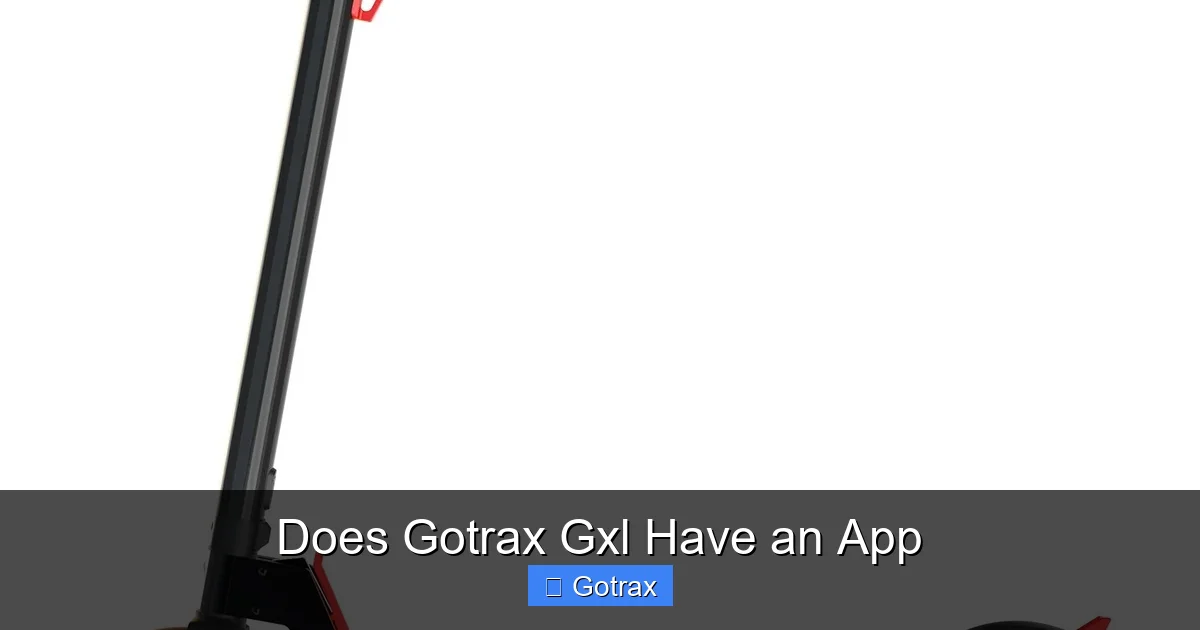
Visual guide about Does Gotrax Gxl Have an App
Image source: bike.cc
To better understand the limitations of the GXL, it helps to compare it to Gotrax scooters that do support app connectivity. The most direct comparison is the Gotrax GXL V2, an updated version of the original GXL that includes several key upgrades—including app support.
The GXL V2 features a 300-watt motor (compared to the GXL’s 250-watt), a slightly longer range (up to 16 miles), and—most importantly—Bluetooth connectivity. This allows riders to pair the scooter with the official Gotrax app, available for both iOS and Android devices. Through the app, users can:
– Monitor real-time speed and battery level
– Adjust speed modes (Eco, Normal, Sport)
– Lock and unlock the scooter remotely
– Track ride history and distance
– Receive firmware updates
These features make the GXL V2 a much more interactive and customizable experience. Riders can fine-tune their ride to match their preferences, track their progress over time, and even prevent theft with remote locking.
Another model worth mentioning is the Gotrax G4, a high-performance scooter designed for serious riders. The G4 boasts a 500-watt motor, a top speed of 20 mph, and a range of up to 25 miles. Like the GXL V2, it supports the Gotrax app and includes advanced features such as cruise control, regenerative braking, and customizable LED lighting.
So, if app connectivity is important to you, upgrading to the GXL V2 or G4 might be a better long-term investment. However, if you already own a GXL or prefer a simpler, no-frills ride, there are still ways to enhance your experience—even without an official app.
What You’re Missing Without an App
While the GXL’s lack of an app doesn’t affect its core functionality, it does mean you miss out on several conveniences that app-enabled scooters offer. Here are some of the key features you won’t have access to:
– Remote Locking: You can’t lock your scooter via smartphone, which means you’ll need to use a physical lock for security.
– Ride Tracking: There’s no built-in way to log your rides, track distance, or monitor speed over time.
– Speed Mode Customization: The GXL has a single speed mode—no Eco or Sport settings to choose from.
– Battery Monitoring: While the LED display shows battery level, it’s not as precise as app-based monitoring, which can show exact percentages and estimated range.
– Firmware Updates: If Gotrax releases performance improvements or bug fixes, you won’t be able to update your GXL’s software.
These limitations may not be deal-breakers for everyone, but they’re worth considering if you’re used to smart devices or want more control over your scooter’s performance.
Workarounds and Third-Party Solutions
Visual guide about Does Gotrax Gxl Have an App
Image source: motoped.com
Just because the Gotrax GXL doesn’t have an official app doesn’t mean you’re stuck in the digital dark ages. With a little creativity and the right accessories, you can add app-like functionality to your ride. Here are some practical workarounds that can help you get more out of your GXL.
Use Fitness and GPS Apps
One of the easiest ways to add smart features to your GXL is by using your smartphone’s built-in GPS and fitness tracking apps. Apps like Strava, Google Maps, MapMyRide, and Komoot can track your rides, log distance, monitor speed, and even map your routes.
Simply mount your phone to the scooter’s handlebars (using a phone mount) and start a ride session in your preferred app. Strava, for example, will record your speed, distance, elevation gain, and even let you compare your performance over time. This is especially useful if you’re training for endurance or trying to improve your commute time.
Google Maps can also be helpful for navigation. While it won’t control your scooter, it can guide you through city streets, suggest bike-friendly routes, and estimate travel time based on your speed. Just make sure to use voice navigation or glance at the screen safely—don’t let your phone distract you while riding.
Install a Bluetooth Speedometer
If you want real-time speed and distance data without relying on your phone’s GPS, consider installing a Bluetooth-enabled speedometer. These devices attach to your scooter’s handlebars and connect to your smartphone via Bluetooth, displaying speed, trip distance, and sometimes even battery level (if compatible).
Popular options include the Cyclemeter by Abvio or generic Bluetooth speedometers available on Amazon. While they won’t integrate directly with the GXL’s internal systems, they can give you a digital readout that feels more like a smart scooter experience.
Some advanced models even sync with fitness apps, allowing you to log your rides automatically. Just make sure the speedometer is compatible with electric scooters and can handle the GXL’s speed range.
Add a Smart Lock or Alarm
Since the GXL doesn’t support remote locking, security is a valid concern—especially if you park your scooter in public areas. To enhance protection, consider adding a smart lock or GPS tracker.
Smart locks like the Knog Party Frank or ABUS Smart Lock can be paired with your phone via Bluetooth. They allow you to lock and unlock your scooter with a tap, receive tamper alerts, and even share access with friends. While they don’t integrate with the scooter’s electronics, they add a layer of convenience and security.
For even better protection, a GPS tracker like the Tracki or Invoxia Cellular GPS Tracker can be hidden on your scooter and monitored via app. If your GXL is stolen, you can track its location in real time and share the data with authorities.
Use a Phone Mount and Charger
Even without app control, your smartphone can still be a valuable riding companion. A sturdy phone mount lets you use navigation, music, or ride-tracking apps safely. Look for a mount with a secure grip and 360-degree rotation so you can adjust the angle for better visibility.
Pair it with a handlebar-mounted phone charger to keep your device powered during long rides. Many chargers plug into the scooter’s battery (via a USB adapter) and provide steady power without draining your phone’s battery.
This setup effectively turns your GXL into a semi-smart scooter—giving you access to apps, navigation, and entertainment, even if the scooter itself isn’t connected.
Upgrade to a Smart Dashboard
For a more integrated experience, some riders opt to install an aftermarket smart dashboard. These devices replace or supplement the GXL’s basic LED display with a larger screen that shows speed, battery percentage, trip distance, and sometimes even Bluetooth connectivity.
While not officially supported by Gotrax, these dashboards can be installed with some technical know-how. They often connect to the scooter’s wiring harness and provide a more detailed readout than the original display. Some models even support app pairing, giving you a true smart scooter experience.
Just be cautious when modifying your scooter’s electronics—improper installation can void your warranty or damage the scooter.
Should You Upgrade to a Gotrax Model with App Support?
If app connectivity is a must-have for you, it might be worth considering an upgrade to a newer Gotrax model. The GXL V2 and G4 both offer official app support, enhanced performance, and modern features that the original GXL lacks.
The GXL V2 is the closest upgrade—offering similar size and price but with Bluetooth and app integration. It’s ideal if you want to keep the GXL’s compact design but gain smart functionality. The G4, on the other hand, is a significant step up in power and range, making it better suited for longer commutes or hilly terrain.
That said, upgrading isn’t always necessary. If you’re happy with your GXL’s performance and don’t mind using third-party tools, there’s no rush to switch. The GXL remains a reliable, affordable, and fun scooter—even without an app.
Pros and Cons of Sticking with the GXL
Pros:
– Lower cost (both upfront and maintenance)
– Simpler design with fewer points of failure
– No reliance on apps or software
– Lightweight and easy to carry
Cons:
– No app connectivity or smart features
– Limited customization options
– No remote locking or ride tracking
– Older technology compared to newer models
Ultimately, the decision depends on your priorities. If you value simplicity and reliability, the GXL is still a great choice. But if you crave digital integration and advanced features, upgrading might be the better long-term option.
Tips for Getting the Most Out of Your Gotrax GXL
Even without an app, there are plenty of ways to enhance your GXL experience. Here are some practical tips to help you ride smarter, safer, and more efficiently.
Maintain Your Scooter Regularly
Since the GXL doesn’t have app-based diagnostics, regular maintenance is key to keeping it running smoothly. Check tire pressure weekly, inspect brakes for wear, and clean the deck and wheels to prevent dirt buildup. Keep the battery charged but avoid overcharging—unplug it once it reaches 100%.
Use a Physical Lock
Always secure your GXL with a high-quality U-lock or chain lock when parking in public. Since there’s no remote locking, a physical lock is your best defense against theft.
Plan Your Routes
Use Google Maps or a similar app to plan your route before you ride. Look for bike lanes, low-traffic streets, and charging stations if you’re going on a long trip.
Track Your Rides Manually
Keep a simple log of your rides in a notebook or spreadsheet. Note the date, distance, battery level, and any issues. This can help you monitor performance and spot patterns over time.
Join Online Communities
Connect with other GXL owners on forums like Reddit’s r/ElectricScooters or Gotrax-specific Facebook groups. You can share tips, troubleshoot issues, and learn about new accessories.
Conclusion
So, does Gotrax GXL have an app? The straightforward answer is no—the original Gotrax GXL does not come with an official app or any built-in smart features. It was designed as a reliable, no-frills electric scooter focused on performance and affordability, not digital integration.
However, that doesn’t mean you can’t enjoy a connected riding experience. By using third-party apps, Bluetooth accessories, and smart add-ons, you can add many of the features you’d find in app-enabled scooters. From ride tracking to remote locking, there are creative ways to make your GXL feel more modern and interactive.
If app support is a top priority, consider upgrading to the GXL V2 or G4. But if you’re happy with your current scooter, don’t let the lack of an app hold you back. With a little ingenuity, your Gotrax GXL can still deliver a fun, efficient, and enjoyable ride—no smartphone required.
Whether you’re commuting to work, exploring your city, or just cruising around the neighborhood, the GXL remains a solid choice for riders who value simplicity, durability, and value. And who knows? Maybe one day Gotrax will release a retrofit kit or companion app for older models. Until then, ride smart, stay safe, and enjoy the journey.
Frequently Asked Questions
Does the Gotrax GXL have Bluetooth?
No, the Gotrax GXL does not have Bluetooth connectivity. It lacks the hardware needed to pair with smartphones or other devices.
Can I control the Gotrax GXL with my phone?
No, you cannot control the Gotrax GXL with your phone. All functions are operated manually via the throttle, brake, and physical buttons.
Is there a Gotrax app for the GXL?
There is no official Gotrax app designed for the original GXL model. The app is only compatible with newer models like the GXL V2 and G4.
Can I track my rides on the Gotrax GXL?
Not directly through the scooter, but you can use third-party apps like Strava or Google Maps on your phone to track distance, speed, and route.
Will Gotrax release an app for the GXL in the future?
There are no official announcements from Gotrax about adding app support to the original GXL. It’s unlikely, given the scooter’s older design.
What’s the difference between the GXL and GXL V2?
The GXL V2 has a more powerful motor, longer range, and Bluetooth/app support, while the original GXL lacks these smart features.