
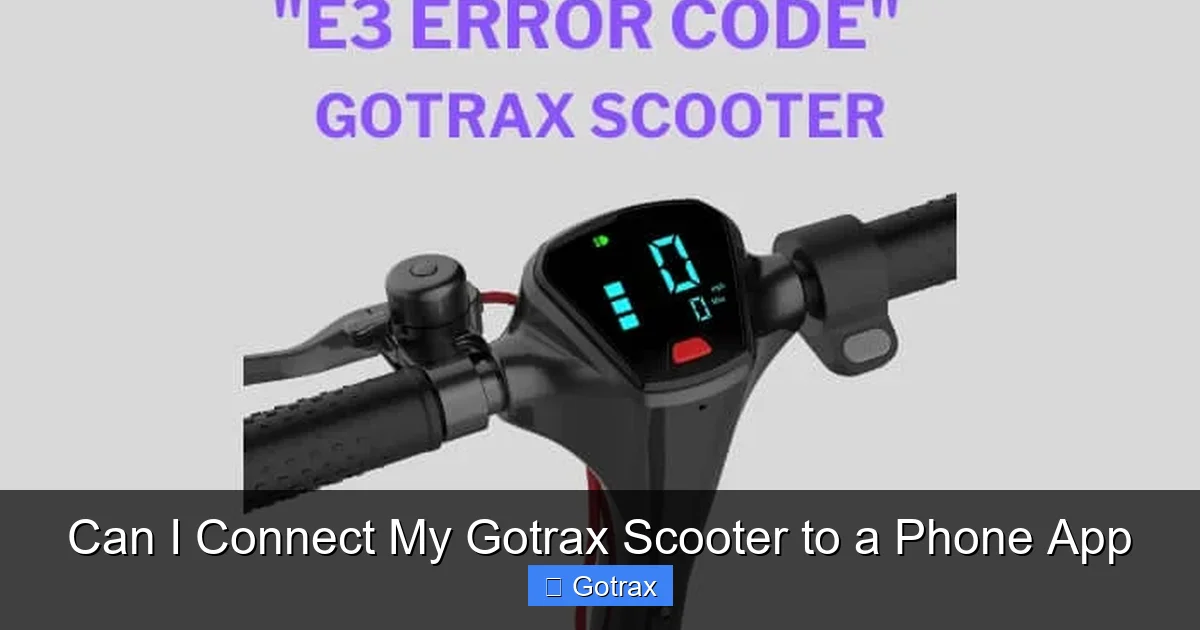
Yes, many Gotrax scooters can connect to a phone app via Bluetooth, but it depends on the model. The Gotrax app allows you to monitor speed, battery life, and even lock your scooter remotely—offering convenience and peace of mind.
Key Takeaways
- Not all Gotrax scooters support app connectivity: Only select models like the GXL V2, XR Elite, and G4 come with Bluetooth and app compatibility.
- The Gotrax app is free and easy to use: Available on iOS and Android, it lets you view ride stats, adjust settings, and track your scooter’s location.
- Bluetooth pairing is simple: Turn on your scooter, open the app, and follow the on-screen instructions to connect in under a minute.
- App features vary by model: Higher-end scooters offer more advanced controls like cruise control, speed limits, and anti-theft mode.
- Firmware updates are delivered through the app: Keeping your scooter updated ensures optimal performance and access to new features.
- App connectivity enhances safety and convenience: Real-time battery monitoring and remote locking help prevent theft and extend ride time.
- No subscription required: The Gotrax app is completely free with no hidden fees or monthly charges.
Can I Connect My Gotrax Scooter to a Phone App?
So, you’ve got your hands on a sleek Gotrax electric scooter—maybe it’s the zippy GXL V2, the rugged XR Elite, or the ultra-modern G4. You’re zipping around town, enjoying the breeze, and loving the convenience. But now you’re wondering: Can I connect my Gotrax scooter to a phone app? It’s a great question, and the answer is: it depends on your model.
Gotrax has been steadily upgrading its lineup to include smart features, and many of their newer scooters now support Bluetooth connectivity and app integration. This means you can pair your scooter with your smartphone to unlock a whole new level of control, monitoring, and customization. But not every Gotrax scooter comes with this capability—so before you download the app and start searching for your scooter in the Bluetooth menu, it’s important to know whether your specific model is compatible.
In this guide, we’ll walk you through everything you need to know about connecting your Gotrax scooter to a phone app. We’ll cover which models support the app, how to pair them, what features you can access, and tips to get the most out of your smart scooter experience. Whether you’re a daily commuter, a weekend explorer, or just someone who loves tech-savvy gadgets, this article will help you decide if app connectivity is right for you—and how to make it work.
Which Gotrax Scooters Are App-Compatible?
Not all Gotrax scooters are created equal when it comes to smart features. While the brand is known for offering affordable, reliable electric scooters, only a select few models come equipped with Bluetooth and app connectivity. If you’re wondering whether your scooter can connect to a phone app, the first step is identifying your model.
Currently, the following Gotrax scooters support app connectivity:
- Gotrax GXL V2: This popular mid-range scooter includes Bluetooth and works seamlessly with the Gotrax app. It’s one of the most widely used models with app support.
- Gotrax XR Elite: Designed for longer commutes, the XR Elite offers app connectivity, allowing riders to monitor battery life and adjust speed settings.
- Gotrax G4: As one of the brand’s premium models, the G4 comes with advanced features like GPS tracking, anti-theft mode, and full app integration.
- Gotrax GMAX Series (select models): Some versions of the GMAX, particularly the GMAX Ultra, include app compatibility, though it’s best to check the product specs before assuming.
On the other hand, older or more budget-friendly models like the Gotrax G2, G3, or the original GXL do not support app connectivity. These scooters are built for simplicity and affordability, focusing on core performance rather than smart features. If your scooter doesn’t have a Bluetooth indicator light or a digital display with app-related icons, it likely doesn’t support the app.
To confirm your model’s compatibility, check the product manual, the Gotrax website, or look for a Bluetooth symbol on the scooter’s display. You can also visit the app store and search for “Gotrax app”—if your scooter appears in the list of supported devices, you’re good to go.
How to Identify App-Compatible Models
One of the easiest ways to tell if your Gotrax scooter supports the app is by looking at the display panel. App-enabled models typically have a more advanced LCD or LED screen that shows not just speed and battery, but also Bluetooth status, ride mode, and sometimes even GPS signal strength.
For example, the Gotrax G4 features a full-color display with icons for Bluetooth, GPS, and app sync. When you turn it on, you might see a Bluetooth symbol flash, indicating it’s ready to pair. In contrast, the G2 has a basic LED battery indicator and no digital screen—making it clear that app connectivity isn’t an option.
Another clue is the presence of a mobile app icon in the user manual or on the packaging. Gotrax often highlights app compatibility as a key selling point for their smart scooters, so if you bought yours recently and it was advertised as “app-controlled” or “smart-enabled,” chances are high that it supports the app.
If you’re still unsure, you can always contact Gotrax customer support with your scooter’s serial number. They’ll be able to confirm whether your model is compatible and guide you through the setup process.
How to Connect Your Gotrax Scooter to the App
So, you’ve confirmed that your Gotrax scooter supports app connectivity—great! Now it’s time to pair it with your smartphone. The process is straightforward and takes just a few minutes. Here’s a step-by-step guide to help you get connected.
Step 1: Download the Gotrax App
First, head to the Apple App Store (for iPhone users) or Google Play Store (for Android users) and search for “Gotrax.” Download the official Gotrax app—it’s free and developed by the same company that makes your scooter. Avoid third-party apps, as they may not work properly or could compromise your scooter’s security.
Once installed, open the app and create an account if you don’t already have one. You’ll need to provide an email address and set a password. This account will store your ride history, settings, and scooter data, so make sure to use a secure password.
Step 2: Turn On Your Scooter
Next, power on your Gotrax scooter. Make sure it’s fully charged—low battery can interfere with Bluetooth connectivity. Wait for the display to fully load. On app-compatible models, you should see a Bluetooth icon appear on the screen, usually in the top corner.
If the icon is blinking, it means the scooter is in pairing mode and ready to connect. If it’s not blinking, you may need to enable Bluetooth manually. On some models, you can do this by holding down the power button for 3–5 seconds until the icon starts flashing.
Step 3: Enable Bluetooth on Your Phone
Now, go to your smartphone’s settings and make sure Bluetooth is turned on. Your phone will start scanning for nearby devices. You should see your Gotrax scooter appear in the list—usually labeled as “Gotrax G4,” “GXL V2,” or something similar, depending on your model.
Tap on the scooter’s name to initiate pairing. You may be prompted to enter a PIN. The default PIN for most Gotrax scooters is 1234 or 0000. If neither works, check the user manual or try leaving the field blank.
Step 4: Complete the Pairing Process
Once paired, the Bluetooth icon on your scooter’s display should stop blinking and remain solid. The Gotrax app will also confirm the connection with a message like “Connected to Gotrax G4” or “Scooter Ready.”
At this point, the app will sync with your scooter and begin displaying real-time data. You’ll see your current speed, battery percentage, trip distance, and more. Some models even show your location on a map if GPS is enabled.
Tips for a Smooth Connection
- Stay close to your scooter: Bluetooth has a limited range (usually around 30 feet). Keep your phone within this distance during pairing.
- Restart if needed: If the app fails to connect, try turning off your scooter and phone’s Bluetooth, then restart both and try again.
- Update the app: Make sure you’re using the latest version of the Gotrax app. Updates often include bug fixes and improved compatibility.
- Check for interference: Other Bluetooth devices or Wi-Fi signals can sometimes interfere with pairing. Move to a quieter area if you’re having trouble.
Once connected, your scooter and app will remember each other. You won’t need to pair them every time—just turn on your scooter, open the app, and it should connect automatically.
What Can You Do with the Gotrax App?
Now that your scooter is connected, you’re probably wondering: What can I actually do with this app? The answer is: quite a lot! The Gotrax app transforms your scooter from a simple ride into a smart, interactive experience. Here’s a breakdown of the key features you can access.
Monitor Ride Statistics
One of the most useful features of the Gotrax app is real-time ride tracking. You can view:
- Current speed: See how fast you’re going at any moment.
- Battery level: Monitor your remaining charge and estimate how much farther you can go.
- Trip distance: Track how far you’ve traveled on your current ride.
- Total mileage: View your scooter’s lifetime distance—great for maintenance tracking.
This data is especially helpful for commuters who want to plan their routes based on battery life. For example, if you see your battery dropping below 20%, you can decide whether to head home or find a charging station.
Adjust Scooter Settings
The app allows you to customize your riding experience. Depending on your model, you may be able to:
- Change speed modes: Switch between eco, normal, and sport modes for better control.
- Set speed limits: Limit your top speed—ideal for beginners or younger riders.
- Enable cruise control: Maintain a steady speed without holding the throttle (available on select models).
- Adjust brightness: Change the display brightness to save battery or improve visibility at night.
These settings give you more control over performance and safety. For instance, if you’re riding in a crowded area, you can set a lower speed limit to reduce the risk of accidents.
Anti-Theft and Security Features
One of the coolest features of the Gotrax app is remote locking. On supported models like the G4, you can:
- Lock your scooter remotely: Prevent the motor from engaging, even if someone tries to ride it.
- Receive theft alerts: Get a notification if your scooter moves while locked.
- Track your scooter’s location: Use GPS to find your scooter if it’s stolen or misplaced.
Imagine parking your scooter outside a café and activating the lock from your phone. If someone tries to move it, you’ll get an instant alert. This feature adds a layer of security that traditional scooters don’t offer.
Firmware Updates
Gotrax regularly releases firmware updates to improve performance, fix bugs, and add new features. The app makes it easy to install these updates:
- Open the app and go to the “Settings” or “Device” section.
- Look for “Firmware Update” or “Check for Updates.”
- If an update is available, follow the on-screen instructions to download and install it.
Keeping your scooter updated ensures you’re getting the best possible experience. For example, a recent update might improve battery efficiency or add a new riding mode.
Ride History and Analytics
The app also stores your ride history, allowing you to review past trips. You can see:
- Date and time of each ride
- Distance traveled
- Average and maximum speed
- Battery usage
This data is great for tracking your progress, especially if you’re using your scooter for fitness or commuting. You might notice patterns—like using more battery on hilly routes—and adjust your habits accordingly.
Tips for Getting the Most Out of the Gotrax App
Now that you’re connected and exploring the app’s features, here are some practical tips to enhance your experience and avoid common pitfalls.
Keep Your Phone Charged
The app relies on your phone’s battery and Bluetooth. If your phone dies, you lose access to real-time data and remote features. Consider carrying a portable charger, especially on long rides.
Use the App Before Riding
Before you head out, open the app and check your scooter’s status. Make sure the battery is sufficient, the firmware is up to date, and the connection is stable. This quick check can prevent surprises mid-ride.
Enable Notifications
Turn on app notifications so you’ll be alerted if your scooter moves while locked or if the battery drops below a certain level. This is especially useful if you park your scooter in a public area.
Experiment with Settings
Don’t be afraid to try different speed modes or enable cruise control. The app makes it easy to customize your ride, so take advantage of these options to find what works best for you.
Share Your Rides (Optional)
Some versions of the app allow you to share your ride stats on social media. If you enjoy documenting your adventures, this can be a fun way to connect with other riders.
Troubleshoot Connection Issues
If the app disconnects frequently, try the following:
- Restart your scooter and phone.
- Forget the device in your phone’s Bluetooth settings and re-pair.
- Move away from areas with heavy wireless interference.
- Ensure your scooter’s firmware is updated.
Most connection problems are temporary and can be resolved with a simple reset.
Limitations and Considerations
While the Gotrax app offers many benefits, it’s important to understand its limitations. App connectivity isn’t a magic solution—it comes with some trade-offs.
Not All Models Are Supported
As mentioned earlier, only select Gotrax scooters support the app. If you own an older or budget model, you won’t be able to connect it, no matter how much you want to.
Bluetooth Range Is Limited
The app works best when your phone is within 30 feet of your scooter. If you walk too far away, the connection may drop. This isn’t usually a problem during rides, but it can be an issue if you’re trying to lock your scooter from a distance.
App Features Vary by Model
The G4 offers GPS tracking and anti-theft mode, but the GXL V2 doesn’t. Always check your model’s capabilities before assuming certain features are available.
No Subscription, But No Cloud Backup
The app is free, which is great. However, your ride data is stored locally on your phone. If you lose or reset your device, you may lose your history unless you back it up manually.
Firmware Updates Require Connection
To install updates, your scooter must be connected to the app and within Bluetooth range. This means you can’t update it remotely or while the scooter is stored far away.
Despite these limitations, the app remains a valuable tool for enhancing your Gotrax experience. Just manage your expectations and use it as a supplement to—not a replacement for—safe riding practices.
Conclusion
So, can you connect your Gotrax scooter to a phone app? The answer is a resounding yes—if you have a compatible model. Scooters like the GXL V2, XR Elite, and G4 offer seamless Bluetooth pairing and a feature-rich app experience that adds convenience, safety, and customization to your rides.
From monitoring battery life and speed to locking your scooter remotely and tracking your location, the Gotrax app turns your electric scooter into a smart, connected device. It’s free, easy to use, and packed with practical features that make riding more enjoyable and secure.
If you’re considering upgrading to a Gotrax scooter with app support, or if you already own one, take the time to download the app and explore its capabilities. Pairing your scooter takes just minutes, but the benefits can last for every ride.
Remember, not all models are compatible, so check your scooter’s specs before getting your hopes up. But if you’re riding a smart-enabled Gotrax, you’re in for a treat. Connect, customize, and cruise with confidence—your scooter just got a whole lot smarter.
FAQs
Can I connect any Gotrax scooter to a phone app?
No, only select models like the GXL V2, XR Elite, and G4 support app connectivity. Older or budget models like the G2 and G3 do not have Bluetooth or app features.
Is the Gotrax app free?
Yes, the Gotrax app is completely free to download and use. There are no subscriptions or hidden fees.
How do I know if my Gotrax scooter is app-compatible?
Check for a Bluetooth icon on the display, consult the user manual, or look up your model on the Gotrax website. App-compatible scooters usually have advanced digital displays.
What happens if my phone dies while riding?
Your scooter will still function normally, but you’ll lose access to real-time data and remote features like locking. Always carry a portable charger for long rides.
Can I track my scooter if it’s stolen?
Only models with GPS, like the G4, allow location tracking. If your scooter is stolen and GPS is enabled, you can use the app to find its last known location.
Do I need to pair my scooter every time I use the app?
No, once paired, your scooter and app will connect automatically when both are turned on and within Bluetooth range.
This is a comprehensive guide about can i connect my gotrax scooter to a phone app.
Key Takeaways
- Understanding can i connect my gotrax scooter to a phone app: Provides essential knowledge
Frequently Asked Questions
What is can i connect my gotrax scooter to a phone app?
can i connect my gotrax scooter to a phone app is an important topic with many practical applications.