
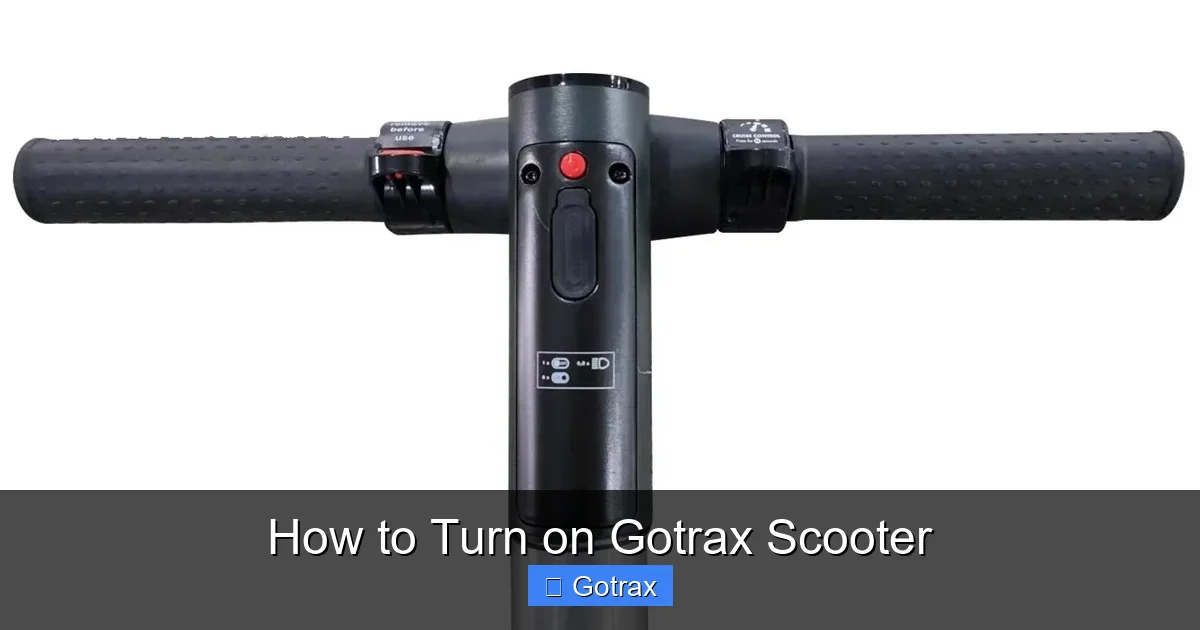
Turning on your Gotrax scooter is simple once you know the right steps. This guide walks you through the entire process, from safety checks to troubleshooting common issues, ensuring a smooth and safe start every time.
Key Takeaways
- Always perform a pre-ride safety check before turning on your Gotrax scooter to ensure tires, brakes, and battery are in good condition.
- Locate the power button correctly—it’s usually on the handlebar display or near the deck—and press it firmly for 2–3 seconds to activate the scooter.
- Ensure the battery is charged before attempting to turn on the scooter; a low or dead battery is the most common reason it won’t power up.
- Use the correct startup sequence: turn on the scooter, wait for the display to light up, then gently twist the throttle to begin riding.
- If the scooter doesn’t turn on, check the battery connection and power switch—sometimes a loose connection or accidental lockout can prevent startup.
- Refer to your model’s user manual for specific instructions, as Gotrax models like the GXL, G2, or G4 may have slight variations in the power-on process.
- Regular maintenance and proper storage help prevent startup issues and extend the life of your Gotrax scooter.
How to Turn on Gotrax Scooter: A Complete Step-by-Step Guide
So you’ve got your brand-new Gotrax scooter—or maybe you’re just pulling it out of storage—and you’re ready to hit the pavement. But when you press the power button, nothing happens. Don’t panic! Turning on a Gotrax scooter is actually pretty straightforward, but there are a few key steps and safety checks you should follow to ensure everything works smoothly.
In this comprehensive guide, we’ll walk you through exactly how to turn on your Gotrax scooter, whether you’re using a GXL, G2, G3, G4, or another model. We’ll cover everything from pre-ride safety checks to troubleshooting common startup problems. By the end, you’ll be confident in powering up your scooter and enjoying a safe, fun ride every time.
Let’s get started!
Why Proper Startup Matters
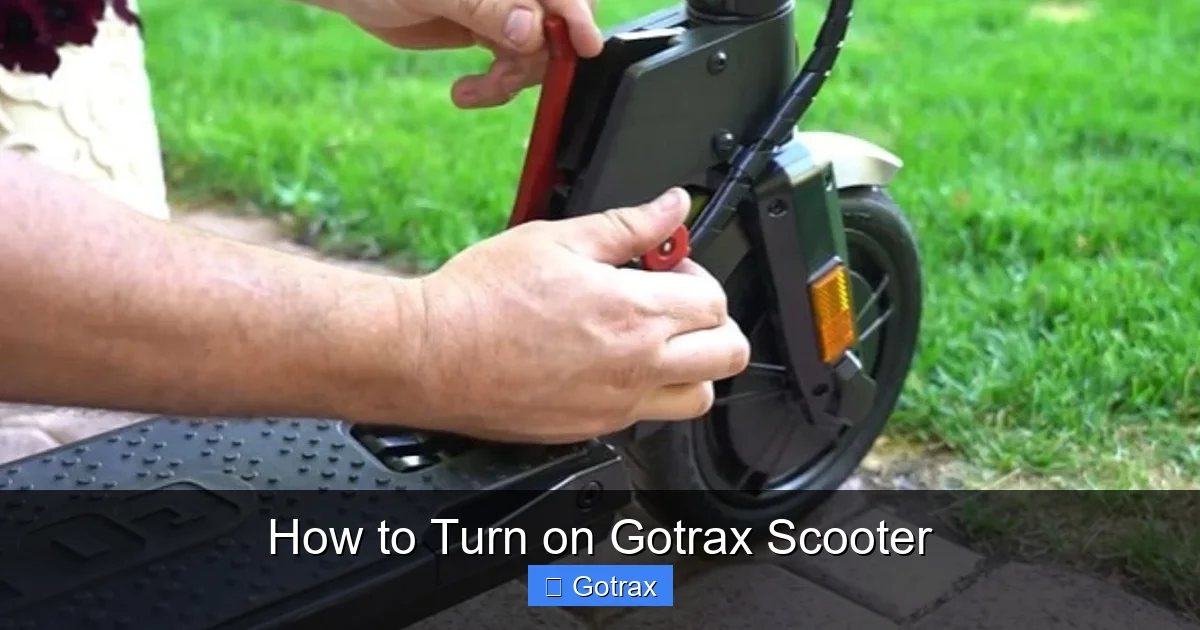
Visual guide about How to Turn on Gotrax Scooter
Image source: scootertip.com
Before we dive into the steps, it’s important to understand why turning on your Gotrax scooter the right way matters. These electric scooters are designed with safety and performance in mind, and the startup process is part of that system.
When you turn on your scooter correctly, you allow the internal electronics to initialize, the battery to connect properly, and the motor to engage safely. Skipping steps or forcing the scooter to start can lead to malfunctions, reduced battery life, or even safety hazards like sudden acceleration.
Plus, following the correct procedure helps you catch potential issues early—like a low battery or loose connection—before they become bigger problems. Think of it like warming up your car on a cold morning: it’s a small step that makes a big difference in performance and longevity.
So, take a few extra seconds to do it right. Your scooter—and your safety—will thank you.
Step 1: Perform a Pre-Ride Safety Check
Before you even think about pressing the power button, take a moment to inspect your Gotrax scooter. This quick check takes less than two minutes but can prevent accidents and mechanical issues.
Check the Tires
Look at both tires to make sure they’re properly inflated and free of cracks, cuts, or embedded objects like glass or nails. Underinflated tires can affect handling and increase the risk of punctures. If your scooter has pneumatic (air-filled) tires, use a bike pump to top them off to the recommended PSI (usually printed on the tire sidewall).
Inspect the Brakes
Test the hand brake lever on the handlebar. It should feel firm and responsive when you squeeze it. If it feels loose or doesn’t engage the rear wheel, you may need to adjust or replace the brake pads. Also, check that the brake light (if your model has one) turns on when you press the lever.
Examine the Deck and Frame
Make sure the deck is clean and dry, with no debris or moisture that could cause slipping. Check the frame for any visible cracks, loose bolts, or signs of damage. A sturdy frame is essential for safe riding.
Verify the Battery Level
Look at the battery indicator on the display (if your scooter has one) or check the charge level using the LED lights near the power button. Gotrax scooters typically have a series of 4 or 5 LED lights that show how much charge is left. If only one light is on—or none—your scooter may not have enough power to start.
If the battery is low, plug it in and charge it fully before attempting to turn it on. Most Gotrax models take 3–6 hours to charge completely, depending on the battery size.
Ensure the Scooter Is on a Flat, Stable Surface
Place your scooter on level ground, away from slopes, curbs, or uneven surfaces. This helps prevent accidental movement when you power it on and gives you better control when you start riding.
Step 2: Locate the Power Button
Now that your scooter has passed the safety check, it’s time to find the power button. The location varies slightly depending on your Gotrax model, but it’s usually in one of two places:
On the Handlebar Display (Most Common)
On models like the Gotrax GXL, G2, and G4, the power button is integrated into the LCD display unit on the handlebar. It’s typically a small, circular button labeled with a power symbol (⚡ or a circle with a line).
Near the Deck or Battery Compartment
Some older or budget models, like the Gotrax G1, may have a physical power switch located near the rear wheel or under the deck, close to the battery. This switch often looks like a small toggle or push-button.
If you’re not sure where yours is, consult your user manual or look for a button with a power icon. Once you’ve found it, make sure it’s not covered by dirt, tape, or a protective cover.
Step 3: Charge the Battery (If Needed)
A dead or low battery is the number one reason a Gotrax scooter won’t turn on. Even if the scooter was fully charged when you last used it, batteries can lose charge over time—especially if the scooter has been sitting in storage.
How to Charge Your Gotrax Scooter
1. Locate the charging port—usually on the side or rear of the scooter, near the battery.
2. Plug the charger into a standard wall outlet.
3. Connect the charger’s plug to the scooter’s charging port. You should see a light on the charger turn red, indicating it’s charging.
4. Wait for the light to turn green, which means the battery is fully charged.
5. Unplug the charger and store it safely.
Most Gotrax scooters take between 3 and 6 hours to charge completely. Avoid overcharging, as this can reduce battery lifespan. If you’re in a hurry, even 1–2 hours of charging may give you enough power for a short ride.
Signs Your Battery Is Too Low to Start
– The power button doesn’t respond when pressed.
– The display flickers or shows no lights.
– The scooter makes a clicking sound but doesn’t power on.
– Only one LED light is on (or none).
If you see any of these signs, charge the battery before trying to turn on the scooter.
Step 4: Turn On the Scooter
Now for the main event: turning on your Gotrax scooter. Follow these steps carefully.
Press and Hold the Power Button
Place one hand on the handlebar for stability. With your other hand, press and hold the power button for 2–3 seconds. You should feel a slight click or resistance.
Don’t just tap the button—Gotrax scooters are designed to require a firm, sustained press to prevent accidental activation.
Watch for the Display to Light Up
After holding the button, the LCD display should illuminate. You’ll see information like battery level, speed mode, and sometimes a Bluetooth or app connection indicator.
If the display lights up but the scooter doesn’t respond to the throttle, don’t worry—this is normal. Some models require you to “wake up” the motor by gently twisting the throttle after powering on.
Listen for a Beep or Startup Sound
Many Gotrax models emit a short beep or tone when they power on successfully. This is a good sign that the scooter is ready to ride.
If you don’t hear a beep and the display remains dark, try the troubleshooting steps below.
Step 5: Select Your Riding Mode (If Applicable)
Gotrax scooters often come with multiple speed modes, especially the GXL and G4 models. Once the scooter is on, you can choose your preferred mode using the buttons on the display.
Eco Mode (Low Speed)
Ideal for beginners or short trips. Limits top speed to around 10–12 mph and conserves battery.
Normal Mode (Medium Speed)
The default setting for most rides. Offers a balance of speed and efficiency, typically up to 15–18 mph.
Sport Mode (High Speed)
For experienced riders who want maximum performance. Can reach speeds up to 20 mph on some models, but drains the battery faster.
To switch modes, press the “Mode” or “M” button on the display. The current mode will be shown on the screen.
Step 6: Test the Throttle and Brakes
Before you start riding, it’s crucial to test the throttle and brakes to ensure they’re working properly.
Test the Throttle
Stand next to the scooter (don’t ride it yet). Gently twist the throttle on the right handlebar. The motor should engage smoothly, and the scooter should begin to move forward slightly. If it jerks, doesn’t respond, or makes a grinding noise, stop immediately and check for issues.
Test the Brakes
While the scooter is still stationary, squeeze the brake lever. The rear wheel should stop turning, and the brake light (if equipped) should illuminate. If the brakes feel spongy or don’t stop the wheel, adjust or replace them before riding.
Troubleshooting: What to Do If Your Gotrax Scooter Won’t Turn On
Even with the best preparation, sometimes your Gotrax scooter just won’t power up. Here are the most common issues and how to fix them.
Issue 1: No Power at All
If the scooter doesn’t respond when you press the power button, check the following:
– Is the battery charged? Plug it in and wait at least 30 minutes before trying again.
– Is the charger working? Try a different outlet or charger if possible.
– Is the battery properly connected? On some models, you can access the battery compartment and ensure the connectors are secure.
Issue 2: Display Lights Up But Scooter Won’t Move
This usually means the motor isn’t engaging. Try:
– Gently twisting the throttle to “wake up” the motor.
– Turning the scooter off and on again.
– Checking if the scooter is in a locked or demo mode (some models have a child lock feature).
Issue 3: Scooter Turns On But Shuts Off Immediately
This could be due to:
– A loose battery connection.
– Overheating (let the scooter cool down for 10–15 minutes).
– A faulty power button or internal wiring (contact Gotrax support).
Issue 4: Power Button Feels Stuck or Unresponsive
Dirt, moisture, or physical damage can affect the button. Try:
– Cleaning around the button with a dry cloth.
– Gently pressing it multiple times to dislodge debris.
– If it’s still stuck, contact customer service—don’t force it.
When to Contact Gotrax Support
If you’ve tried all the troubleshooting steps and your scooter still won’t turn on, it may have a hardware issue. Gotrax offers a 1-year warranty on most models, so reach out to their customer support team for assistance. Have your model number and purchase date ready.
Tips for Maintaining Your Gotrax Scooter
Keeping your scooter in top condition helps prevent startup issues and extends its lifespan.
Store It Properly
Keep your scooter in a dry, cool place away from extreme temperatures. Avoid leaving it in direct sunlight or in a hot car, as this can damage the battery.
Charge Regularly
Even if you’re not using the scooter daily, charge it at least once a month to maintain battery health.
Clean It After Rides
Wipe down the deck, handlebars, and tires with a damp cloth to remove dirt and debris. Avoid spraying water directly into the motor or battery compartment.
Check for Updates
Some Gotrax models support app connectivity and firmware updates. Download the Gotrax app (if available for your model) to check for updates and customize settings.
Conclusion
Turning on your Gotrax scooter doesn’t have to be confusing. With the right steps—safety checks, proper charging, and a firm press of the power button—you’ll be up and riding in no time.
Remember, every Gotrax model is a little different, so always refer to your user manual for model-specific instructions. And if you run into trouble, don’t hesitate to troubleshoot or reach out for help.
Now that you know how to turn on your Gotrax scooter safely and confidently, you’re ready to enjoy all the freedom and fun that electric scooters have to offer. Happy riding!